Server Version#: 1.21.0.3616
Player Version#: Plexamp 3.3.1 and the web client in Chrome
I am using Plex as a replacement for Google Play Music for my media and so far it’s working fine except for my favorite band - Umphrey’s McGee - keeps showing up with a strange box before the apostrophe. I looked at a few other bands and songs that have apostrophes in them and I don’t see it, so it’s bugging me that it’s happening for Umphrey’s. Any ideas?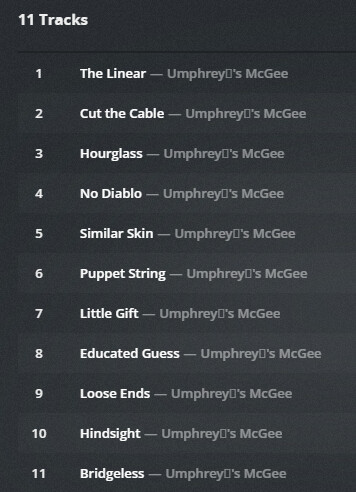

I assume that this file has embedded meta tags which are using UTF-8 text encoding. I could be wrong though.
Anyway, just overwrite the contents of the embedded metatags. Delete the apostrophe as well as the letter before and after it and re-type them.
A free software would be https://www.mp3tag.de/en/index.html
You might want to do the same with your file and folder names. I can only assume that the meta tags and file names were originally done with a software which downloaded the metadata from some user-contributed internet database. The user who provided this artist name might have been using some different operating system than Windows.
It might also be possible that there is an issue with code page translation, if your drive S: is actually a file share on a NAS, which doesn’t run Windows (almost none of them do).
My S:\ drive is a NAS, but some of the Umphrey’s McGee are showing up correctly. I’ll try re-doing the tags - I love and use mp3tag already so I’ll give it a shot.

