Plex server is set up but now it can not "this site cant be reached" message

I have a Diskstation NAS with the Plex server installed and running (it has been for a few weeks now). Today I launched the dashboard on the NAS, and I clicked on Main Menu icon. When all the installed services are displayed, I clicked on the Plex icon. A new browser window gets opened and the url that tries to launch is http://192.168.1.2:32400/web. I then get a page that states This site cant be reached. 192.168.1.2 refused to connect.

Anyone know why this might be?

First check: (seems to be happening to folks due to DSM for some reason again which I am investigating)

Control Panel - Shared Folders - Plex - EDIT - Permissions tab

Make sure user Plex has R/W permission.

I verified that user Plex has R/W permission. It does.

Please manually (Filestation) navigate into the Plex share. Drill down until you see Logs
Right-click Compress to Logs.zip (give your username R/W permission if needed).

Attach that zip here please.

This is the same thing as asking Plex to Download Logs.

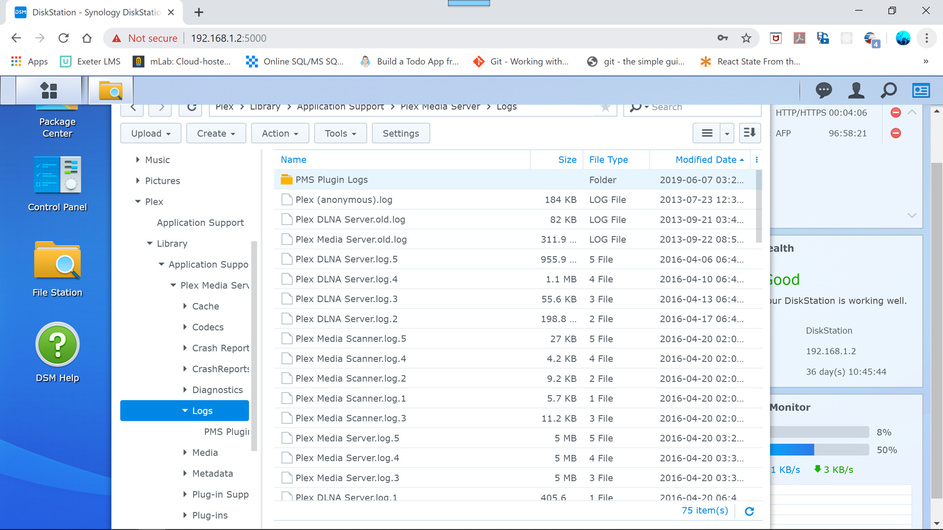
When I navigate to Logs, I see this screen:

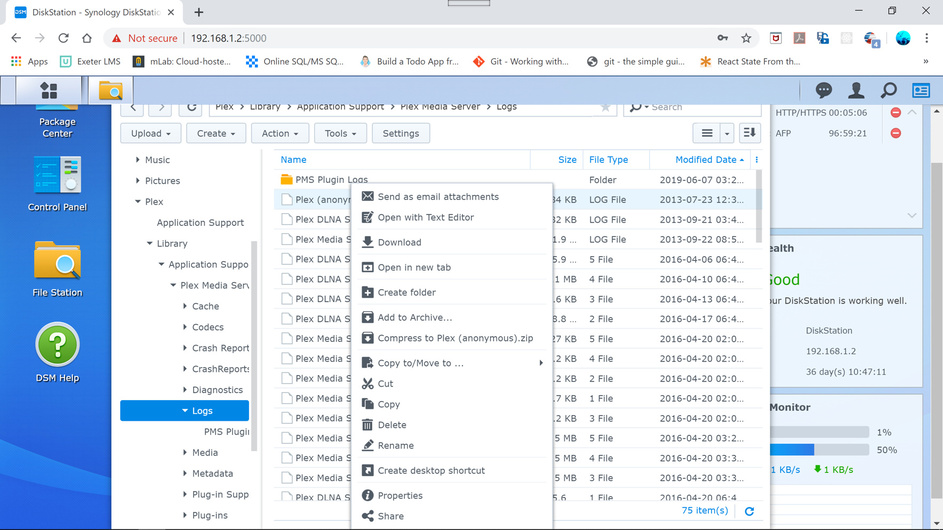
When I right click on Logs, I see this:

There is no option to Compress to Logs.zip.

If I select the Plex (anonymous).log file and right click on that, I get this:

I clicked on the compress to Plex (anonymous).zip option and generated the file that I have attached. I’m not sure if that is what you are looking for.

Jonathan

Plex (anonymous).zip (14.7 KB)

43CEAC41752243BCBFCE05E7A53A46D7.png

Jonathan,
I apologize. Stop at the “Plex Media Server” Layer. On the right (as well as the left) you will see Logs.
Right click there and Compress to Logs.zip It will compress the entire tree which lies beneath it and not just one tiny file. It shouldn’t indicate Logs (anonymous).zip

No reason to apologize. Here you go.

Jonathan

Logs.zip (6.84 MB)

Jonathan,
Can you help me understand this?

Apr 20, 2016 06:42:11 [0xf3b229c0] INFO - Plex Media Server v0.9.12.18.1520-6833552 - synology DiskStation i686 - build: linux-synology-i686 synology
Apr 20, 2016 06:42:11 [0xf3b229c0] DEBUG - Opening 20 database sessions to library, SQLite 3.8.9, threadsafe=1
Apr 20, 2016 06:42:11 [0xf3b229c0] DEBUG - Running migrations.
Apr 20, 2016 06:42:11 [0xf3b229c0] DEBUG - Listening on IPv6 as well as IPv4.
Apr 20, 2016 06:42:11 [0xf3b229c0] DEBUG - CERT: Installed certificate with fingerprint d4:40:ec:7c:1c:b6:ba:5c:8a:97:f2:c4:75:49:bb:fe:23:17:dc:b9.
Apr 20, 2016 06:42:11 [0xf3b229c0] DEBUG - CERT: Installed new private key.
Apr 20, 2016 06:42:11 [0xf3b229c0] DEBUG - CERT: Subject name is /C=US/ST=CA/L=Los Gatos/O=Plex, Inc./CN=*.f23a264404b1460e81503a1b73de4098.plex.direct
Apr 20, 2016 06:42:11 [0xf3b229c0] DEBUG - CERT: Installed intermediate certificate.
Apr 20, 2016 06:42:11 [0xf3b229c0] DEBUG - Listening on port 32400 with queue of 128 connections.
Apr 20, 2016 06:42:11 [0xf3b229c0] DEBUG - Listening on port 32401 with queue of 128 connections.
Apr 20, 2016 06:42:11 [0xf3b229c0] ERROR - Error: Unable to set up server: basic_string::_S_create

Please notice the date? April 2016 ?

Please notice the version? 0.9.12 ?

When is the last time PMS was run on this system?

What DSM version is this?

I’m embarrassed to say this, but I went to the dashboard and clicked on Package Center and then clicked on Installed. When I scrolled down to Plex, I saw that is was not running. The service is now running and everything seems to be ok.
I’m sorry for wasting your time.

Jonathan

This topic was automatically closed 90 days after the last reply. New replies are no longer allowed.