Server Version#:
Player Version#:
What does this lock symbol mean and how can I unlock my server?
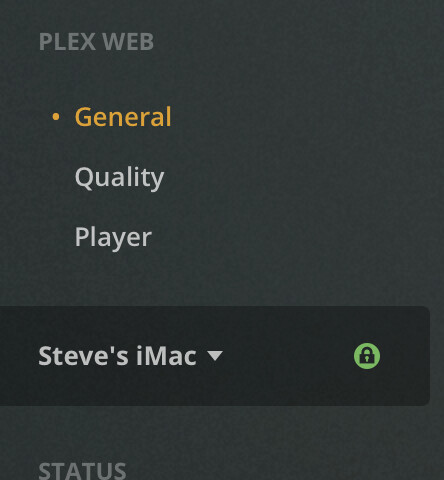
You can hover over that icon. It means it’s a secure (https) connection.
No, hovering over it doesn’t do anything. Nor does choosing disabling secure connection do anything to that lock icon. I am trying to figure out why the Plex app on my Apple TV says that my server on my iMac is unauthorized. Is it possible that this lock icon has something to do with that?
1st: this is the popup showing for me when hovering over the lock icon in Safari / Chrome.

2nd: Apple TV claiming your server is unauthorized
That doesn’t seem to be related to the lock icon.
Is your Plex Media Server linked to your Plex account? You can see that under Settings > Steve's iMac > General… if there’s an option to sign-in, the server is not yet linked to your Plex account.
The Apple TV app can only connect to a server that’s linked to your account.
Interesting, but no I don’t get any reveal when hovering (in Safari). I’ll just have to assume it is what you say it is. Curious that the lock doesn’t disappear when I disable secure connection.
Yes, the server is signed into my account. The Plex app on my Apple TV is signed into the same account. As an experiment, I downloaded a Plex player to run on my Mac. It runs perfectly, and I think (based on the fact that this player is accessing my media library) that it is connecting with the Plex server OK. I just can’t get the app on my Apple TV to make that connection.
The term “unauthorized” must mean something specific to the Plex programming. It almost sounds like the programming regards my Mac as deliberately blocked from serving player apps on other devices.
What version of Plex Media Server do you have installed on your Mac and what version of the Plex client is installed on your Apple TV?
Does this issue persist if you reboot your server / sign-out and back into Plex on your Apple TV?
Just started with Plex yesterday, so all the latest stuff. Everything Plex that is on my Mac seems to be working well. The App on my Apple TV seems to be working well, with the one key exception – seeing my Plex server as “unauthorized”.
I have tried the usual things of rebooting, redownloading/reinstalling apps etc. I always get the same result when I launch the Apple TV app and try to access my own media library from there.
I should add that the other error message I get when trying to use the Apple TV app is: Steve’s iMac is Currently Unavailable. The server is running however and is certainly connected to the network.
Are the two devices in the same subnet?
Plex will consider different subnets as remote connections – if you haven’t configured your server for remote access, the client won’t be able to connect to the server.
This can e.g. happen if you’re using a separate WLAN access point inside your network that’s configured to establish its own network / to assign its own local IP addresses instead of extending the home network established by your router.
No, I don’t think that is a useful direction to look. I do have a wireless extender but that is all it is. I have two Apple TV boxes. One is connected directly to my main router and the other is connected to the extender. I get the same problem on both.
The term “unauthorized” must mean something specific to the Plex programming, as I can’t think of any reason for that term is show up within the Plex interface. Possibly that is something triggered by the Mac environment, but even with decades of Mac experience I can’t think of what that might be.
I can only hope that someone chimes is, who knows that triggers “unauthorized”. Otherwise I guess I will give up on Plex.
The server showing as “unauthorized” implies there’s some hiccup with an expired Token used for authorization between the server and your Apple TV app. Signing out and back in or a hard restart of the client should usually fix this.
If it doesn’t (as you stated above) we’d need to take a look at the logs of the Plex client on your Apple TV.
Thank you. Very helpful. One doesn’t use Apple TV as a client ordinarily, and you gave me some good ideas to work with.
I did get it to work. One step involved doing a reset to factory defaults (bit of a hassle from here, but that’s OK) and then rebuilding from there. including reinstalling and logging into Plex. In the latter case, I ended up doing the 4-digit code on the Plex link page, rather than using the Continue with Apple option. That may have helped as well.
