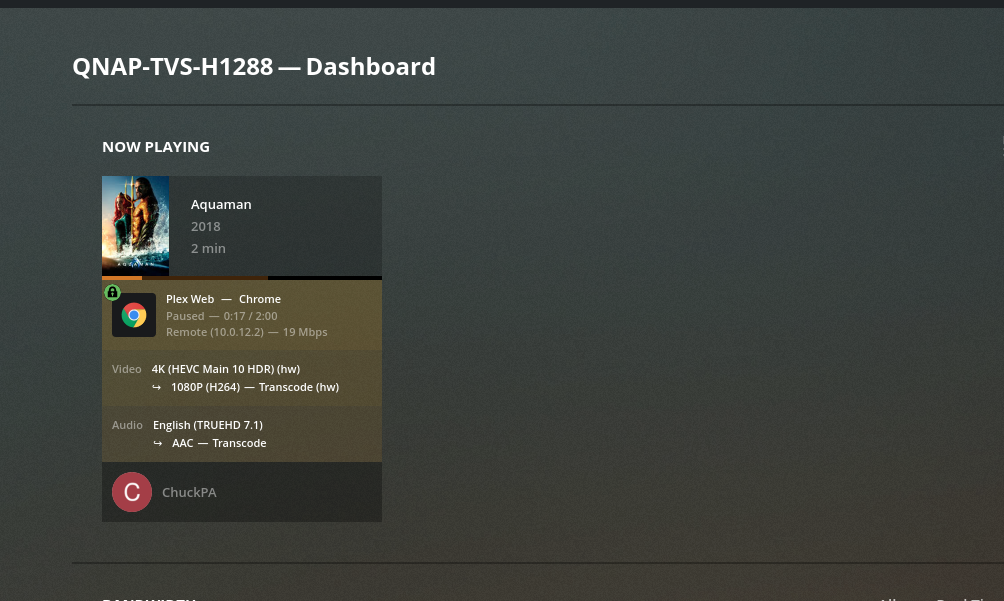
Something works-----
Something did change. The challenge is to find out what did.
Media ?
Playback conditions ? (client? settings ?)
Docker container ?
Docker image ?
QNAP Container Station ?
QuTS update ?
HI Chuckpa,
I have tried older docker version but still software transcoding.
When I had set it up in December 2020, it was working with HW transcoding.
So I guess something has been changed in: QNAP Container Station or in a QuTS update.
I will try older versions then the ones below, just in case when I have more time.
linuxserver/plex:bionic-1.21.1.3830-6c22540d5-ls8
linuxserver/plex:bionic-version-1.21.1.3795-ee64ab56f
linuxserver/plex:1.21.1.3795-ee64ab56f-ls9
I knew
Over the weekend,
Overhauled the QNAP packaging (.qpkg scripts) for PMS
Corrected the problem with PMS 1.23.0 not respecting Container & Virtualization modes when using Nvidia GPU cards.
While I was at it ----
Due to the problems with Nvidia GPUs (GT series, and P series),
We solved the GT series cards. This is coming/is out in the Beta. Should be there now
My packaging changes for QTS & QuTS are in 1.23.0.4480 (available)
There will be at least one more Beta build (the P2000/400/xxx issue)
Are you guys also working on the docker version that will work with the internal UHD Graphics P630, that was working before ?
thanx for the update, I will keep an eye on the versions and let you know if and when something changes
@seriousuxx
Check your docker configuration / spec because internal UHD has worked and continues to work 1.23.0.4497
hash26
May 15, 2021, 7:51am
47
Hi Dwight, do you regularly transcode 4K movie files for Plex? I am finding the box struggles to play back larger files. Processor is supposed to decode and encode 4k, but to what extent i am not sure.
Cheers
Hi hash26
This review will give you an incite into it’s capabilities.
hey guys… are there any changes with QuTS and nvidia Transcoding.
CPU Transcoding working but I dont get it running on the nvidia. Plex Version: 1.23.2.4656
Thats my configuration:
You need to tell it to use the Nvidia.
By default, the W-1250 QSV is used.
Plex off
Add hidden pref VaapiDriver="i965"
Plex on
(make a backup of preferences.xml just in case )
ok now it works! Great thank you for your help. do i have the change the hidden pref with every update from plex or did it stay in line
That pref will stay until you change it or erase the server.
AJchang
September 30, 2021, 3:36am
54
Just out of curiosity, what did you mean by full-up pool? I’m sorry for the dumb question.
I have setup my TS-673A with a RAID 1 SSD storage pool (system-pool) as recommended by QNAP UK, and have another RAID 6 HDD storage pool where I’ve created my “Movies” and “TV Shows” shared folders for media. Assuming Plex is installed on the system-pool, and I follow these QNAP UK instructions, I should be okay, right?
ChuckPa
September 30, 2021, 5:32am
55
@AJchang
By “Full Up” I meant
Either:
SSDs for the first pool where the apps and PMS are installed. Be certain to give yourself enough SSD storage.
-or-
All HDDs are in the main storage pool. By doing this, you have the same amplified I/O performance of multiple drives as you had in QTS.
I state this because ZFS does not work well with JBOD in QuTS. You only get a fraction of the drive’s rated performance.
If you have 8 or more HDDs in the system, my recommendation would be to have all HDDs in the main storage pool.
If you have enough HDDs then SSDs become more “optional”
I have a TVS-1282.
CACHEDEV1 (QTS) is on the mirrored SSDs
CACHEDEV2 (all the media) is RAID 5 across all 8 drives.
The more you hardware you can put into the pool, the faster it will perform; with the knowledge that 3 HDDs was not enough to run QuTS + Plex.
If I had SSDs installed, everything would have performed much better.
AJchang
September 30, 2021, 10:14pm
56
Thank you for such a detailed reply, and also for making Plex work on QuTS hero.
hmmm, in plain English???
Using a QNAP QuHero TVS1288X with Nvidia
It indeed does not use the grapic card…
80GB Memory, PMS installed on 2x M2 1TB. Movies on HDD’s (7 pieces). 4 SDD’s as cache next to M2’s
ChuckPa
October 13, 2021, 4:16pm
58
@sven_abels_gmail_com
I am confused. A question or sharing info?
The processor does support QSV hardware transcoding directly.
The package control script plex.sh is written to use an Nvidia card if:
The qpkg file supports both QTS and QuTS.
Sharing info I’m afraid.
PreReq are met. 1, Nvidia assigned to 2a & 2b installed, QPKG on QuTS. Lifetime license in place. Hardware acceleration checked in settings.
Nvidia remains @ 0% usage
What have I overlooked?
AJchang
November 23, 2021, 6:17am
60
Looks like QuTS hero 5.0 is finally out of beta ! Anyone here brave enough to upgrade?
 ---- Added packaging support for QuTS