This is the script I gave you (mostly).
I moved a few things around so the was easier to read and maintain.
This is the script I gave you (mostly).
I moved a few things around so the was easier to read and maintain.
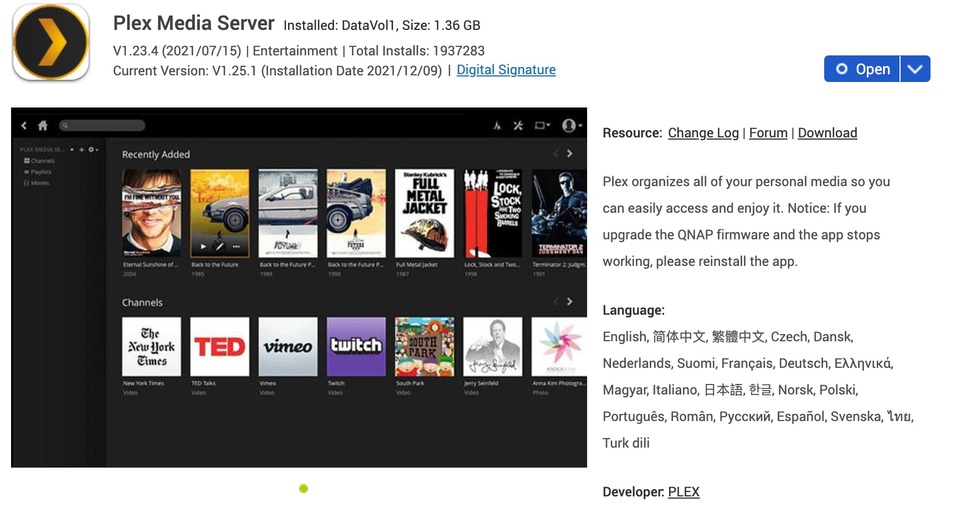
PMS v1.23.4 from QNAP store (says latest release?!?!).
QNAP Fireware 5.0.0.1870
QNAP TS-451+
Similar problem to folks here: Following the last update (not sure if firmware or Plex) the PMS just fails and fails. I have reinstalled numerous times. Please release a new update to help folks and fix this issue in the QNAP store.
QNAP App Store has not yet updated. They always lag behind.
Please Manual Install from plex.tv/downloads
done.
Ok, the way around this for me (low tech way)
I uninstalled the non-working version. Then used the QNAP App interface to reinstall it. Logged into the PMS local web interface.
There it suggested “Your version is behind…etc” so I clicked the manual download option and it allowed me to directly download :PlexMediaServer-1.25.1.5286-34f965be8-x86_64.qpkg"
Switch to the QNAP web management interface and go to the APP center. There I clicked on the “Install Manually” button in the top right.
Select the QPKG and did the install manually there. This so far seems to be working for me. And for once I don’t have the annoying “your version is old” message popping up on the PLEX web interface…
Hopefully this helps the folks that have a broken PMS and don’t want to be doing SSH and all that jazz.
1.25.1 or 1.25.2 ?
1.25.2 .5319 has the updated control scripting
you’ve never needed to install via SSH and all that jazz 
Please download from Plex.tv (1.25.2.5319) – Plex Pass
and install that version.
We’ll get this control problem resolved by upgrading.
Qts 5.0.0.1870
PMS 1.25.2.5139
Qnap TVS-871 Core i7 4790s no auxiliary gpu
When I open Plex in the app center, I get the following error message:
Not Found
The requested url was not found on the server
The address bar is showing that It is linking to the NAS’s IP address and to the port I have assigned to Plex.
I’ve tried downgrading Plex, but that didn’t help.
How do I fix this?
It was working fine 12/1/2021
Thanks!
What URL ?
It sounds like PMS didn’t start.
Do you have a PlexData share or access to the command line (SSH) ?
If you have the PlexData share, drill into it …
Plex Media Server / Logs / Plex Media Server.log
Does it say something about “Address already in use” ?
Installed 1.25.2.5319 on my QNAP TS-453BT3, firmware 4.5.4, still cannot open web interface of Plex
edit… reboot and its working for now. Ill update this thread if it dies
@ChuckPa Thank you for your hard work to fix this
I have also been having this issue. Latest update ( Version 1.25.2.5319) doesn’t fix it. 
Not knowing if you had processes hung, Did you restart QTS after install ?
multiple times.
Time for the basics:
The address isn’t in use as it is reserved by my router/ firewall for my NAS.
IP address of the PC is 192.168.0.63.
I have tried accessing it by the app and by the IP address (192.168.0.43/32400/web).
I don’t know how to use SSH. Are there any instructions available for ssh? I have rebooted the nas several times and have stopped/ restarted the Plex app via the app center multiple times.
Any other ideas?
@ChuckPa …no issues so far…
You mean I get to keep my job?

I’m going to ask for precise syntax here, ok?
because it does matter.