Server Version#: 1.22.0.4163
Player Version#: 4.51.3
Server Logs:
Plex Media Scanner.log (1.6 MB)
Plex Media Scanner.1.log (472.0 KB)
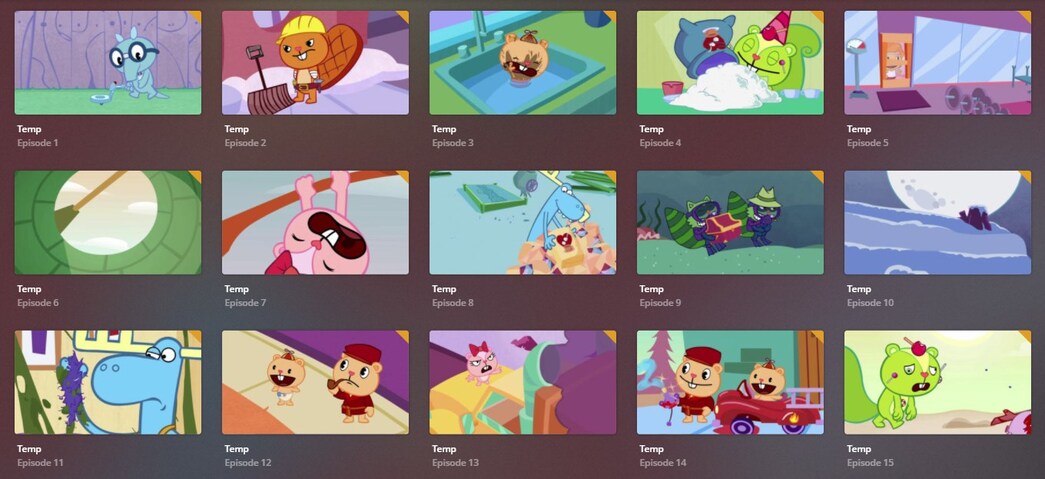
I just uploaded my own copy of Happy Tree Friends (1999) and Happy Tree Friends (2006) to my Plex Server. Plex was also able to pull the Metadata (from TheTVDB as i understand) and displayed Season Banners and Episode Thumbnails accordingly.
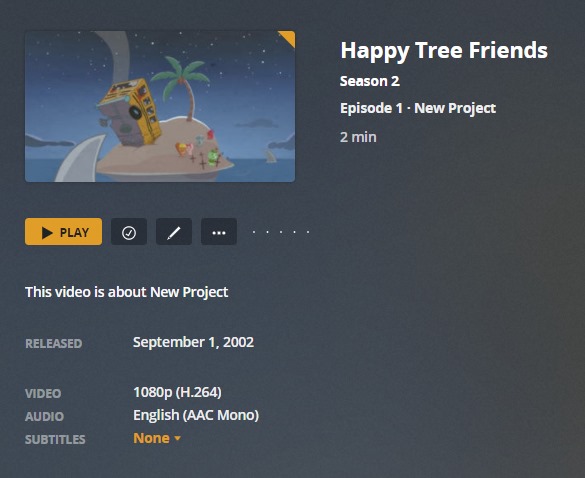
However, most episodes are either named “Temp” or “New Project” with Episode Descriptions like “This video is about Temp” or “This video is about New Project”. I use an episode filename formatting that works for 90% of all my Plex Contents and this is the first time i encountered such.
I can also confirm that said episode names are present over at TheTVDB as i first tallied that i have the correct episode names before uploading the contents to Plex. Originally, i used Plex’s own Scanner but i also tried BABS only to have the same issue.
Help is much appreciated. See below screenshots for reference:
The software which was used to rip and/or compress these files is embedding nonsensical metadata into them.
Either:
- remove those metadata from the files (you can use e.g. mp3tag)
- tell Plex to not prioritise embedded meta data over its own downloaded metadata by doing the following configuration changes:
Go to
- Settings - Server - Agents - Shows - TheTVDB
In there, grab the line ‘Local Media Assets’ with your mouse and drag it downwards, so it ends up being at the bottom of the stack of active agents.
Repeat the same under
- Settings - Server - Agents - Shows - TheMovieDatabase
- Settings - Server - Agents - Movies - Plex Movie (Legacy)
- Settings - Server - Agents - Movies - TheMovieDatabase
Afterwards, Refresh Metadata of the affected items.
If your libraries already use the new native “Plex Movie” or “TV Shows (Beta)” agents, do this instead:
Edit your library
go to the ‘Advanced’ tab
clear the check mark out of “Prefer local metadata”
Afterwards, Refresh Metadata of the affected items.
I just want to say you’re awesome!
prioritizing downloaded metadata worked!
Thanks man.