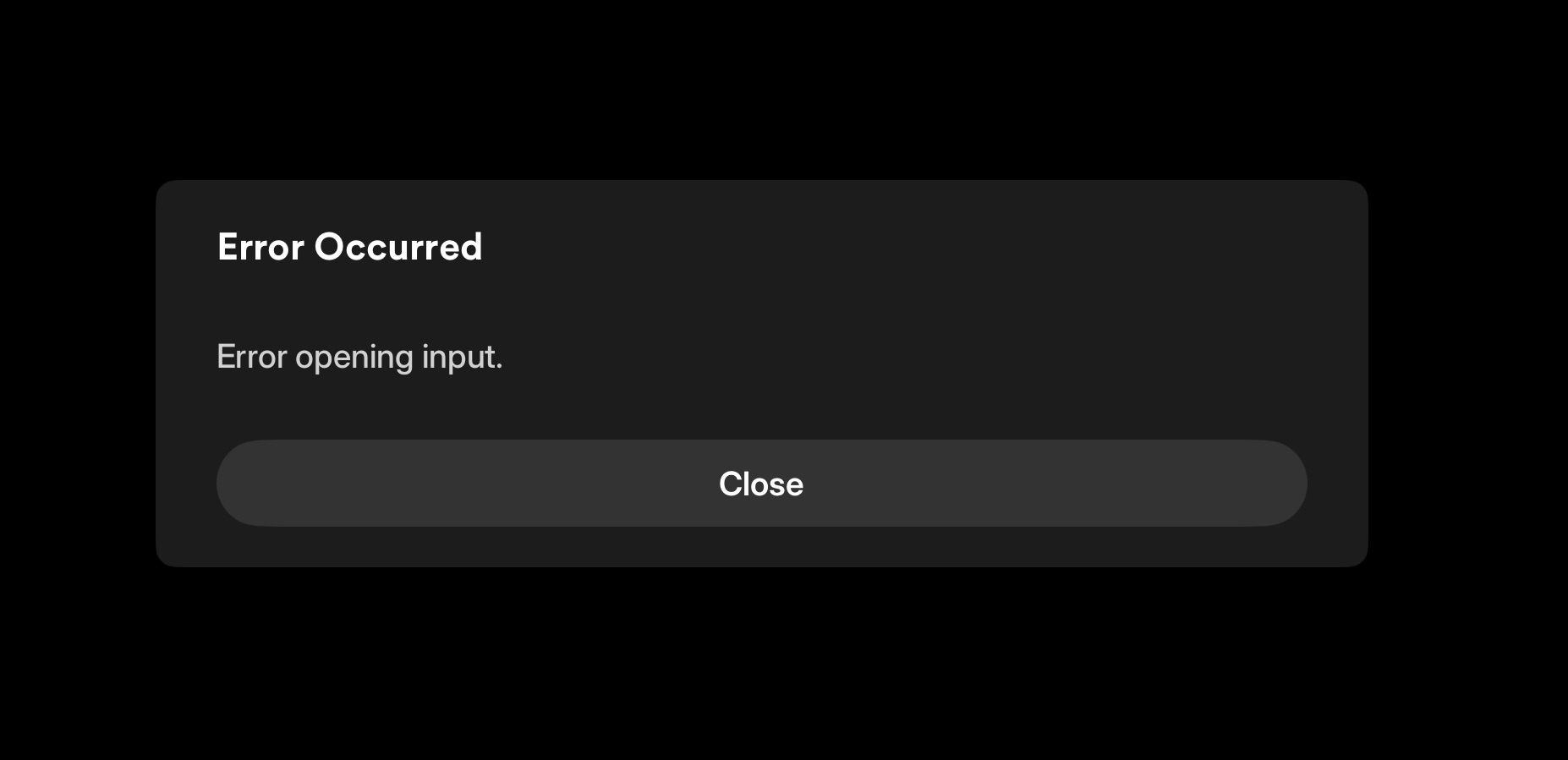
Plex transcoding stopped working?

Server Version#: 1.42.1.10060
Player Version#: ipad and ios latest versions, mac chrome browser latest versions, not sure if there is another player version I should mention.

My ability to transcode seems to have disappeared. I think this worked fine a few months ago, but my typical use case is direct play, and I’ve advised all friends who use my server to direct play. Just recently, I tried downloading some media to my ipad on a lower than “original” setting and the transcode conversion process starts but stays at 0%. This worked in the past (and worked in the past with the new experience as well). I’ve tried streaming content with transcoding on as well and it fails with “Failed to open file” on both my iphone and ipad. On my desktop, it simply doesn’t do anything when I change quality to anything other than original. Playing the original works fine on all devices. I’ve done this on my local network and remotely, and see the same behavior. Transcoding just seems broken? Any thoughts on settings I should change or try? My server is on ubuntu 24.04

Are you using a Nvidia card with the driver version higher than 535?

@sholnay

Need more info about the host.

  1. CPU
  2. If you have external GPU, which make and model, and driver version ?

@mage0r

Currently using 570 drivers, from the PPA, on Ubuntu without issue.

[chuck@lizum ~.2010]$ nvidia-smi
Tue Aug 26 14:07:40 2025       
+-----------------------------------------------------------------------------------------+
| NVIDIA-SMI 570.181                Driver Version: 570.181        CUDA Version: 12.8     |
|-----------------------------------------+------------------------+----------------------+
| GPU  Name                 Persistence-M | Bus-Id          Disp.A | Volatile Uncorr. ECC |
| Fan  Temp   Perf          Pwr:Usage/Cap |           Memory-Usage | GPU-Util  Compute M. |
|                                         |                        |               MIG M. |
|=========================================+========================+======================|
|   0  NVIDIA RTX 2000 Ada Gene...    On  |   00000000:01:00.0  On |                  Off |
| 30%   40C    P8              9W /   70W |    1028MiB /  16380MiB |      2%      Default |
|                                         |                        |                  N/A |
+-----------------------------------------+------------------------+----------------------+
                                                                                         
+-----------------------------------------------------------------------------------------+
| Processes:                                                                              |
|  GPU   GI   CI              PID   Type   Process name                        GPU Memory |
|        ID   ID                                                               Usage      |
|=========================================================================================|
|    0   N/A  N/A           13506      G   /usr/lib/xorg/Xorg                      266MiB |
|    0   N/A  N/A           13879      G   /usr/bin/gnome-shell                    179MiB |
|    0   N/A  N/A           15137      G   ...ersion=20250822-050037.570000        191MiB 
|    0   N/A  N/A          338344      G   gnome-control-center                     71MiB |
+-----------------------------------------------------------------------------------------+
[chuck@lizum ~.2011]$

Appreciate the replies, I’m on Intel:

CPU: Intel(R) Xeon(R) E-2224G CPU @ 3.50GHz

GPU (integrated in cpu): Intel CoffeeLake-S GT2 [UHD Graphics P630]

HW Accelerated enabled, transcoding device set to graphics:

@sholnay

Would you please do the following

  1. Make certain DEBUG logging is enabled (VERBOSE disabled)
  2. Restart PMS
  3. Wait about 60 seconds for the server to settle
  4. Start playback of a video which will transcode
  5. Wait 20 seconds
  6. Stop Playback
  7. Download the Server logs ZIP file
  8. Attach the ZIP file here

I’ll see what’s not happening.

Sure thing @ChuckPa.

Note: I played from my iphone on the local network. My default is set to original, so I clicked play on a movie and it started playing. I went to the playback options and changed the quality to 720p or something less than original. At that point, nothing happened, and after about 15 seconds, I see the below error. If it’s easier to parse the logs with a play that immediately transcodes, let me know and I can repeat the process and update my settings so it tries to transcode. Attached are the logs.

Plex Media Server Logs_2025-08-26_15-50-55.zip (2.6 MB)

That’s the app failing.

The server is fine.

Aug 26, 2025 15:49:55.737 [126316170922808] DEBUG - [Req#14d/Transcode/34ec83dd-1fbc-4fea-bc45-c7e23602c428] [FFMPEG] - Created surface 0.
Aug 26, 2025 15:49:55.737 [126316170922808] DEBUG - [Req#14d/Transcode/34ec83dd-1fbc-4fea-bc45-c7e23602c428] [FFMPEG] - Direct mapping possible.
Aug 26, 2025 15:49:55.738 [126316170922808] INFO - [Req#14d/Transcode/34ec83dd-1fbc-4fea-bc45-c7e23602c428] Preparing driver imd for GPU Intel CoffeeLake-S GT2 [UHD Graphics P630]
Aug 26, 2025 15:49:55.738 [126316170922808] DEBUG - [Req#14d/Transcode/34ec83dd-1fbc-4fea-bc45-c7e23602c428/DriverDL/imd] Skipping download; already exists
Aug 26, 2025 15:49:55.738 [126316170922808] DEBUG - [Req#14d/Transcode/34ec83dd-1fbc-4fea-bc45-c7e23602c428] TPU: hardware transcoding: final decoder: vaapi, final encoder: vaapi
Aug 26, 2025 15:49:55.738 [126316170922808] DEBUG - [Req#14d/Transcode/34ec83dd-1fbc-4fea-bc45-c7e23602c428/JobRunner] Job running: FFMPEG_EXTERNAL_LIBS='/var/lib/plexmediaserver/Library/Application\ Support/Plex\ Media\ Server/Codecs/46f74ab-560174306fe167a5978a79dd-linux-x86_64/' LIBVA_DRIVERS_PATH="/var/lib/plexmediaserver/Library/Application Support/Plex Media Server/Cache/va-dri-linux-x86_64" X_PLEX_TOKEN=xxxxxxxxxxxxxxxxxxxxxxxxxxxxxxxxxxxxxxxxxx "/usr/lib/plexmediaserver/Plex Transcoder" -codec:0 h264 -hwaccel:0 vaapi -hwaccel_fallback_threshold:0 10 -hwaccel_output_format:0 vaapi -hwaccel_device:0 vaapi -extra_hw_frames 0 -codec:1 ac3 -analyzeduration 20000000 -probesize 20000000 -i "/mnt/thailand/movies/The Beach (2000)/The Beach (2000) {imdb-tt0163978} [Remux-1080p][AC3 5.1][AVC]-KRaLiMaRKo.mkv" -filter_complex "[0:0]hwupload[0];[0]scale_vaapi=w=1280:h=720:format=nv12[1];[1]hwupload[2]" -map "[2]" -metadata:s:0 language=eng -codec:0 h264_vaapi -b:0 3157k -maxrate:0 3157k -bufsize:0 6314k -r:0 23.975999999999999 -force_key_frames:0 "expr:gte(t,n_forced*3)" -filter_complex "[0:1] aresample=async=1:ochl='5.1':rematrix_maxval=0.000000dB:osr=48000[3]" -map "[3]" -metadata:s:1 language=eng -codec:1 libopus -b:1 336k -segment_format matroska -f ssegment -individual_header_trailer 0 -flags +global_header -segment_header_filename header -segment_time 3 -segment_start_number 0 -segment_copyts 1 -segment_time_delta 0.0625 -segment_list "http://127.0.0.1:32400/video/:/transcode/session/34ec83dd-1fbc-4fea-bc45-c7e23602c428/3d2e6eb7-ad2b-468c-b55b-79cd7ceeb32a/manifest?X-Plex-Http-Pipeline=infinite" -segment_list_type csv -segment_list_size 5 -segment_list_separate_stream_times 1 -segment_list_unfinished 1 -segment_format_options strip_dovi=1:output_ts_offset=10 -max_delay 5000000 -avoid_negative_ts disabled -map_metadata:g -1 -map_metadata:c -1 -map_chapters -1 "media-%05d.ts" -start_at_zero -copyts -vsync cfr -init_hw_device vaapi=vaapi:/dev/dri/renderD128,driver=iHD -filter_hw_device vaapi -y -nostats -loglevel quiet -loglevel_plex error -progressurl http://127.0.0.1:32400/video/:/transcode/session/34ec83dd-1fbc-4fea-bc45-c7e23602c428/3d2e6eb7-ad2b-468c-b55b-79cd7ceeb32a/progress
Aug 26, 2025 15:49:55.738 [126316170922808] DEBUG - [Req#14d/Transcode/34ec83dd-1fbc-4fea-bc45-c7e23602c428/JobRunner] In directory: "/tmp/Transcode/Transcode/Sessions/plex-transcode-34ec83dd-1fbc-4fea-bc45-c7e23602c428-3d2e6eb7-ad2b-468c

Here you can see the phone coming in and failing because the connection was too slow.

Aug 26, 2025 15:49:56.655 [126316170922808] DEBUG - [Req#14b] [Now] User is sholnay (ID: 1)
Aug 26, 2025 15:49:56.655 [126316170922808] DEBUG - [Req#14b] [Now] Device is iOS (iPhone).
Aug 26, 2025 15:49:56.655 [126316170922808] DEBUG - [Req#14b] [Now] Profile is Generic
Aug 26, 2025 15:49:56.655 [126316170922808] DEBUG - [Req#14b] [Now] Updated play state for /library/metadata/104461.
Aug 26, 2025 15:49:56.655 [126316170922808] DEBUG - [Req#14b] Statistics: (BDB3E002-68AD-40EE-A452-5EBA4A6BD605) Reporting active playback in state 1 of type 1 (scrobble: 0) for account 1
Aug 26, 2025 15:49:56.656 [126316208991032] DEBUG - Completed: [192.168.1.103:58165] 200 GET /:/timeline?key=%2Flibrary%2Fmetadata%2F104461&ratingKey=104461&playQueueItemID=488968&duration=7144136&time=0&playbackTime=17429&hasMDE=1&context=home%3Ahub.movie.recentlyadded&row=2&col=9&state=paused (16 live) #14b TLS GZIP 1ms 759 bytes (pipelined: 15)
Aug 26, 2025 15:49:57.015 [126316170922808] DEBUG - Request: [192.168.1.210:51580 (Subnet)] GET /status/sessions (17 live) #16c GZIP Signed-in Token (sholnay)
Aug 26, 2025 15:49:57.015 [126316170922808] DEBUG - [Req#16c] [Now] Adding 1 sessions.
Aug 26, 2025 15:49:57.019 [126316211100472] DEBUG - Completed: [192.168.1.210:51580] 200 GET /status/sessions (17 live) #16c GZIP 4ms 4833 bytes (pipelined: 1)
Aug 26, 2025 15:49:59.882 [126316208991032] DEBUG - Sending data was too slow, timed out.
Aug 26, 2025 15:49:59.882 [126316208991032] DEBUG - Completed after connection close: [192.168.1.103:58168] 200   (13 live) #ed TLS 20609ms 0 bytes (pipelined: 2)
Aug 26, 2025 15:50:00.057 [126316175166264] DEBUG - Request: [192.168.1.210:51600 (Subnet)] GET /library/sections (13 live) #176 TLS GZIP Signed-in Token (sholnay)
Aug 26, 2025 15:50:00.057 [126316208991032] DEBUG - Completed: [192.168.1.210:51600] 200 GET /library/sections (13 live) #176 TLS GZIP 0ms 804 bytes (pipelined: 1)
Aug 26, 2025 15:50:00.060 [126316170922808] DEBUG - Request: [192.168.1.210:51600 (Subnet)] GET /library/sections/1/all?type=1&sort=addedAt%3Adesc&addedAt%3E%3E=1756247701 (13 live) #17e TLS Page 0-499 GZIP Signed-in Token (sholnay)
Aug 26, 2025 15:50:00.061 [126316170922808] DEBUG - [Req#17e] Setting container serialization range to [0, 499] (total=-1)
Aug 26, 2025 15:50:00.062 [126316211100472] DEBUG - Completed: [192.168.1.210:51600] 200 GET /library/sections/1/all?type=1&sort=addedAt%3Adesc&addedAt%3E%3E=1756247701 (13 live) #17e TLS GZIP Page 0-499 2ms 661 bytes (pipelined: 2)
Aug 26, 2025 15:50:00.065 [126316175166264] DEBUG - Request: [192.168.1.210:51600 (Subnet)] GET /library/sections/3/all?type=4&sort=addedAt%3Adesc&addedAt%3E%3E=1756247701 (13 live) #17f TLS Page 0-499 GZIP Signed-in Token (sholnay)
Aug 26, 2025 15:50:00.065 [126316175166264] DEBUG - [Req#17f] Setting container serialization range to [0, 499] (total=-1)
Aug 26, 2025 15:50:00.115 [126316208991032] DEBUG - Completed: [192.168.1.210:51600] 200 GET /library/sections/3/all?type=4&sort=addedAt%3Adesc&addedAt%3E%3E=1756247701 (13 live) #17f TLS GZIP Page 0-499 49ms 673 bytes (pipelined: 3)
Aug 26, 2025 15:50:06.099 [126316175166264] DEBUG - Request: [192.168.1.103:58165 (Subnet)] GET /:/timeline?key=%2Flibrary%2Fmetadata%2F104461&ratingKey=104461&playQueueItemID=488968&duration=7144136&time=0&playbackTime=26885&hasMDE=1&context=home%3Ahub.movie.recentlyadded&row=2&col=9&state=stopped (9 live) #175 TLS GZIP Signed-in Token (sholnay)
Aug 26, 2025 15:50:06.099 [126316175166264] DEBUG - [Req#175] Client [BDB3E002-68AD-40EE-A452-5EBA4A6BD605] reporting timeline state stopped, progress of 0/7144136ms for guid=, playbackTime=26885ms ratingKey=104461 url=, key=/library/metadata/104461, containerKey=, metadataId=104461, source=
Aug 26, 2025 15:50:06.143 [126316175166264] DEBUG - [Req#175] [Now] User is sholnay (ID: 1)
Aug 26, 2025 15:50:06.143 [126316175166264] DEBUG - [Req#175] [Now] Device is iOS (iPhone).
Aug 26, 2025 15:50:06.143 [126316175166264] DEBUG - [Req#175] [Now] Profile is Generic
Aug 26, 2025 15:50:06.143 [126316175166264] DEBUG - [Req#175] [Now] Updated play state for /library/metadata/104461.
Aug 26, 2025 15:50:06.144 [126316175166264] DEBUG - [Req#175] Statistics: (BDB3E002-68AD-40EE-A452-5EBA4A6BD605) Reporting active playback in state 3 of type 1 (scrobble: 0) for account 1
Aug 26, 2025 15:50:06.144 [126316175166264] DEBUG - [Req#175] Streaming Resource: Terminating session 0x72e2429b4cb8:BDB3E002-68AD-40EE-A452-5EBA4A6BD605 which is using transcoder slot.  Used slots is now 0
Aug 26, 2025 15:50:06.144 [126316175166264] DEBUG - [Req#175] Streaming Resource: Terminated session 0x72e2429b4cb8:BDB3E002-68AD-40EE-A452-5EBA4A6BD605 with reason Client stopped playback.
Aug 26, 2025 15:50:06.144 [126316175166264] DEBUG - [Req#175] Streaming Resource: Removing session 0x72e2429b4cb8:BDB3E002-68AD-40EE-A452-5EBA4A6BD605
Aug 26, 2025 15:50:06.145 [126316208991032] DEBUG - Completed: [192.168.1.103:58165] 200 GET /:/timeline

In the app quality, turn down the bitrate and retry.

Thank you for taking a look and demystifying the logs a little bit.

So I’m not entirely sure when you say turn down bitrate, that I’m doing it correctly? I’ll outline what I’ve done:

On my iphone, I went to Settings > Video & Audio > WiFi Quality, I set it to the lowest, 240p (320 Kbps). When I do this, I get the same behavior, no video will play.

I’ve tried this on my Apple TV as well, I used to be able to set the quality on any show to lower than original and it would stream fine (even though I don’t need to since it’s local and connected to the LAN not even wifi). I just tried streaming a movie on apple tv with the lowest 240p setting and it crashed the plex app entirely on AppleTV.

I’m not sure I understand why the bitrate is an issue here either? I’m able to stream over wifi the original quality shows, but when I try to reduce the bitrate, it fails, isn’t that less bandwidth?

I’ll also add:

Transcoding for downloads also does not work but it used to. When I set my download quality setting to say, “Medium”, and then I queue a show, it says “Converting (#x) 0%” and it never changes from 0%

Is there somewhere else I can look at in the logs that might shed some light? Maybe when I try to convert/transcode for a download there is another log file that I can inspect for info?

@sholnay

The test of whether transcoding is working or not is very simple.
– The smart apps - Apple / Android - can do too much using their own resources and skew results

  1. Open Plex/web (browser app).
    – We use it because it’s the weakest and can easily be forced to transcode video and audio

  2. Set the playback quality to something lower than the video, say 12 Mbps?

  3. Start the playback.

  4. Wait 20 seconds and then stop the video

  5. Now open Settings - Server - Troubleshooting and Download Logs

The ZIP file it gives you will contain the info

What to look for:

  1. MDE: (Media Decision Engine) where it determines what needs to be done

  2. TPU: (Transcoder Preparation) where it confirms the GPU can transcode the video. This is where you’ll see it (once each PMS startup) testing the resolution and codec.
    – Important part here is the Decoder and Encoder selection
    – VAAPI = Hardware (Quick Sync driver)
    – NVDEC/NVENC = Hardwrae (Nvidia HW driver)

  3. FFMPEG – the actual FFMPEG (transcoder invocation command)

Below that you will see the transcoder actions, block by block.

1 Like

I am having this same issue with the latest build>

I had transcoding working great with portainer/plex on a synology 920+ nas. I couldn’t get my DVR to work so I started updating things and then updated a volume to rw and got the DVR problem solved.

Now I can’t get transcoding to work again. It had been working fine for +6months, could convert without issue from 4k to 720p whatever.

Anyone else seeing an issue with the latest plex version/portainer/ synology 920+ nas (J4125, 4, 4, ✓, Geminilake supports quicksync)? Plex version is Version 1.42.1.10060.

Best I can tell I am seeing this error…

Aug 31, 2025 17:21:30.755 [140195574598456] DEBUG - Request: [192.168.50.116:62758 (Subnet)] GET /video/:/transcode/universal/session/hz2xpsvgt0awjxp0osr47irv/1/header (9 live) #11f5 TLS GZIP Signed-in
Aug 31, 2025 17:21:34.000 [140195613657912] ERROR - [Req#122e/Transcode/hz2xpsvgt0awjxp0osr47irv/6b1d326a-25a9-4e4d-a522-87bf6490b152] [eac3_eae @ 0x7f4e637e3ac0] EAE timeout! EAE not running, or wrong folder? Could not read ‘/run/plex-temp/pms-a2444bc0-bb51-468d-8684-749d76ed3d56/EasyAudioEncoder/Convert to WAV (to 8ch or less)/hz2xpsvgt0awjxp0osr47irv_822-0-41.wav’
Aug 31, 2025 17:21:34.001 [140195634764600] ERROR - [Req#1233/Transcode/hz2xpsvgt0awjxp0osr47irv/6b1d326a-25a9-4e4d-a522-87bf6490b152] [eac3_eae @ 0x7f4e637e3ac0] error reading output: -5 (I/O error)
Aug 31, 2025 17:21:34.001 [140195609000760] ERROR - [Req#1236/Transcode/hz2xpsvgt0awjxp0osr47irv/6b1d326a-25a9-4e4d-a522-87bf6490b152] Error while decoding stream #0:1: I/O error
Aug 31, 2025 17:21:39.000 [140195613657912] ERROR - [Req#1239/Transcode/hz2xpsvgt0awjxp0osr47irv/6b1d326a-25a9-4e4d-a522-87bf6490b152] [eac3_eae @ 0x7f4e637e3ac0] EAE timeout! EAE not running, or wrong folder? Could not read ‘/run/plex-temp/pms-a2444bc0-bb51-468d-8684-749d76ed3d56/EasyAudioEncoder/Convert to WAV (to 8ch or less)/hz2xpsvgt0awjxp0osr47irv_822-0-42.wav’
Aug 31, 2025 17:21:39.001 [140195634764600] ERROR - [Req#123c/Transcode/hz2xpsvgt0awjxp0osr47irv/6b1d326a-25a9-4e4d-a522-87bf6490b152] [eac3_eae @ 0x7f4e637e3ac0] error reading output: -5 (I/O error)
Aug 31, 2025 17:21:39.001 [140195609000760] ERROR - [Req#1240/Transcode/hz2xpsvgt0awjxp0osr47irv/6b1d326a-25a9-4e4d-a522-87bf6490b152] Error while decoding stream #0:1: I/O error

I have the /transcode set to rw… not sure what is happening. Might try to roll back to an earlier plex server version where it was working…

It has nothing to do with the QSV. This is a Dolby EAE error.

Specifically, you have more directories to monitor than are currently allocated.

The procedure to remedy this, which you’ll now need to run after every DSM update, is:

So even if this can play without issue and can record new thing to the DVR via PMS there is a limit to ionotify? I will give it a try.

Also no issues adding new content, only see error when transcoding.

So same problem after trying this.

Please confirm:

  1. Confirm DEBUG logging enabled
  2. Restart PMS
  3. Allow to sit completely idle for 3 minutes
  4. Download server logs ZIP file
  5. Attach ZIP here please

This will allow me to confirm the inotify table is populating correctly without error

inotify is a Linux kernel service.

PMS uses that kernel service to tell it when you add, change, or remove media.
The transcoder uses one inotify slot for each Dolby transcode (how the Dolby software works).

When the table fills, and you want to transcode Dolby audio, there is no available slot.

The errors like this

[Req#1239/Transcode/hz2xpsvgt0awjxp0osr47irv/6b1d326a-25a9-4e4d-a522-87bf6490b152] [eac3_eae @ 0x7f4e637e3ac0] EAE timeout! EAE not running, or wrong folder? Could not read ‘/run/plex-temp/pms-a2444bc0-bb51-468d-8684-749d76ed3d56/EasyAudioEncoder/Convert to WAV (to 8ch or less)/hz2xpsvgt0awjxp0osr47irv_822-0-42.wav’

are what we see.

@joepaiii

I must have been looking at someone else’s logs.

You are using Docker on regular Linux ?

If so, Please accept my apologies.

The Synology instructions will not apply

sed -i 's/^s2s_watches_max=.*$//' /etc/synoinfo.conf
sed -i 's/^s2s_watches_max=.*$//' /etc.defaults/synoinfo.conf

For regular Linux, on the Linux host (not in the container),
It’s the same table increase but how regular linux does it instead of Synology proprietary

So do number 3 without attempting to play media or log into server? I am running on portainer. I will stop and restart the plex server and check the debug logging level and then close/restart the server and add the logs.