Server Version#: 1.19.1.2645
Player Version#: 1.9.0.1188-c009e512
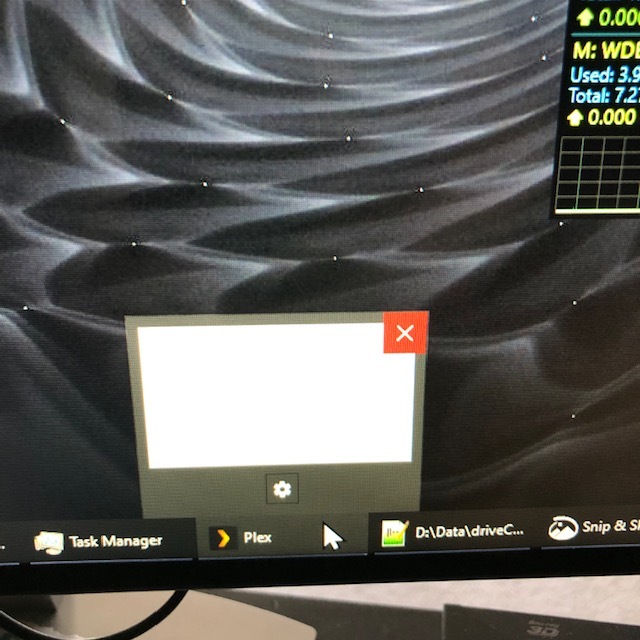
I attempted to upgrade the Plex Windows app and it no longer will start correctly. I uninstalled and reinstalled the latest version but while the program starts the window will not open. It shows up on the task bar but no window appears and it can’t be maximized. Any suggestions?
Also, even though I have the latest version, it relentlessly tells me that there’s an update available. If I select update, it attempts to run a v1.6 installer, quits and then nothing else happens.
Hi redstang,
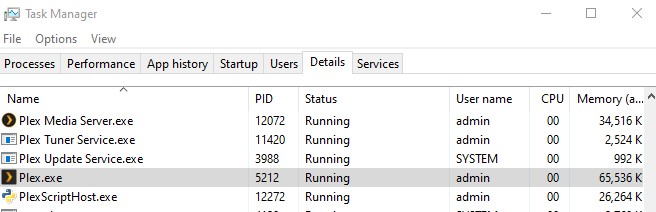
That’s weird. What does the Task Manager tell you? Can you switch to it? Does it use CPU, RAM, Disk? And you might, although rare, have hardware that’s too old, e.g. doesn’t support Plex due to compatibility issues.
And if you got update problems, just try to reinstall
Yes, it’s running. And the problem is that you cannot switch to it. See previous photo - while it is there on the taskbar, selecting it does nothing. And normally when you hover over it on the taskbar it shows a thumbnail of what the window looks like - and that shows nothing.
I have uninstalled and reinstalled twice, including manually deleting the folder from the program files directory. It CONTINUES to state that there’s an update when there is none.
OK, I have just stumbled across the “solution”?. While the Plex player was running, and sitting paralyzed in the task bar as shown originally. I was shuffling some other windows around and accidentally did the Win10 “shake a window to minimize everything” action to an Explorer window I had open. As I didn’t really mean to do that, I shook that window again to re-maximize everything and lo and behold, the Plex window got ‘unstuck’ and maximized. It now appears to be working again. I can close and reopen the Plex player and it comes back every time. This is bewildering, because as I said, I have completely uninstalled it, to the point of deleting its program files folder, and then reinstalled it a couple of times and it had remained stuck. Maybe it’s “previous window position/state” was saved in the registry or something and that was able to survive the uninstalls. At least it is working now.
However - every time I restart it, it still gives this bogus ‘update is available’ popup that does nothing if you click ‘Update Now’. So I guess that’s a separate issue.