Sorry for the question, but why limit audio quality so much? Why not let the end user choose? I would not want any coding for example as for videos on plex media player…
good job 
Plexamp has a ‘Settings’ section.
I know, but I don’t want any conversion… Screenshot_20200605-123840_Plexamp|690x1177
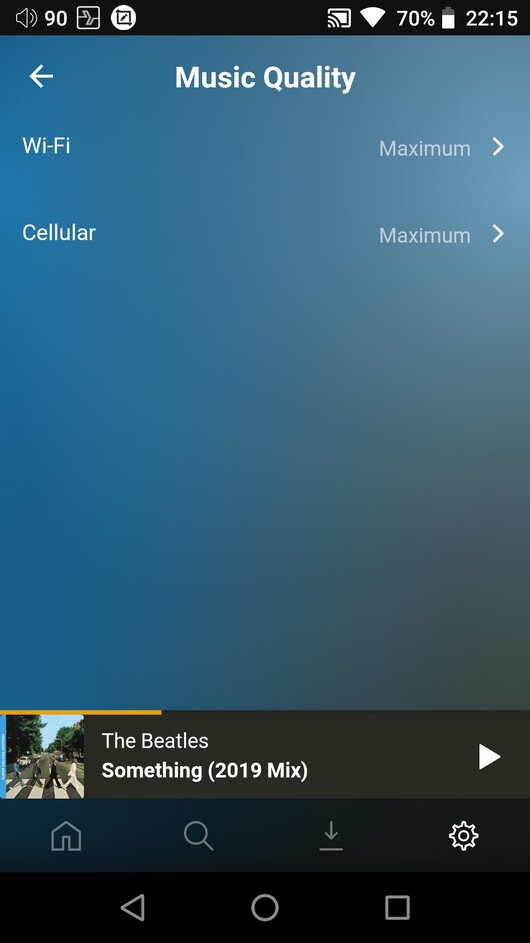
This setting is for the case when conversion cannot be avoided. As long as you have set
“Music Quality” to ‘Maximum’ on both WiFi and Cellular
“Downloads - Quality” to ‘Maximum’
then conversion should never happen.
If it does, please report back with details about the file format, network connection and server version and platform.
That setting affects conversion quality when it DOES convert. You’re looking for the basic quality settings.
Obviously I have always set Maximum in all parameters, from my tests on the dap ibasso dx220 I verified that my audio files are converted despite plexamp displaying the original bitrate on the cover of the song the audio stream that arrives is always at 44.1kHz quality (is displayed from the dap at the top next to the battery indicator. Also from the windows version of plexamp the files are always converted at 44.1kHz (displayed by my dac d90)
PlexMediaServer-1.19.4.2902-69560ce1e-x86_64 qnap
plexamp android 3.0.3 wifi connectiom
plexamp windows 3.1.0 lan connection
.

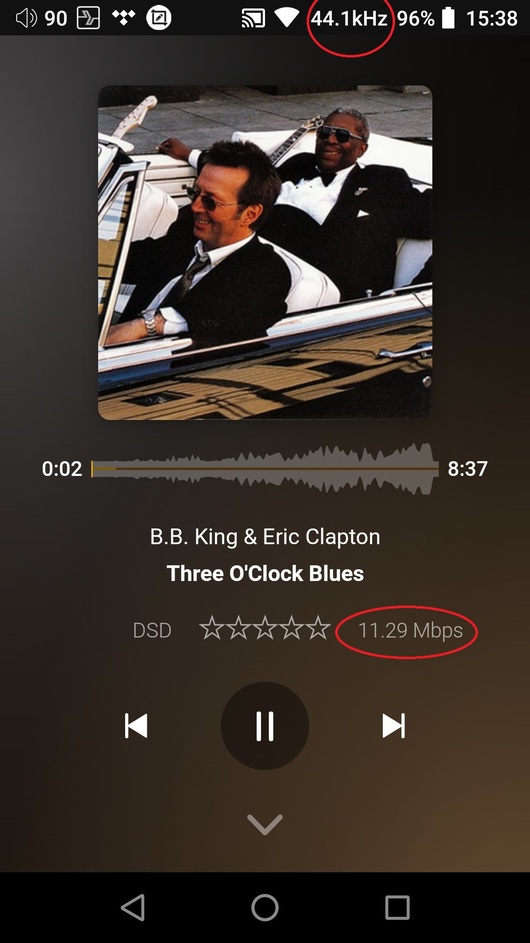
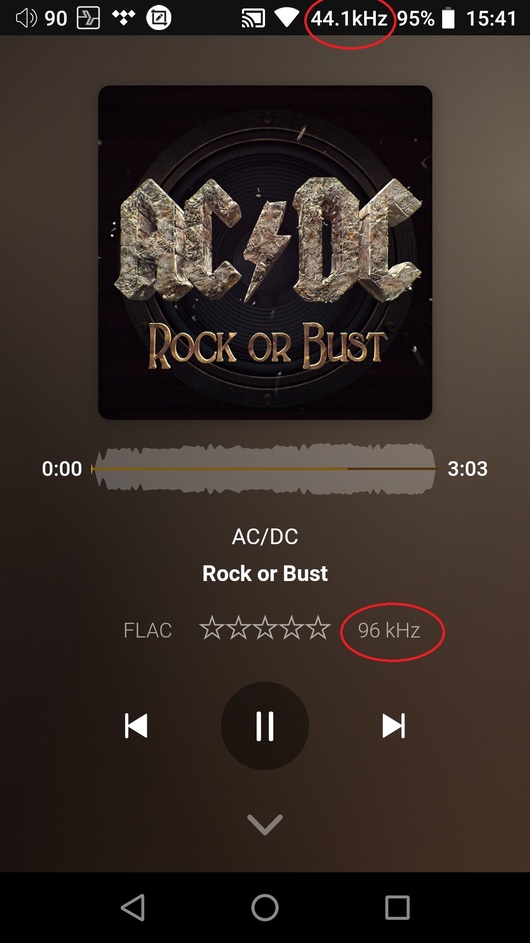
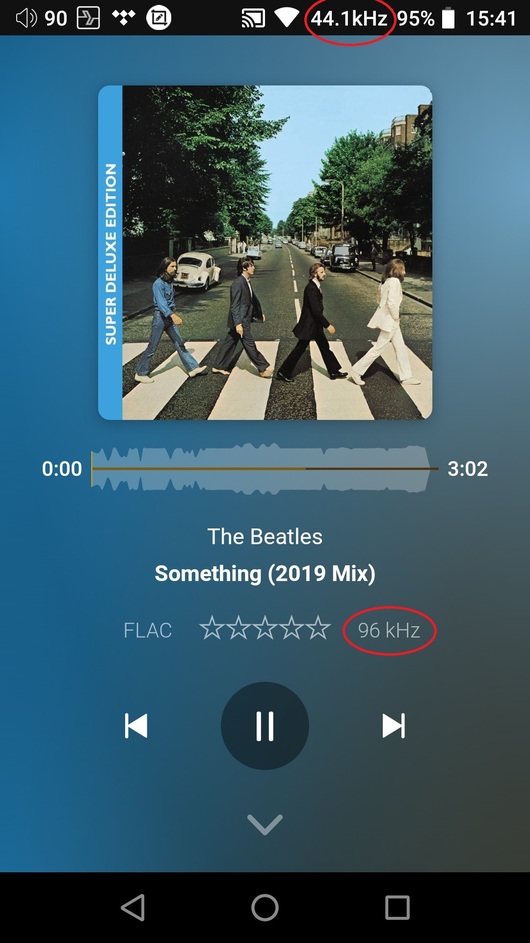

try disabling the sweet fades.
but not sure if that will make it bit perfect, it may be the nature of the audio engine to resample to meet device limits
AFAIK, no plex audio works completely in a ‘pass through’ mode (ie like passing through the dts/truehd/dsd/etc).
I think so too, it’s all disabled
I suspect if you are looking for bit perfect pass through, you are not gonna find it in plexamp, or even the regular plex audio player.
/obi-wan these aren't the players you are looking for
whether it could/will happen in the future, only time will tell.
that doesn’t mean you can’t use it for what it does, and I’d challenge to you to try to Blind ABX testing to see if you could even tell the difference.
never contested the audio quality of plexamp … indeed … I am a happy user but I wonder if the opus codec supports up to 48 kHz because it stops at 44.1kHz? and why use a codec with these limitations?
We are talking about different things.
The settings discussed above deal with the conversion into the OPUS format.
According to your screenshots, this actually doesn’t happen – so that’s a good thing.
What you’re actually referring to is that plexamp doesn’t switch the sample rate of your external DAC to adapt to the sample rate of your files. Which has nothing to do with the codec.
Plex cannot do that, currently.
The best you can do is to switch the default sample rate of your DAC to 96 kHz. That way, regular CD-sourced music gets upsampled to 96 kHz and high-res music gets played at least a tiny bit better.
Do also note that Plexamp cannot pass through DSD data to a DAC which has support for it. It will always convert it to PCM in the digital domain before sending it to the DAC.
So are you telling me that my 96kHz flac is transmitted without being modified but it is the internal dac of the dap or external of the Windows PC that does not recognize it as such?
Sorry, I don’t understand the question.
I suspect what he is asking is;
- given a 96khz samplerate flac
- is the server decoding and downsampling that and sending the pcm (or 44.1/flac) to plexamp
- or is the server sending the unmodified 96khz flac to plexamp, which decodes/downsamples to 44.1/pcm at the device
If you put it like that, the latter.
Plexamp does not change the sample rate of the DAC.
It will just determine what is set as default sample rate and from then on will resample everything to that value.
The above is valid for the desktop version.
I understand that Android appears to have a hard limit at mx 48kHz, currently.
so if the server sends the unmodified 96 khz flac to plexamp (consuming the bandwidth for 96 khz) what is the point of downsampling to 44.1 then? (applies to both android and windows)
There is no point. That’s just how it does work at the moment.
I have the same issue as @paolosnz. Plexamp doesn’t play higher than 44.1kHz on my iPad Pro or iPhone X with Cyrus Soundkey DAC. I have tested this also with Prism player (supports Plex) and it plays files without downsampling them. DAC shows on which sample rate they are played on.
Also you can hear the difference easily, no need to argue or suggest blind tests. You can listen 192kbps on Spotify if you prefer that. It’s just a shame that Plexamp seems to highlight audio quality as it shows sample rate on player. There is now even an option to show filetype and quality when browsing songs.
I was very excited about Plexamp when it was released and absolutely love UI of the app. Unfortunately there’s no point using the player if you have hi res files to play.
Hopefully this can be fixed in near future.
Probably the mistake lies in considering Plexamp an audiophile player which is not today.
From this point of view Foobar2000 is absolutely better
Plexamp has great potential, I use it in 4g and it is simply fantastic. It needs to be improved, you just need to understand how much plex wants to do it. I offer myself as a beta tester 

