When using the Plex web app interface to browse music collection, some “tags” are clickable in album view (and some also in artist view). For example the record label is clickable to bring you to a filtered list of all albums from that record label. I would very much like to have the same browsing capability in Plexamp.
Yes, I have found the “Go to Artist” shortcut by pressing the three vertical dots. When I write “clickable links”, they don’t necessarily need to be clickable on the album page, it is perfectly fine to go via the three vertical dots submenu (ala “Go to Record Label”). Changes the topic name to “shortcuts” instead
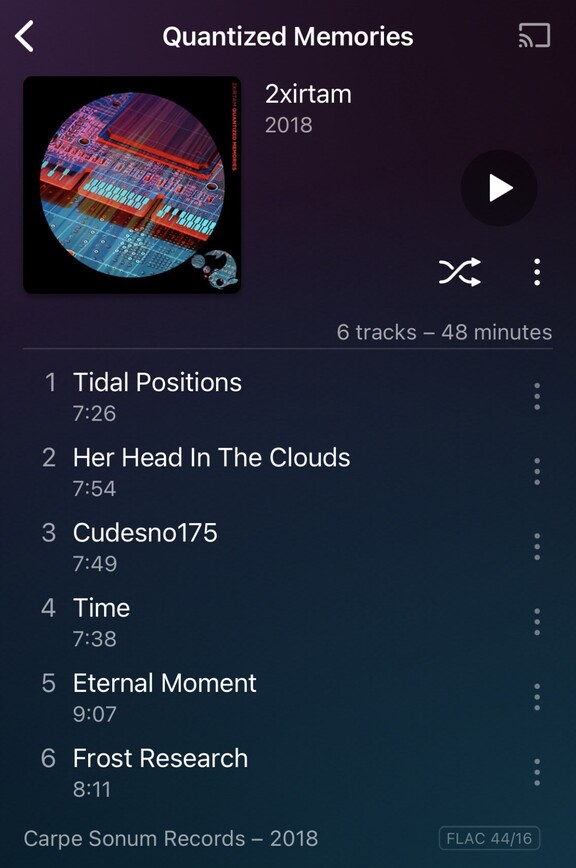
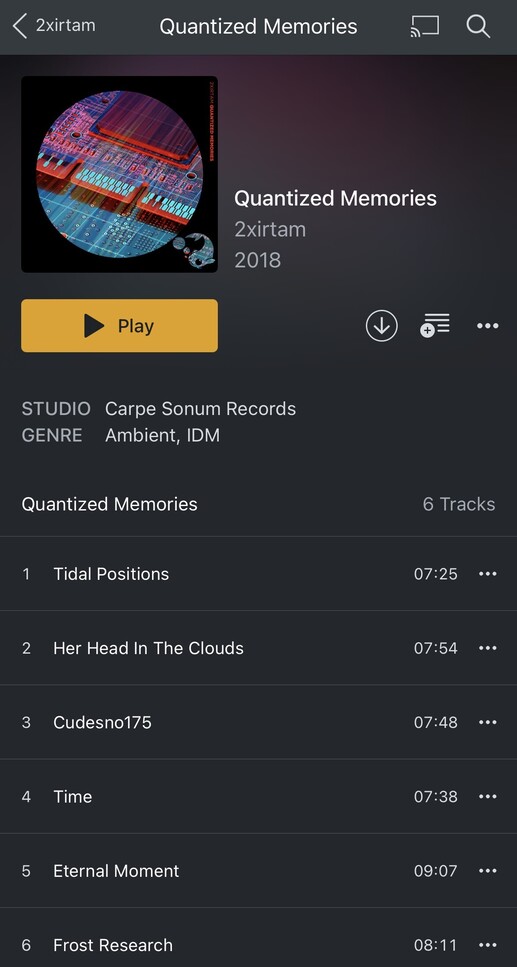
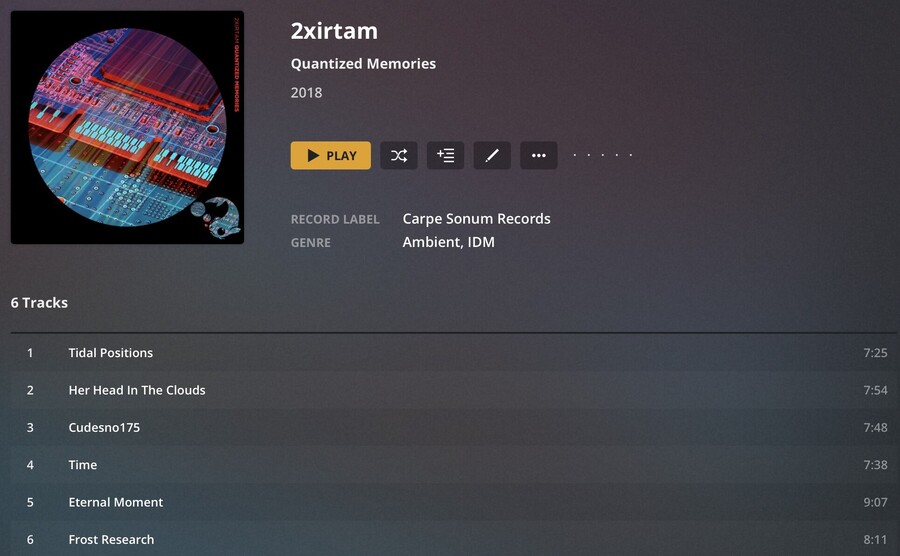
Let me illustrate some variations in the different apps; 1: Plexamp mobile app (iPhone) 2: Plex mobile app (iPhone) and 3: Plex web.
1: Record Label is visible in the bottom, below the song list. Genre(s) is not visible. From what I have found it is not possible from this view for me to continue browsing all records for the particular record label directly from here?
2: Record Label (albeit titled “Studio”) and Genre(s) are visible between album cover and song lists. From what I have found it is not possible from this view for me to continue browsing all records for the particular record label or genre directly from here?
3: Record Label and Genre(s) are visible to the right of the album cover, and in this case are clickable so it is possible to get to all albums for that particular record label or genre very easily.
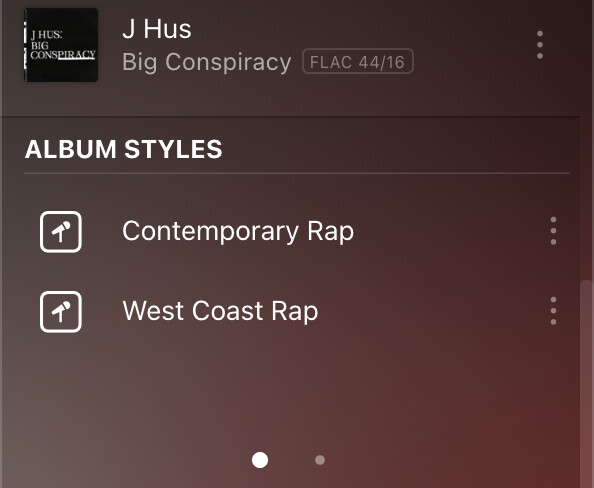
out of curiosity, do you have any special settings for genre in the library? we show styles and moods at the bottom of album pages (styles are like genre’s more detailed cousins):
Maybe this is where all my hours of tagging my music doesn’t pay off . I force Plex to use embedded tags only. And I only have genres in my music. No styles.


 . I force Plex to use embedded tags only. And I only have genres in my music. No styles.