Windows 11, latest updates as of 2024-01-26 excluding KB5034204 (preview update for 2024-01).
Issue has been intermittent for the last few weeks.
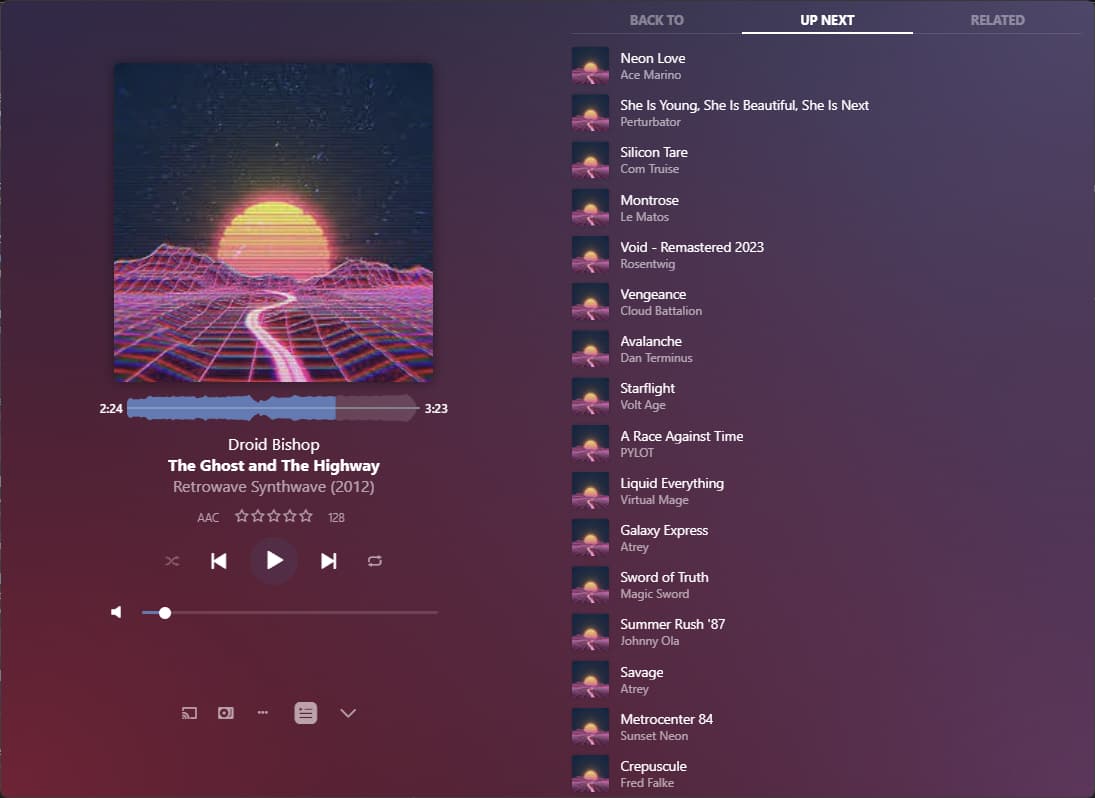
I run Plexamp (4.9.5) and start playing music. I then remote desktop into my work machine and typically the music continues playing fine. From time to time the audio will start to stutter.
Sometimes I can fix this by just moving my mouse as if inactivity is some how impacting Plexamp. Otherwise if I minimize my RDP session and click on Plexamp and then go back to my RDP session that will fix it.
Today, no such luck. If I minimize RDP and have Plexamp in focus it works fine. If I send Plexamp to the background (bring up a window over top of it), ignoring the whole RDP thing, it stutters.
The audio I am currently listening to that is stuttering is sync’d to my local machine, so it’s not even pulling from my Plex server. I disabled preferring local music, restarted Plexamp, same issue.
I’ve tried adjusting the process priority to “Above Normal” and “High” with no change.
Desktop PC, power profile is set to ‘High Performance’
I do have a UPS attached to my PC and so Windows does see a battery attached and fully charged.
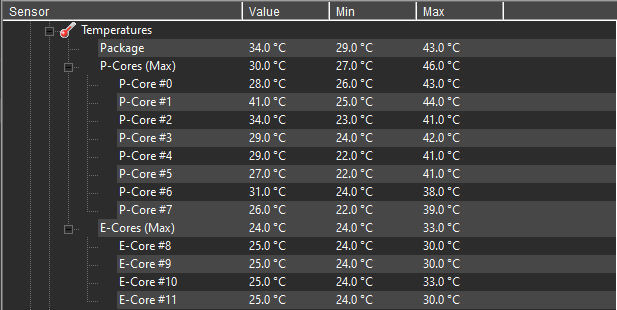
I am running a Intel 7-12700k and since my system (the one running Plexamp) is idle while I RDP into my work machine for my work day, maybe the E-Cores are causing the problem? Not powerful enough to run Plexamp but not smart enough to use a P-Core?
That shouldn’t pose a problem, IMHO. I am also using W11 on a 13th Gen CPU and the E Cores are supported just fine on that OS. It is also not really conceivable that even a single E-Core wouldn’t have enough power to play some audio.
There must be something else causing this, I think.
Are you using one of the more elaborate visualizers in Plexamp?
Feels like it starts happening when the computer idles (no mouse movement). If I move my mouse the stuttering goes away until another long-ish period (3-5m) of no mouse movement.
If I leave it stuttering for a long period of time (no mouse movement for 45m+) and then move the mouse, the stutter stays.
As before, restarting PlexAmp or pausing/playing sometimes clears things up, sometimes it does not.
Open the Windows settings app.
Under Games, verify that the “Game Mode” is not enabled. If engaged, it throttles background apps to keep the game in the foreground as responsive as possible.
I’ve recently installed a new machine with Windows 11 and was quite surprised to find the Game Mode already enabled, even though there wasn’t a single game installed on the machine.
Today I’ve been working with out RDP and just on my normal desktop. Walked away to get a package from the front door, came back, music was stuttering. Moved my mouse and the stuttering stopped.
What kind of hardware is your computer? Is this a AIO system or a laptop?
It sounds to me that the power profile that has been set in Windows is being ignored. And the reason for that could be that it’s being overridden by a driver or app supplied by the manufacturer of the computer.
Some manufacturers resort to this kind of thing, if the cooling system of the hardware is insufficient.
Even weirder – your symptoms don’t match that kind of hardware.
Did you also monitor these temps during a long RDP session?
One thing we didn’t discuss yet is the kind of sound interface/speaker setup you have.
I wonder whether you have some kind of USB sound interface or some kind of wireless speakers/headphones?
I do not, but I can if you think there is value. When I shared those numbers I had my RDP connection open but minimized so it was technically included and I highly doubt it adds any load when in focus.
I also mentioned in a earlier post the issue occurred yesterday when I wasn’t using RDP at all and just a web browser and note taking app.
I’m using a sound card built into my motherboard. Windows Device Manager says:
Realtek USB2.0 Audio
Microsoft provided driver from 2022-05-06 (Version 10.0.22621.1)
There are no options to disable putting it to sleep to save power like on some other devices so I am going to assume it does not sleep.
I have a set of Klipsch Pro Media 2.1 speakers (independently powered) via a 3.5mm audio cable to the sound card.
I wonder how a different sound interface would behave. If you have one which you could temporarily plug in, just for testing, that would be enlightening.
for your current sound card, what is selected for bit depth and sample rate in Windows audio settings?
perhaps an issue with the driver for your on-board audio device? have read about audio stuttering issues that were “solved” by changing the Windows settings to a different bit depth / sample rate … worth a try?
I’d try dialling it down to 24 bit resolution. Actual 32 bit DAC resolution is typically only available on high end devices. Everything else is just trickery where a device driver will accept 32bit samples, but then simply cut the lowest 8 bits from it and then hand over the remaining 24bit to the DAC.