I’m trying to revive my ATV3 and Plexconnect after 2 years of not using it. I stopped using it when all of a sudden it refused to work and I ran into issues I could not find a resolution. Unfortunately things are not any better today.
Plex right now looks like clusterfu_k of options, that probably only select few understand what they do.
I’m playing Mario Odyssey currently and it’s so great when a new motion is unveiled and a little instructional video pops up to show me exactly what to do. Make me wonder why can’t Plex implement some kind of little window pop up preferably with a video rather than text and explain what the option do and more importantly what effect they will have on Plex’s behavior.
Anyways after tackling issues with some kind of error:
WebServer : Failed to connect to port 80 (http): [Errno (sic) 10013] An attempt was made to access a socket in a way forbidden by its access permissions which was caused by some kind of useless service running in Win10
and then another issue with Plexconnect being unauthorized (I have entered IP into authorization exclusions or something like that and it finally worked)
New issues
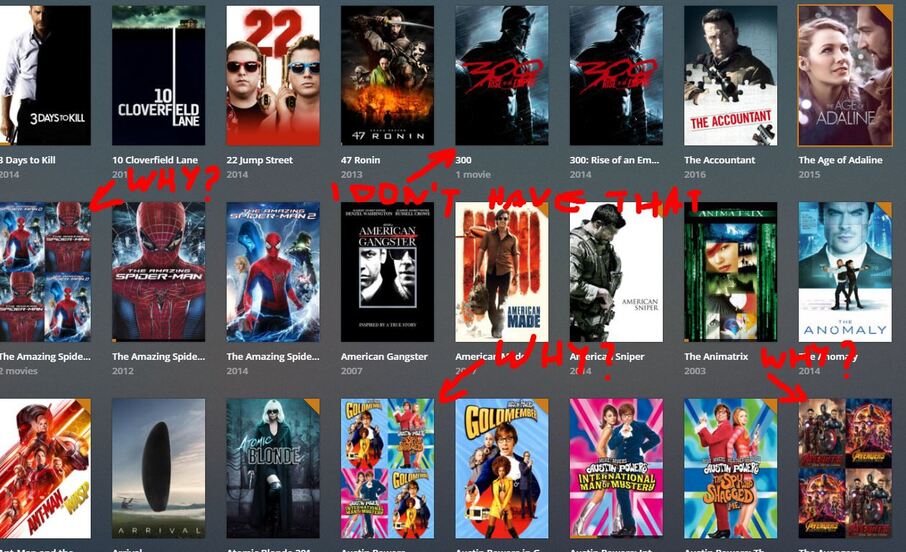
Plex - is freaking out and it displays covers of content I don’t have! For example I have Bad Santa 2, but not One, but it insists I have both yet displays covers for BS 2 only for both BS1 and 2. and when selected BS1 it of course plays BS2.
Also it combined covers of series like Avengers and again it added movies I don’t have to collection with covers from the movies I have!
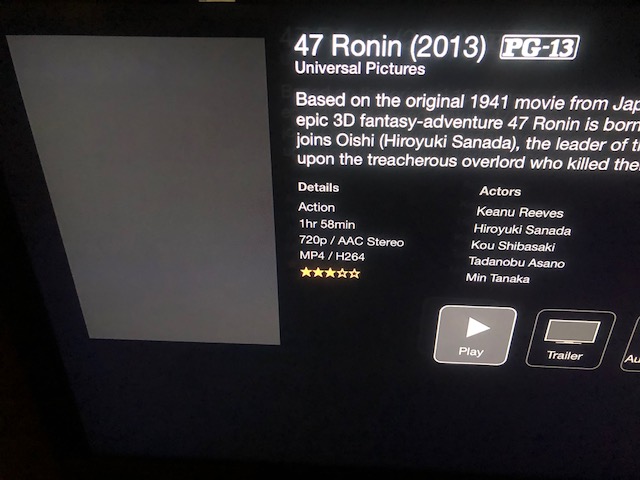
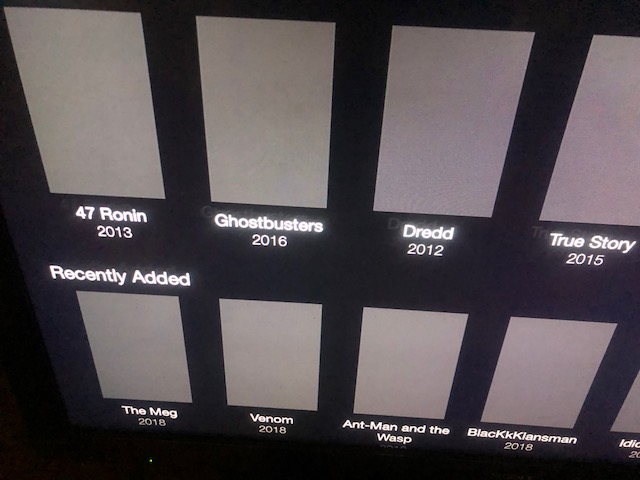
Plexconnect - doesn’t display covers now at all. Everything is blank.
Plexconnect - When movie is selected it ends up with an error: “An Error occurred loading this content”
The movies that have “1 Movie”, “2 Movies”, etc are the movie collections. If you click on them they list the movies in that collection and if you only have one then it’s the only one listed.
How do I get rid of that!? I want the old way back. I don’t care about collections of stuff I don’t have, it only adds to confusion! On top of that it just another unnecessary click on and out of the collection. So infuriating.
FYI,
If you select your movie library, and change movies at the top to collections, it will list all the collections, useful if you want to see what movies you have in a group, but it doesn’t know if your missing any…
Just added the ATV (10.0.0.127) to authorized devices, no change. Still doesn’t display covers or plays content. Same error “An Error occurred loading this content”
Before I go into log, I’ve noticed that the guide says to run plexconnect.PY, but I am running plexconnect.PYC (always have when it was working). The py shows up for a split second and goes away.
PYC is the compiled version of the PY. You should always use the PY so that Python can decide if a compilation is needed or not. Open in a command line and it will not go away.
Btw thank you for sticking with me. If you have time and think it would be less time consuming to connect directly through TeamViewer, I am open to that.
Unless you want to go through this for others to see the resolution for the future.
If your Plex Server is claimed (not necessary to have remote connections active) you can signin in the ATV (rightmost option of the PlexConnect home screen) and libraries will show.