I just noticed that the cover art shown in kodi’s web interface, Chorus2, does not match the cover art show in kodi or plex. This also affects the cover art used for smart playlists added to the androidTV home screen. Any way to fix this, anyone else noticed this problem? This is on nvidia shield but should be able to reproduce by using kodi’s web interface.
edit: fixed the cover art in chorus web view by disabling the fanart scanner in pkc under artwork settings and rebuilding the pkc db.
At the moment nearly every movie in my library is tagged with „recently added“ which is correct but useless. In kodi‘s advancedsettings i decreases the number of recent added items.
In result kodi shows less items as i configured in kodis views, but in movies by title more items are flaged with a star which means „recently added“.
Kodi marks the same films with „recently added“ as i can see in the web app under recently added. I guess that is correct and works like designed.
Sure, I can provide logs, but of what? Kodi or PKC? Doesn‘t even know of this issue is related to Kodi, PKC or Plex.
Which actions should i perform while activating debug logging?
Maybe I could do some configuration in Plex to decrease the number of items in „recently added“? Any idea?
Marking items as recently added with e.g. a star is entirely up to Kodi. Check the Kodi forums for help please. PKC simply provides the date of adding it to the library
I don’t understand how people use PKC if it can’t keep track of in progress and Plex Hub widgets missing.
Would be cool if people could provide screenshots of Kodi with PKC usage. So I can get inspiration. Because creating smart playlist does not show watched/in progress…
Guess what: PKC beta version 2.5.10, out shortly, will let you use all Plex Hub listings. Be sure to navigate correctly when setting the widgets though! (if you want a VIDEO widget, for example, navigate to Add-On - VIDEO Add-On - PlexKodiConnect - Plex Hub)
Just some Plex “widgets”. To see them for VIDEOs (unfortunately Kodi forces you to distinguish between media types here…), using Kodi navigate to Add-ons - VIDEO Add-ons - PlexKodiConnect - Plex Hub. You can use any entry there in a Kodi widget now
Plex Hub has “Continue watching” and keeps in progress status. So you can have a widget with Continue watching episodes or what ever. Also “On deck” feature.
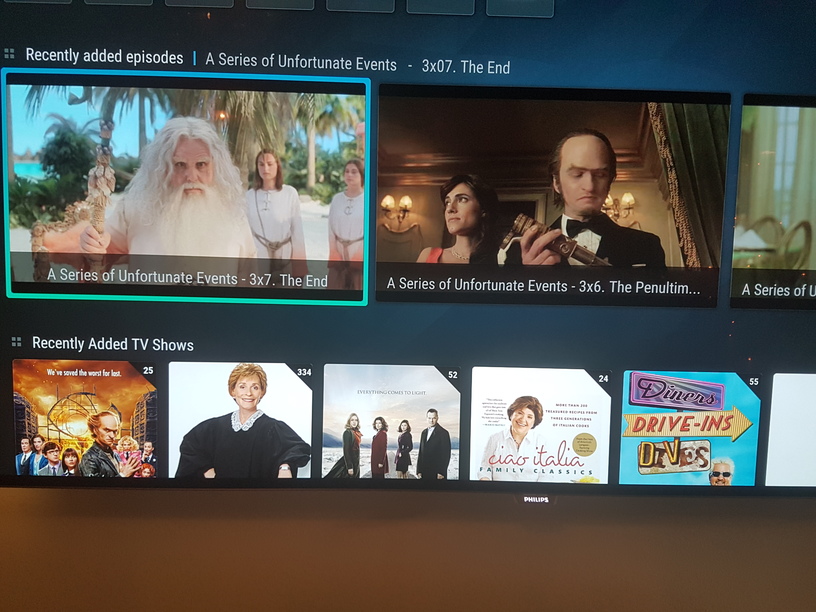
@Croneter: Is it possible to have Recently added TV shows/episodes like it is on Plex? Instead of listing all episodes, it should only show the TV show. For example: I added 23 episodes of a show. Only show the TV show once and not all 23 episodes. Is this possible? Skins have this feature but when using it, it will not show up in in progress/continue watching if I’m correct?
Currently, PKC does not “collect” all 23 episodes and shows a single entry for the show, correct. This needs a lot of investigating; I don’t know whether it’s possible as it’s very, very closely skin-related (and PKC cannot influence a skin, really).
Which skin has this feature? Could you share a screenshot?
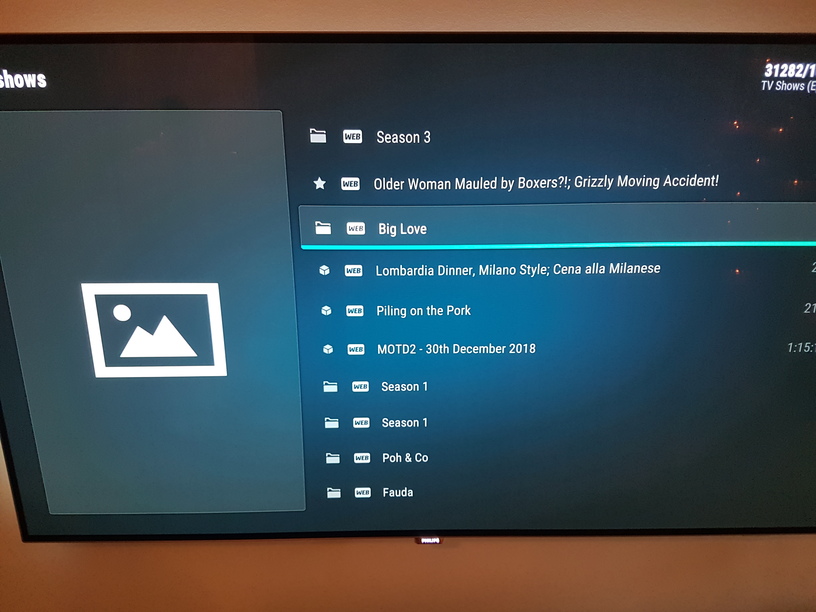
@croneter: Actually, when using PKC - Plex Hub - Recently Added TV, it looks almost perfect. It does not list all episodes however, for seasons it does not show which TV show it is. It only say: Season 3 or Season 1 etc.
Also, “Big Love” as you can see on last picture is a whole TV show that just got added with 52 episode. Plex has poster picture, but not PKC? Only episodes have posters when using PKC - Plex Hub - Recently Added TV.
Let me know if you want me to share my server with you
Just played around with subtitles.
Am I right that „Plex default subtitle“ shows up during playback independent of subtitles selected in kodi (kodi says ‚deaktivated‘)?
Are kodi subtitle setting (color, size, font) applied to this? Or any other option to format plex default subtitles?