Robert,
I sometimes have the same problem. Un the logs I find that there are certificate problems. Turning off https in kpc settings an resetting the database (not the settings) fixes this for me.
Wouter
Robert,
I sometimes have the same problem. Un the logs I find that there are certificate problems. Turning off https in kpc settings an resetting the database (not the settings) fixes this for me.
Wouter
@robert.allert
@jcarpenter5
This is caused by Kodi 18 and its stricter way of handling ssl certificates.
If you don’t see poster artwork and/or Kodi can’t play videos, see here for 3 different solutions: https://github.com/croneter/PlexKodiConnect/issues/664
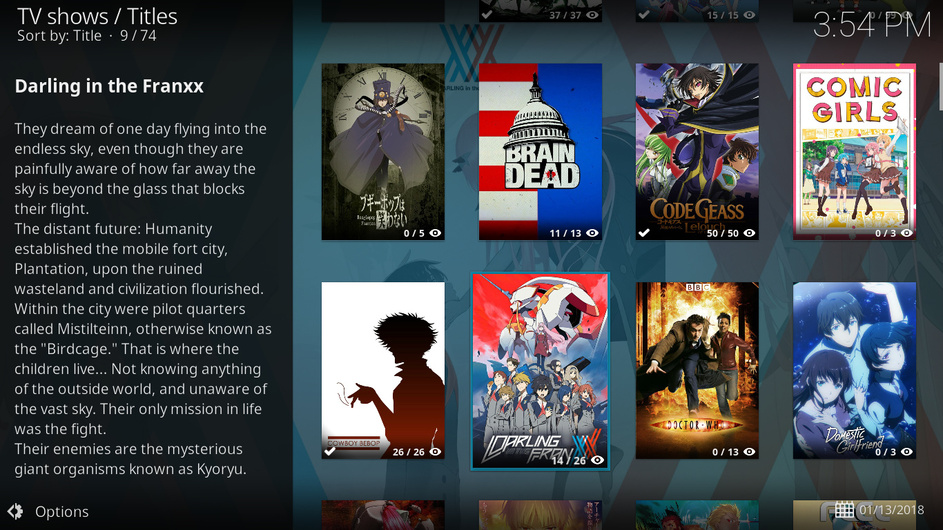
After updating to Leia I’m having problems with episodes of tv shows not showing up in my library and this seemingly only affects shows named without a season prefix (e.g. Darling in the Franxx - 01 - Alone and Lonesome).
With the linked solutions, are you still looking into making SSL work though on Leia?
Is there somewhere I can dump my certificate on Leia to make it work?
As someone who has a self-signed certificate and doesn’t want to disable HTTPS, I might have to go back to Krypton if it’s not possible to resolve on Leia.
PKC cannot possibly make self-signed certificates work with Kodi 18 - YOU need to do that, unfortunately 
You’ll need to check your Kodi distro. E.g. for CoreElec, a patch was added:
I have added a patch 19 that will allow you to store a self signed certificate in /storage/.kodi/userdata/cacert.pem and use it in Kodi but it will not be available until the next version.
For “standard” Kodi on Linux, you can add the PMS’ SSL certificate to the Linux certificate store
you have to add your server cert to kodi’s cert store: [install_dir]\system\certs\cacert.pem
Edit - a self-signed certificate is useless, from a security point of view, so you might want to revisit the idea of allowing HTTP in your LAN
Wait sorry I mispoke. My certs are created by Lets Encrypt.
Worked just fine in Krypton.
So I guess the question is are you still looking into a way of making HTTPS work with Leia?
I repeat: I cannot. Kodi 18 does not give me any way to do that.
If you use Lets Encrypt, your certificate is valid for your “external” IP/URL like www.yourpms.com and NOT for your LAN-internal IP like 192.168.1.2. You could make sure that your router uses “reverse NAT” - thus, if your in your LAN, www.yourpms.com will be correctly translated to 192.168.1.2 and the certificate remains valid.
You are just fine as long as you do NOT need to manually enter your PMS’ IP address. If you can Pick your PMS from a list with PKC, you don’t need to worry
Well I need to manually enter my IP address in order to use port 443 for HTTPS (plex via cloudflare) which is where my confusion lies.
@MediaHorder
As far as I know, you’ve been using Kodi 18 for a while now. So I’d stop worrying 
Nah I actually went back to Krypton stable for a while as the beta’s annoyed me (mostly cause i have to keep reinstalling the repo to get the updates).
Will keep an eye out, it’s probably fine as is (fingers crossed). 
Thanks for all your work on this vital tool! 
As far as I can tell it doesn’t seem to be an issue with Kodi. I downgraded to Krypton again and I get the same issue on PKC 2.6.3. Downgrading PKC to 2.4.11 seems to fix the issue. Some change in between is probably the culprit.
I’ll have a look
kodi.log (622.2 KB)
Log from 2.6.3 (directly after setting up)
Your issue is known and already solved. You need to change some Plex PMS settings. See here: Unable to see TV Show episodes · Issue #586 · croneter/PlexKodiConnect · GitHub
I had a feeling this might be it so I disabled it for one show before posting but it didn’t change anything strangely. Changing the setting for the entire library seems to fix the issue, thanks!
You should now notice early that you have SSL issues when using PKC. Sorry for that, that was simply not on the radar for the >20 beta versions…
version 2.6.4:
Devastating indeed
Hmm. So I’ve only just noticed now (since updating to Leia) that I was stuck on the old repo. I’ve just upgraded to the latest and while things are still playing back just fine, I’m now finding that the files I play in Kodi aren’t reflected in Plex or Tautulli at all…
I’m watching a show right now for example in Kodi and Plex shows zero awareness that this is happening. I never had a problem with this on the old version (was it 1.8.8?) but not sure if I’m missing a setting now somewhere?
@simonk83
Hmm, it’s probably best if you reset PKC completely, if you haven’t done so yet. In the PKC settings under Advanced, hit “Reset the Kodi database and optionally PKC”, then YES, YES.
Be aware that background sync does NOT work for managed Plex home users (it only works for the admin user). This is a limitation imposed by Plex  . See here: Plex Home Managed Users: background sync does not work · Issue #191 · croneter/PlexKodiConnect · GitHub
Let me know if this does not work