The 2 reboots are necessary IIRC.
Changelog
Version 2.8.3 is now available for everyone
The sky is blue
Thank you very much, indeed! 
Changelog
version 2.8.4:
- Fix for Kodi 17 Krypton TypeError on playback start: ‘offscreen’ is an invalid keyword argument for this function
- Fix widgets not being populated after very first PlexKodiConnect library sync without a restart of Kodi
- Don’t restart Kodi if user chose to enter PKC settings on install
Thanks for the update 
I’ll test it later when I do a fresh install on my s912.
Hi, I’m using PlexKodiConnect on two Vero4K boxes in my home. In the last days it completly removes 2 of my 4 libraries, specificely my TV Shows ones, I dont seem to have any problem with my server on any other devices.
I tried uploading log from My OSMC > Log Uploader but it just says https/paste.osmc.tv/
I however got the debug file for the Kodi installation of osmc and was wondering if someone could take a look at it? I don’t know whats wrong.
My build is OSMC running Kodi 18.3-RC1 and its compiled 2019-05-21. And it has been working flawlessly up until a few days ago.
Sorry, that was probably caused by the latest PKC update. Some Kodi video nodes were changed, hence the old nodes had to be deleted.
The library should still be around, you just need to choose your widgets again. Let me know if that does not help
2.8.4 seems to be working well.
It doesn’t restart straight away anymore. Thanks.
I have noticed that for a few films the leading actors image is missing, if i force a full resync from settings they then show up. little bug maybe ?
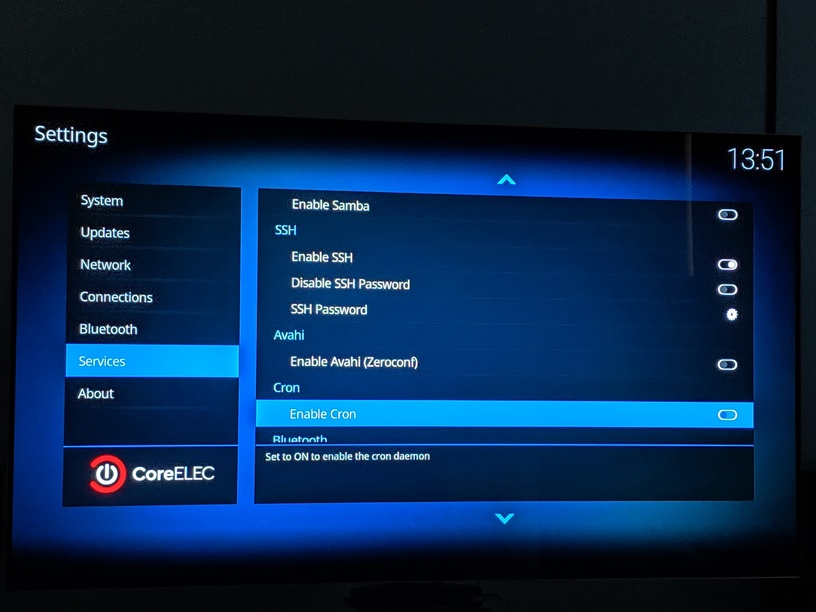
Also I am running PKC on a s912 running coreELEC 9.0.2 and was wondering if it is necessary for me to leave cron enabled ?
Thank You.
Rob
I would need specific instructions on how to reproduce this potential bug - a step by step guide.
Do you mean the PKC background sync? Leave it on, it does not hurt… If you turn it off, changes on the PMS side such as watched status won’t be immediately synced to Kodi. It’ll take a full sync for that (default every 60min)
I installed Titan BINGIE skin and did a fresh install and scan of PKC however I get this error every 60seconds or so AFTER I finnished library sync
PlexKodiConnect error in library sync
I need your debug log file, please see here: How to Report A Bug · croneter/PlexKodiConnect Wiki · GitHub
I have no idea  . Trial and error I guess, just try deactivating it
Here is my log
Once again: PlexKodiConnect does NOT support nightly Kodi versions. Do use the latest stable Kodi version 18.2
Having said that, you probably suffer of the playlist issue. Please follow https://github.com/croneter/PlexKodiConnect/wiki/How-to-automatically-delete-playlists
Changelog
version 2.8.5:
- Fix Trakt add-on not recognizing id of tv shows (you will need to manually reset the Kodi database in the PKC settings under Advanced)
- Update translations
Would it be possible to cache all cast images ?
I noticed there is a lag when they first load up, but going back to the same film afterward the cast images load instantly.
Thank you
I just done a comletly fresh install of Kodi and PKC and have been looking through all the movies.
Got through about 20 or so before i noticed the bug again.
Clicked on x-men origins wolverine and the 4th actor along (ryan reynolds) is missing a picture.
I checked on my server (plex web) and sure enough his picture is there.
