Server Version#: Version 1.22.3.4392
Player Version#: NOT SURE WHERE TO FIND THIS BUT I AM USING A HTPC, A FEW ROKUS TOO AND I EDIT THINGS FROM MY MAIN PC & THE SERVER WHEN I DO MAINTENANCE.
SO LIKE i SAID, MY local Bandwidth is constant between 400-900 kbps while nothing is playing anywhere, not locally & not remotely so is this normal? is this Fascist government messing in my network? What is the deal? I would like any info from anyone Please but I definitely want a Plex Rep to respond because I need to know 100% if this is normal or not. Thank you much
Cannot comment on your government or speak for Plex.
What I can tell is that you easily get peaks in that range when you’re browsing through your library without playing anything. This can e.g. be based on the client loading the images for the poster grid etc.
Here’s a screenshot of my Plex Media Server’s dashboard showing the network utilization while browsing my library from a mobile app (I only clicked through a few libraries… suppose this will look more “constant” if I keep doing that).
Hi and thanks for your input. I will post a pic of my dashboard currently and nothing and no one is using Plex right now nor has been for a few hours yet it is constant activity and I haven’t been browsing at all when this is happening.
Loading the status & bandwidth dashboard uses some bandwidth.
There’s a funny Heisenberg-ish problem here. Getting bandwidth statistics from a remote system alters the amount of bandwidth that system is using.
400-900 kbps sounds higher than I’d expect, unless you have multiple devices open to view the dashboard. So there’s probably something else active at the same time.
One thing to check is if the clocks on your server and clients line up. Though I’m not sure how it would increase bandwidth usage, that can affect the dashboard.
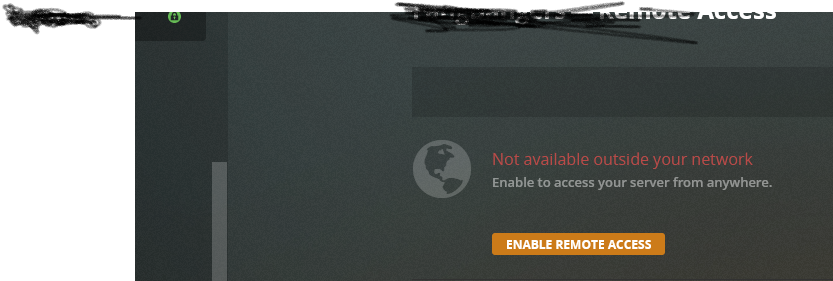
Thanks, not sure how to share logs or if they are even active but I will look into it and try to do it later tonight. Here though, I have 2 more pics. I Disabled REMOTE ACCESS to see if there was any change and there was some but that was strange too. Here is that and then I took another because my GREEN Light is on even though I have Remote Access Off. Is that normal? It is RED when I am having issues with Remote Access so being Green when disabled seems strange to me. I have to run too so I can reply anytime soon so don’t ha
Is your media on a NAS or other network storage device?
If so, Plex scanning for changes, generating thumbnails, etc will show up as local traffic on the bandwidth graph. Depending on the size of your libraries, the speed of your network, and the speed of your server & storage, it could take hours.
Edit: Task Manager → Details Tab. Right click on column names to select columns. Add I/O Read Bytes & I/O Write Bytes. See which task is sending/receiving the most traffic. Available in Windows 10 Pro. Not sure about other versions.
Also look at netstat. From an admin level command window, try c:\netstat -abo. It will show you network connections, PID, & owning processes. Correlate w/ Task Manager data to determine the traffic destination. netstat -h to see all the options. Note that if Plex is using a Windows service, such as SMB to read/write to a NAS, the traffic will show as Windows, not Plex, traffic.
Hi. Didn’t get to try this netstat stuff but will when i have time. It seems pretty interesting. Anyway what I did was found “Troubleshooting” in my Server’s Dashboard then it asked me if I want to DL Logs &/or Database. I did the Logs part only but will get the other if that is helpful? Also, there are many Logs here. Do I paste specific ones? All? Sorry if this is well known stuff, I’ve just never done it before and when I have seem others in threads in the past, they always looked like one Text Page where this here maybe 30 or more (I didn’t count). Which do I use? Is this the right spot for the ones you are looking for? Please let me know and thanks for your help