I agree, I have downgraded to Version 1.40.3.8555 with Web Player Version 4.129.1 and it works fine.
Yeah, the issues only started recently. A more or less recent update must have broken it. Only reason why this thread isn’t getting hundreds of posts every week is probably because people tend to wait with updates for a very long time.
I also have the same problem. Second subfolder in photos gives an error. This is with the web app at app.plex.tv and the windows desktop “Plex for Windows” Version 1.103.1.238-223cbba6.
I noticed it works fine with the “Plex HTPC for Windows” Version 1.67.1.233-0ab7ab17. But in this Plex HTPC I can not edit my data.
So I would think it is a viewer bug, and not a server bug.
I don’t get it, that Plex does not notice this giant bug ???
I’m also surprised this problem has gone on for so long.
I agree, it’s absurd…
Sam problem on windows 10 and latest available update (non-plex pass). However , does not a happen on a windows 7 machine with last available update before new versions were stopped for windows 7… Also no problem on latest Fire-tv client…
Folks:
For all those platforms / instances where this breaks, please do the following so I can write up a full issue report.
- Confirm DEBUG server logging is enabled
- Recreate the problem (the “Something Went Wrong”)
- Immediately go to Settings - [server] - Troubleshooging - Download Logs
- Attach the full zip it gives you.
I’ll take all logs submitted (Remove any requested) and add to the Issue report for Engineering.
is this a joke?
you should have already written the detailed report, the logs were sent to you quite some time ago
No, I’m not joking.
What I filed was reportedly fixed.
Given everyone is having problems (again or still) I want to see what has / has not changed.
I’ve been investigating on my own.
One thing which would help me is knowing an approximate count of how many photos are in a failing photos library section (What does it take to break it) ?
I ask this because I discovered something last night which might be related.
You say the problem has been fixed, but since we talked about it, no plex server update has been released, so even if it was really fixed as they say, how would we know?
Crash logs.zip (4.9 KB)
After updating to the newest Plex Media Server version it does seem like it’s more stable than before, but it does still crash sometimes, especially when trying to access deeper folders like 3rd layer subfolders.
I tried accessing 3rd layer subfolders with 7, 29 & 348 images.
Most of the time it didn’t work after just one try, but the more I tried it the better it seemed to work. However, it didn’t seem like it made a difference how many photos were in one folder.
Edit: Removed the old logs from the zip
Edit 2: Just noticed how much information is in the logs, can I send it to you in a less public way?
Edit 3: I’ve attached a zip containing the basic logs like last time
Here’s what I’m working on.
Please tell me if this, in any way, sounds familiar
- Open the library section
- scroll down to anywhere.
- IMMEDIATELY Click / Hit Enter / etc
- Do you sometimes get something like this when you go into Photos folders
– I can recreate this on Movie library sections
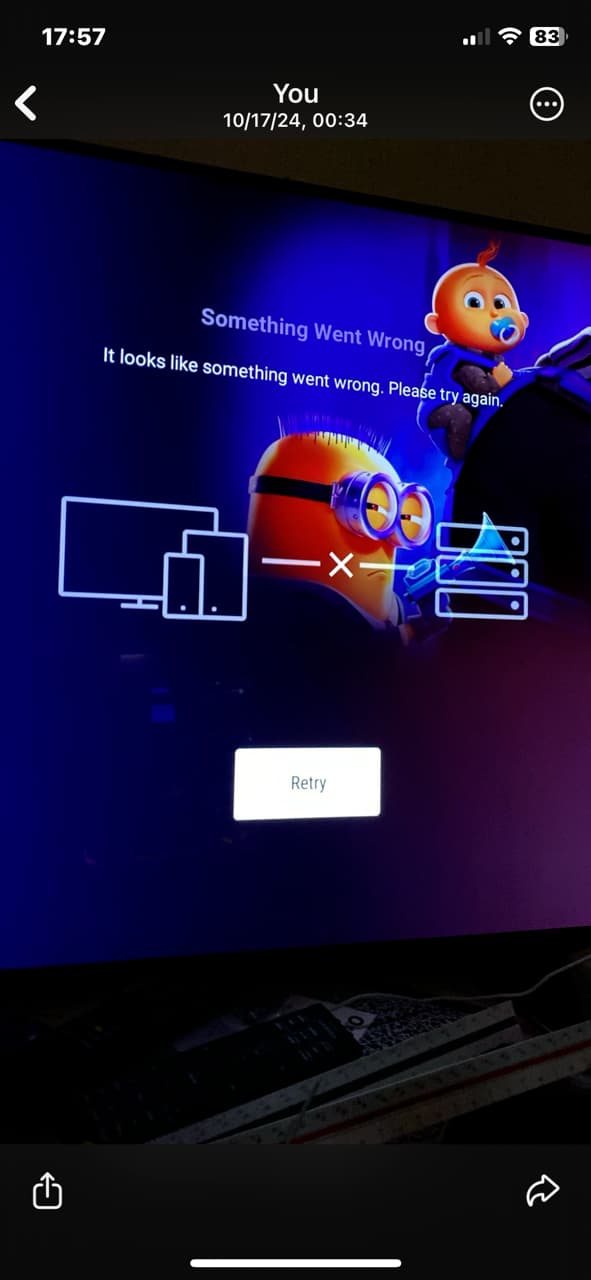
I’m not sure I understood what you said (non-native speaker), but trying to access folders immediately after they load does seem to trigger these crashes more frequently.
Let me restate. (I apologize for how I worded)
- Enter the library section
- Move the sector to where you want
- Wait 2-3 seconds
- Now click
- Does it open OK ?
-versus-
- Enter the library section
- Move the selector to where you want
- Immediately click.
- Can this make it fail more frequently ?
Tried this a few more times now and the more I try it the less it seems to make a difference. Sometimes it works fine sometimes not, no matter how long I wait. One thing that seems to work consistently is going to the settings, going back to home and retrying it. Completely refreshing the page somehow resets this and the folders crash again.
Edit: Thought it might be helpful to actually see the crash, so here’s a video:
Yes. That’s what I’m talking about!
That’s it.
May I have that log please?
I’ll put the log and the screen capture with my logs & capture AGAIN
Sent to you in private messages
Thanks folks,
I submitted both for photos and for movies.
Engineering should be back in the office next week (IIRC) and it they’ll review/start asking questions.
Hi. Im having an issue with plex showing photos. My photos, music and videos are stored on a linux pc. I have no issues using the music and videos and they play with no problems.
However when it comes to displaying the photos on an LG tv, I can see that when I click on the photo library the thumbnails show onscreen and I can click on them. When it comes to displaying them I get the following error message:
“An error occured displaying the current phto. This may be due to an insecure connection to the server.”
If this message was also showing for the music and videos I could understand there is a problem. But as it is only giving this message for photos, I dont understand why.
I am trying to show these photos on an LG tv. If I view them onscreen on the server, they appear just fine. They also appear without problem on my windows pc. So clearly the issue is with the LG tv. Can anyone help please?
I moved your post here because it seems similar to this thread.
Please advise if not and I’ll move it back.
