Server Version#: 1.25.0.5246-7000
Player Version#: 1.37.0
All my MP4 files already have the proper metadata embedded.
For some of my shows and movies, despite the embedded metadata, Plex player shows a completely different match (e.g. the French TV show “Rebecca” is matched to the Movie "The Punisher” despite the fact that the file is name "Rebecca S01E01.mp4” and does have all the proper metadata embedded).
I’ve had the issue for quite some time and from what I can see in somewhat different context, others have the same issue).
I’ve desperately tried to get PMS to use the embedded metadata when it exist, but it insists on trying to match and overriding the embedded metadata.
I’m not sure whether I’m missing something, or if there’s a bug somewhere, but I can’t seem to figure out how to have the embedded metadata be used every time.
Does anybody have any idea??
I followed the instructions here to make sure the local metadata was on the top of the list to therefore take the precedence. Is there another location to set this up??
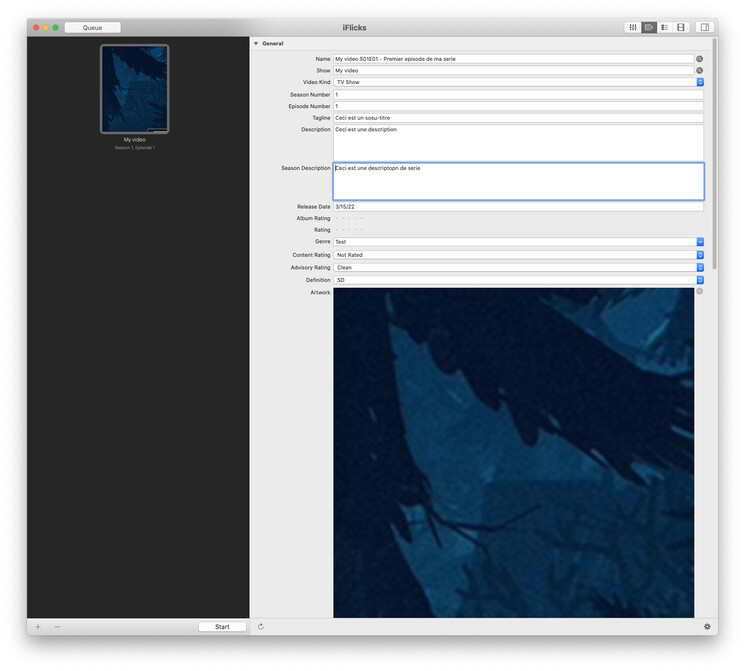
I typically annotate my MP4 files with iFlicks. A number of tags get populated:
Name, Show, Video Kind, Season number, Episode number, Tagline, Description, Release date, Genre, Content rating, Advisory Rating, Artwork, Comments, Actors, Directors……… It’s fairly thorough.
That’s only applicable for the legacy agents, for the modern agents you just need to edit the library, go to Advanced and check the “Prefer local metadata” box. Then refresh your metadata.
I manually fixed one of the two I noticed the issue with through the Plex player on my computer, so I can’t show you for this one, but I can describe what happened:
"Rebecca S01E01.m4v” and “Rebecca S01E02.m4v” (French TV show) was matched to an English show with the same name..
"Crime à… S08E09.m4v” was matched to the movie "The Punisher”.
For this one I can show you.
Here’s the metadata in the file (in iFlicks):
Not quite the same thing!! On top of the fact that it doesn’t use the embedded metadata at all, the match doesn’t even make the slightest sense to me :-\
I just added a couple of movies and even though they show the general info, they fail to display the cover art (which, of course, is embedded in the mp4 file). Another illustration that Plex seems to have issues using the embedded metadata ;-\
This is listed as a movie on both TMDB and IMDB and not listed anywhere as a TV show as far as I can tell, so it won’t match inside a TV show library.
If you want to you can just “Unmatch” this item from the show menu. It won’t have any metadata for the show but the episodes will use the embedded metadata as I mentioned previously.
We do read embedded images, and will always prefer these by default unless you have both “Use local assets” and “Prefer local metadata” disabled. If you are having issues I’ll need more information to work from.
Best to refresh the metadata for a problem movie, then grab your server logs for me.
I’ve seen this series listed as a movie, which would be OK in itself, although I don’t see how it could be linked to "The Punisher”.
That being said, it still doesn’t explain why the embedded metadata wasn’t used before attempting to match it to anything else.
For the other show, I could play with the name to get a better match, but again, there too, the proper data was already embedded in the MP4 files (and not used).
Any update on that @ drzoidberg33?
If you tell me it’s a bug and someone is looking at it, I’ll be happy. I just want to make sure it doesn’t fall into a crack to be forgotten forever
I’m still struggling with this, show after show.
And I even had one TV show, in a Library set to French, that ended up with the episode description in French ( as it should, whether Plex uses the embedded metadata as it should or loads it from TVDB, as it seems to be doing no matter my preferences) but the episode title in English!!
I seem to be beating on a dead horse, but the issue is still very present even in the latest build (1.25.6.5545). I’m seeing more and more examples where my embedded metadata is being completely disregarded.
Either Plex fails to display any of the details I had added to the files, or the series are mismatched (and I can’t do anything to correct it). Adding a tag to the file name to match the right show usually helps, but not always…
I have a weird one in my library that illustrates the issue multiple levels. It’s for the series (On the Spectrum. The files all have embedded metadata and are named like this one: "On the Spectrum S01E02 {tvdb-345373}.mp4”
The show is being matched to another show called "Meurtres à…” (TVDB ID 305992).
The poster for the series corresponds to that show, but the posters for the individual episodes corresponds to the embedded metadata for “On the Spectrum”
@ChuckPa would you have any opinion on this?
It looks like the thread has been all but abandoned
For mostly all topic I’d give up, but I think it’s a significant issue that leads to all sorts of problems including mismatched movies and shows.
It’s really easy to reproduce too. Use any mp4 file, edit the metadata with random blurbs, then place it in a folder for Plex where Plex is setup to use your metadata first and you’ll see: your metadata will be completely ignored.
If you want to make it fun, set the folder to be in French and name the file “Crime à… S01E01” and on top of your metadata not being used, you’ll see that the show is mismatched to “The Punisher”
It looks like an interestingly complex issue… I reproduced the issue for you and got different results based on where the file lives.
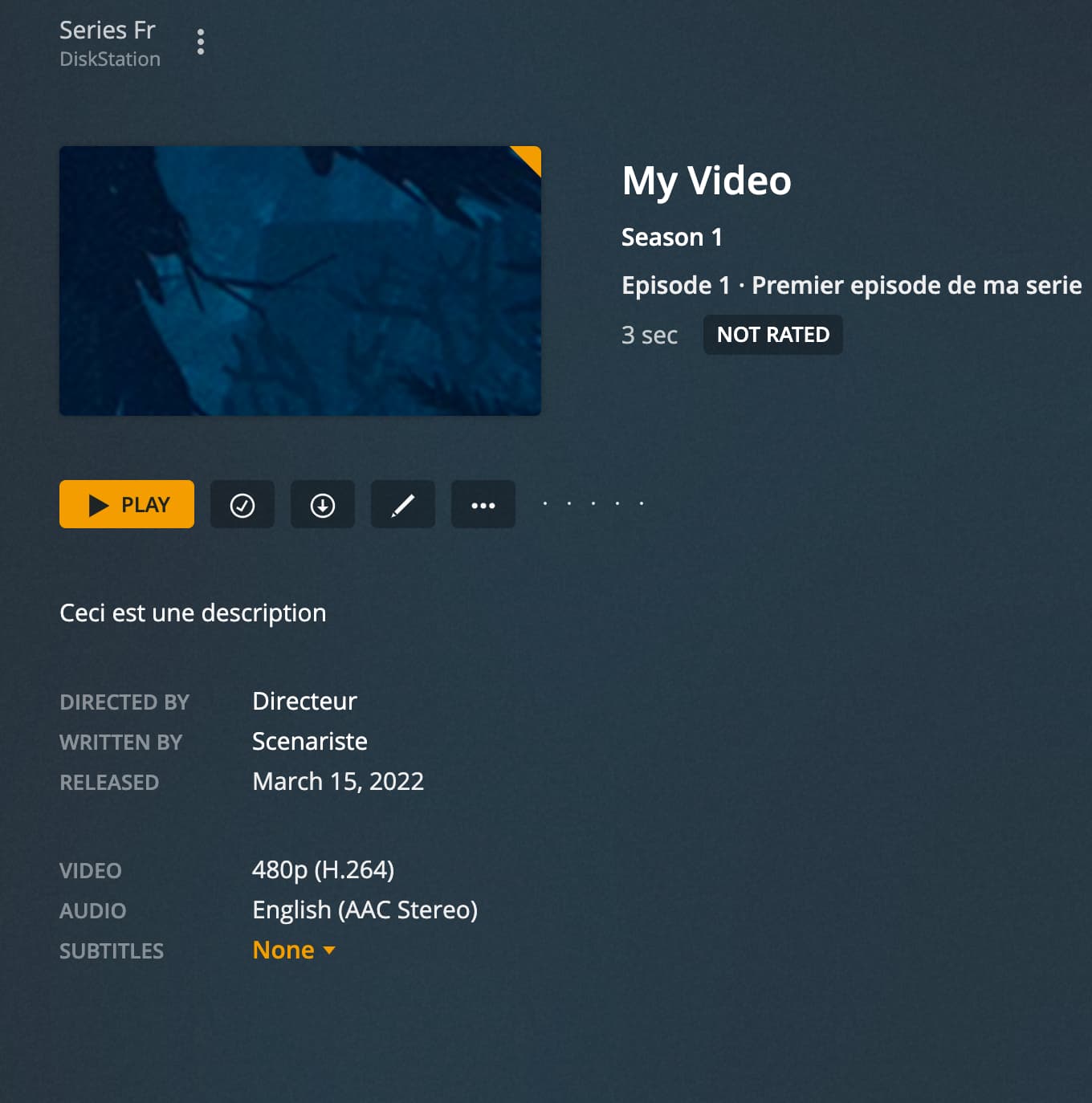
• I made a small video capture to get a .mp4 file and named it: My video S01E01 - Premier episode de ma serie
• I added metadata in iFlicks in all relevant fields (including poster, show description, actors, screenwriter etc.).
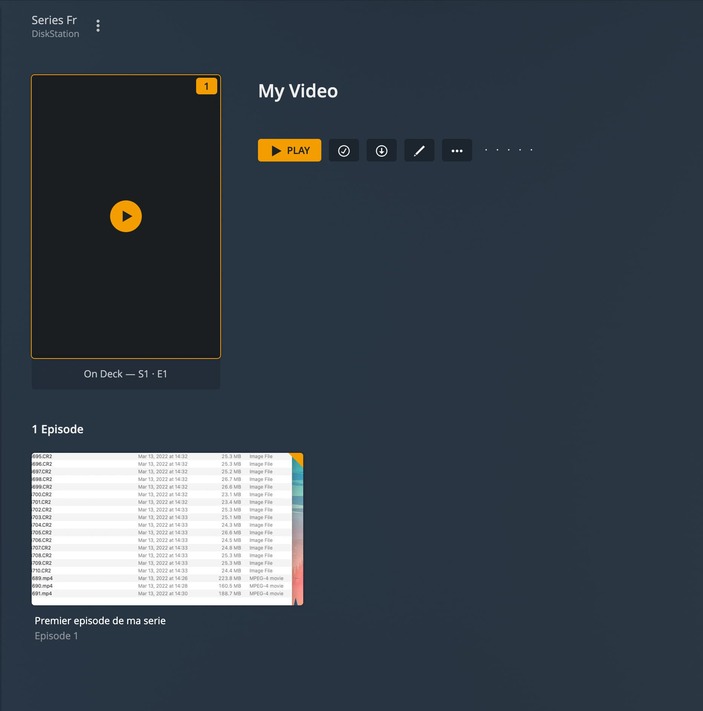
• I first placed the file at the root of the folder. When I do that, it’s not too bad: it shows the poster, title, director, etc, but some metadata is still missing (e.g. the actors).
Finally, I moved it to a subfolder named “Crime à…” and the series itself got renamed to “Crime à…" as well, even though that name is nowhere in the file name or in the metadata.