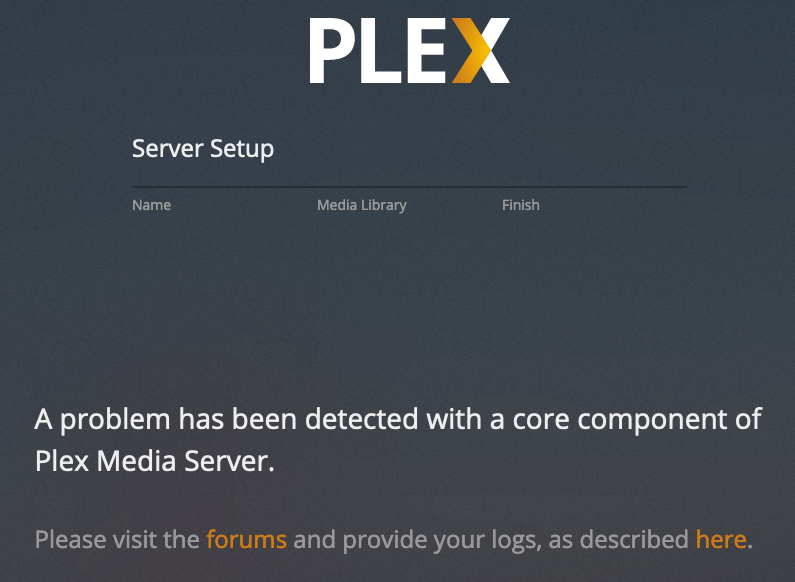
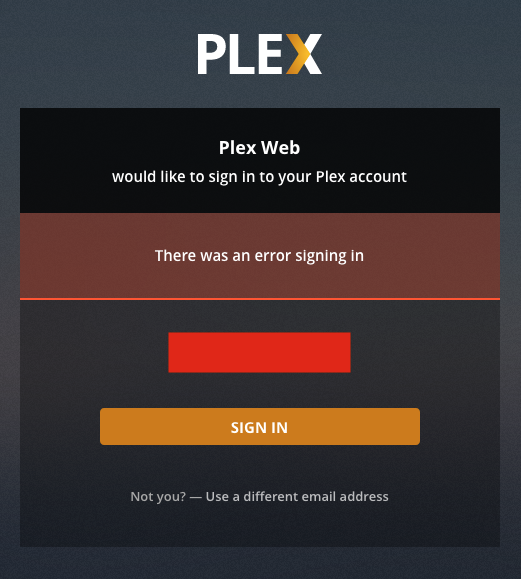
This is running natively.
I can only get as far as 6. Before 7 I get this:
What is your network config?
Sign-in errors at that level are usually because of DNS failures.
It would also explain why the downloaded plug-ins (Services.bundle) isn’t present.
Pretty basic config. Server is behind router, DHCP, forwarded ports. I can browse from the server no problem using Firefox.
RFC-1918 compliant net addressing?
Changing browser has no impact?
I just tried Google DNS 8.8.8.8 no difference.
It has to be the host specific.
nslookup plex.tv ?
traceroute plex.tv (add hop TTL if needed)
mtr plex.tv
nslookup plex.tv reports
Server: 209.222.18.222
Address: 209.222.18.222#53
Non-authoritative answer:
Name: plex.tv
Address: 99.80.242.242
Name: plex.tv
Address: 99.80.231.223
Name: plex.tv
Address: 99.81.213.165
Traceroute and mtr were also able to get through ?
I’m looking at your account.
I see two previously deleted servers but no active servers.
With the metadata changes to PMS, is it signed into your account properly?
If so, we found the problem… It’s not authenticated.
And now it all makes sense.
Server settings unavailable because it’s not signed in. Your Plex/web is but it isn’t.
Go to it and reclaim it.
You might need to SSH-tunnel ( ssh -L 8888:127.0.0.1:32400 ip.addr.of.host and then open http://127.0.0.1:8888/web in an incognito browser)
Did not work. Same thing.
I removed all the servers from my account in hopes to start clean.
With PMS stopped.
Delete the Preferences.xml file in /var/lib/plexmediaserver/Library/Application Support/Plex Media Server
Now start it.
It will start up as “Unclaimed” and generate a new set of ID codes. Any media scanned in the DB is still retained.
As you walk through the wizard, do not create new sections. All existing library sections survive this soft reset.
Same thing. Same error screen. “A problem has been detected with a core component of Plex Media Server”
stop PMS.
Uninstall
delete user plex
delete group plex
delete /var/lib/plexmediaserver
reboot
Download fresh Public
install
Begin again
If this fails, it is your machine… somehow… but it’s your machine
That did it!
A bit of work as plex was the main user on my machine. Took this opportunity to arrange things a little better from a users point of view. Things are much more isolated now.
So this is what I had to do:
Uninstall PMS:
sudo dpkg -r plexmediaserver
sudo dpkg --purge plexmediaserver
sudo rm -R /var/lib/plexmediaserver
Reboot:
sudo shutdown now -r
Delete the Plex user:
sudo userdel plex
sudo groupdel plex
sudo rm -R /home/plex
Reboot:
sudo shutdown now -r
Install PMS:
sudo dpkg -I plexmediaserver*.deb
Stop PMS:
sudo service plexmediaserver stop
Symlink the Library: (I kept the old library safe)
sudo ln -s /mnt/RAID/PMS/Plex\ Media\ Server /var/lib/plexmediaserver/Library/Application\ Support/Plex\ Media\ Server
Reset the ownership
sudo chown -R plex:plex /var/lib/plexmediaserver/Library/Application\ Support/Plex\ Media\ Server
Start Plex:
sudo service plexmediaserver start
My library was perfectly intact and grabbed all the missing meta-data. So something was definitely up with the user/permissions. I had tried stopping everything, changing ownership back and forth before coming to the forum. So this must have been something even deeper.
Thanks everyone for sticking with me on this one. This was the first real issue I had with PMS and I’ve been using it since it broke away from XBMC. So this library has gone through every iteration/version and chugged along without issue. It continues to grow now, like a tasty kim-chi mother. Easily, the best media manager ever!
This topic was automatically closed 90 days after the last reply. New replies are no longer allowed.