Poor remote streaming performance, despite fast internet and powerful server

Hi all, I’ve been having a weird issue, I’ve been travelling the last few weeks in USA and Europe, and been having a nightmare of a time trying to get anything to play on either my laptop (windows app, and firefox browser) or my android phone (fold 5 with android app).

My family back home (NZ) have been finding it to be fine, but for me, overseas, it only seems to work about 20% of the time.

I’ve tried on multiple devices, and multiple wifi, 4g, 5g, and ethernet connections and it’s very inconsistent. sometimes it will stream but constantly buffer, but usually the video will completely fail to load at all.

I’ve confirmed over and over again the performance of the serverside and clientside networks, it’s not a bandwidth issue. Neither is it a serverside or clientside hardware performance issue; Network usage, ram usage, disk usage, cpu usage graphs never come close to ‘maxxing out’.

I’ve also tried multiple shows and movies on my server, the issue persists across multiple file types. I’ve also tried forcing a transcode by using the quality menu on the client side, and direct play (almost all of my content direct plays by default).

I’m at a loss as to why this is happening, and it’s getting frustrating. All my testing leads me back to the same conclusion, this is a Plex issue.

Server and clients are all up to date on their latest versions as of writing this post.

Can somebody please point me in the direction of plex specific troubleshooting that I can do?
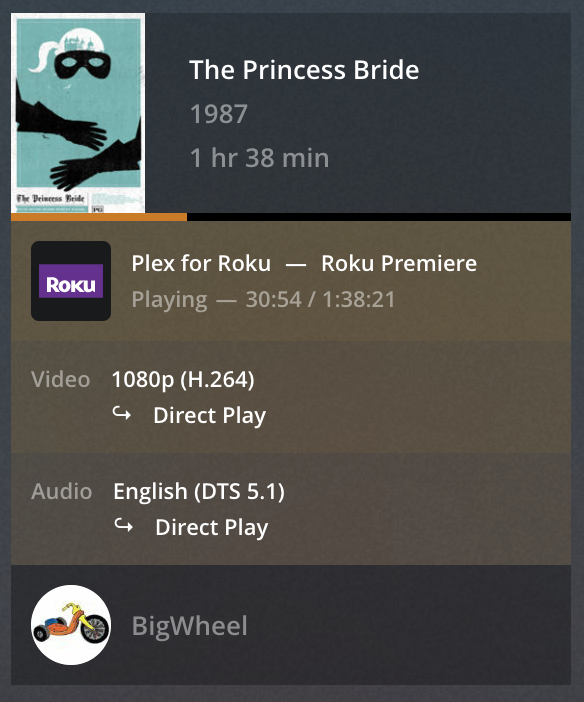
What information is showing in the “now playing” tile for such a remote stream on the Plex server dashboard?
Specifically, is the stream listed as local, remote or indirect?

Exemplary screenshot from the "now playing" section
https://support.plex.tv/articles/200871837-status-and-dashboard/

What’s the internet upload speed at the place where your server is hosted / your home network?

It’s on a 1000/500 fibre connection

When you say your family back home say it’s fine, do you mean people who are accessing it remotely, or people accessing it locally in your home?

You are saying it’s not maxing out back home if you mean they are withdrawing th the same network as your server then it means nothing

If however you mean they are outside the home remote and all is ok then as long as your not all watching together then I would say it’s your connection

Mobile 4g will struggle to get anything anyway and probably act like the film can’t be reached hence no buffering again if connected to a public WiFi ie hotel they could have bars in place so it won’t go outside the country your in or can be extremely slow

Sometimes 5g can be very slow and act as 4g if to far away the things are normally ok for web browsing and facebook which is what most hotels expect there customers to be doing I had it is here I couldn’t even play Netflix due to poor or crappy hotel WiFi

Your best bet would be just to make sure get someone at home to reboot the server and for you to click on the setting and check its not to high

Plus also audio does make a big difference make sure it’s not set to 7.1 as that takes a lot

Try Set at 5.1 and around 8 mbps for 1080p films or
720 around 4mbps

Remember if convert to very small files that will
Glog it up on slow connections

Both, I have two regulars that are outside my local network, and one that streams within the LAN

Yes I should have elaborated, I have two family members that are outside my home LAN, and one that streams ‘internally’

Here’s a typical test methodology for me.

  • Try to play movie, observe that movie will not play
  • Test local network, confirm performance is approx 70/30
  • Open task manager on laptop, confirm that cpu/gpu/disk/ram usage is negligible.
  • Remote into server, confirm home network performance is approx 1000/500
  • open task manager on server, confirm that cpu/gpu/disk/ram usage is negligible.
  • I can even open a broswer tab on the server, connect to the plex server at 127.0.0.1 and everything loads fine.

I get that mobile data and hotel wifi can be crappy, and don’t expect tooo much from it, but at the same time, when I can quite happily watch a 4k youtube video with zero buffering, but can’t direct play a 1080p episode at 3mbps, that’s frustrating.

I’m at my partner’s dad’s place right now, and despite the fact that netflix, youtube, hbo, etc, etc, all work flawlessly, plex is still awful.

If everything else works, and there is no observable bottleneck with any of the hardware that I can test, I don’t understand why it doesn’t work.

Since you mention being able to remote into your server, have you installed a speedtest server on your network, opened the port and tested the direct bandwidth between you and the server remotely? Try different ports (including the port you use for plex) to see if there’s any throttling or peering that would be causing issues.

If you use an iOS device, you can install Infuse (non pro version) and connect it to plex and run a speedtest within that as well. It won’t provide ping time, but just an alternative way to test the speed.

You can’t compare Netflix or YouTube as they have a lot more capacity and a lot better bandwidth so these points really mean nothing

Do the speed test as mentioned also make sure your not on a vpn it may be worth trying a vpn and connect to the city or close to where the servers hosted if still no luck and people outside your network it works fine it’s got to be the equipment your playing on
Try wired connection on your laptop or other equipment you can hardwire through the Internet if still no luck it’s gotta be something blocking it on your laptop
mobile devices can be temperamental like phones not really something you can use

I’ve installed openspeedtest and run some tests. I get approx 50/17 from here in the UK to my server back home. Ports wise, both 3000 and 32400 give similar speedtest results. Should be more than enough for a 3mbps direct play stream without buffering.

I appreciate that commercial streaming services have massive infrastructure, but they are also serving millions of customers. At the end of the day, I feel like it’s not too much to ask for for a single stream from my setup.

My server is an i5 9400 with 32gb of ram. My home internet is 1000/500 fibre, my local internet is 70/20, my laptop is an i5 1145g7 with 16gb of ram, and my phone is a fold 5. None of these are low end devices (granted the server is a smidge older), and all have been rock solid reliability wise for months/years.

Even taking the slower speed of 50/17mbps end to end, I should be able to run a good dozen 3mbps streams concurrently on that (give or take obviously).

There is something that I will do in a few hours though. I notice plex for me right at this moment is actually pretty good. I have run basic speedtests locally during the evenings but I will run an end to end speedtest this evening and see if that sheds some light on the situation.

is it also worth changing the port on my plex server just in case someone somewhere is throttling traffic? or will that not make a difference?

Share a screenshot of the plex dashboard bandwidth chart when you’re streaming to see how much data/bandwidth plex is trying to send to fill the buffer of the client. 3Mbps is the avg bitrate and plex will send large chunks of data throughout the stream that will exceed that avg.

Also, what was the ping/latency when you ran the test?

Have also noticed this when travelling overseas. Funnily enough I luckily have a ubiquity network that offers a direct vpn connection. Similarly, if I use a VPN to tunnel into the same country as the server (in my case Switzerland) it also works much smoother.

Haven’t bothered to figure out why, but you might give it a try.
