Server Version#: 1.29.1.6316
Player Version#: 4.87.2
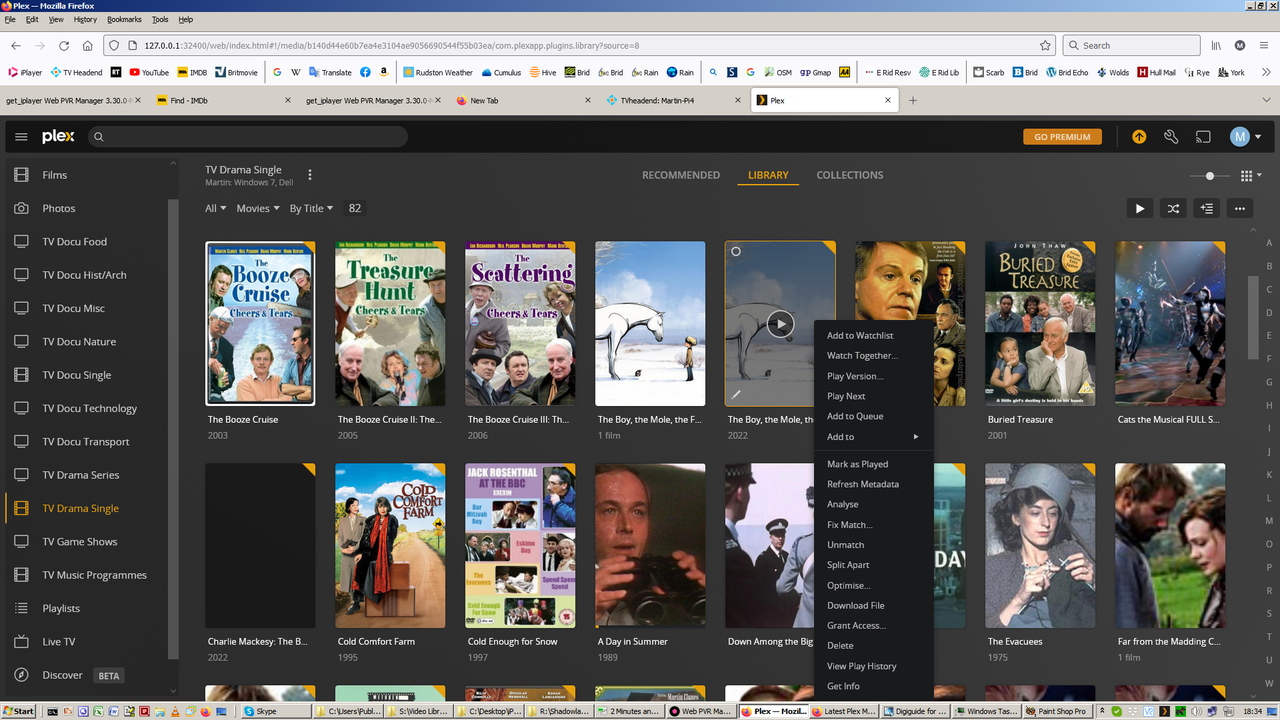
If I download a film as a .ts or .mp4 file, plus a text .srt subtitle file, and Plex scans that folder, two icons are show in the server’s list of films (both on the http://127.0.0.1:32400/web/index.html page and on the Plex client on Roku).
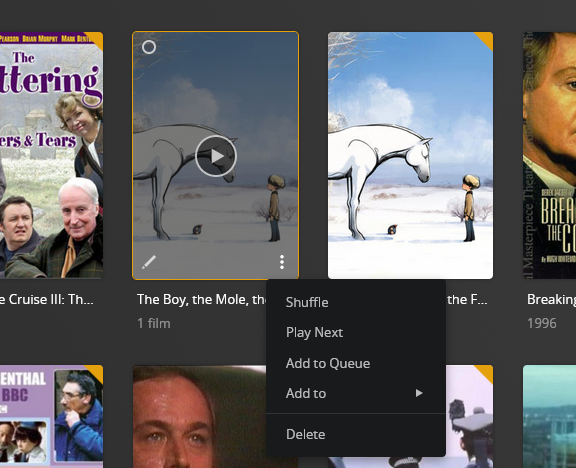
As an example, https://i.postimg.cc/50HVVB4C/Image1.png shows two icons for “The Boy, The Mole, The Fox (etc!)”. The RHS one corresponds with the .mp4 file and has all the normal right-click options. The LHS one (https://i.postimg.cc/gJfPkxjB/Image2.png is a small image of it) has far fewer options and is no playable. This corresponds with the .srt file.
Is there a way to turn off the display of the dummy icon which is not playable? I’m not talking about turning on/off the subtitles from the player, I’m talking about the duplicate dummy icons corresponding to .srt files.
(The reason that most of the icons in the above screen shots do not have duplicates is that they are off-air recordings from UK TV which uses DVB, so the subtitles are contained as a data stream within the .ts file, rather than being a separate text file .srt. It is only programmes that are downloaded from BBC’s iPlayer site which are supplied as .mp4 and separate .srt file - goodness knows why they choose to do it that way rather that making available for download the identical file that is broadcast for people to record.)
I have a number of different Plex folders corresponding to different types of programme (cinema films, TV one-off programmes, TV series etc).
For the example folder that I have given, the tree structure is of the form
T:\Library\TV\Drama Series\His Dark Materials\Series 1\His Dark Materials - 1.01 - Lyra’s Jordan.mp4
T:\Library\TV\Drama Series\His Dark Materials\Series 1\His Dark Materials - 1.01 - Lyra’s Jordan.srt
T:\Library\TV\Drama Series\His Dark Materials\Series 1\His Dark Materials - 1.02 - The Idea of North.mp4
T:\Library\TV\Drama Series\His Dark Materials\Series 1\His Dark Materials - 1.02 - The Idea of North.srt
The Plex folder “TV Drama Series” uses T:\Library\TV\Drama Series\ as its root.
Hmm. Why does it only do it for programmes that have two files with the same base name (eg wibble.mp4 and wibble.srt) and doesn’t do it for programmes that have just one unique filename (eg wibble.ts)?
Inspect the embedded meta tags of those .mp4 files.
They must have nothing in the “Album” meta tag. If they do, however, Plex will create a collection, named after the content of the Album meta tag.
This is mentioned in the linked article.
Hmm. That turned off separate seasons as well. So when I click on the icon for a programme, I used see icons for Season 1, Season 2 etc with the epsodes as icons below each season. Now they are all merged into a flat folder structure. Maybe I did something wrong.
Also, make your TV show naming closer to Plex requirements. It might work OK now, but will pay off in the long run.
T:\Library\TV\Drama Series
...\His Dark Materials (2019)
......\Season 01 <-- "Season" in English
.........\His Dark Materials s01e01 Lyra's Jordan.mp4  <-- s01e01 important
Thanks for the advice on not mixing single programmes / films, and seasons of TV episodes. I do make that distinction. I was being lazy and chose a different example (for the “TV series” library) as opposed to the “TV single” library that I had in my screenshot - and which I haven’t yet added to my “dir /s” listing of files.
I’ll look at the file/folder naming conventions. I know I should change all my “1.02” episode numbers to “s01e02” syntax. Hell of a job: I’ll have to set up a script to rename everything. I named file and folders long before I shoehorned everything into Plex.
If the media is currently recognized correctly, it will most likely stay that way. However, if you add the files to a new library, Plex may not recognize them correctly. It might work, it might not. If it does not, you’ll need to rename.
PowerRenamer in Microsoft Power Tools is helpful for simple renaming with pattern matches or regular expressions. It makes quick work of tasks such as adding a year to file names, removing undesirable text from multiple files, etc.