Server Version#: 1.41.5.9522
Windows 11 on HP Laptop
Problem started about 2 months ago. Can’t find a way to fix it.
Only fix is to create separate folders for each video and SRT file.
Sounds like you’re not following the Naming and Organizing recommendations.
Is this on TV shows or movies?
Can you show a screenshot of the folder that has all the .srt files in it that is causing problems?
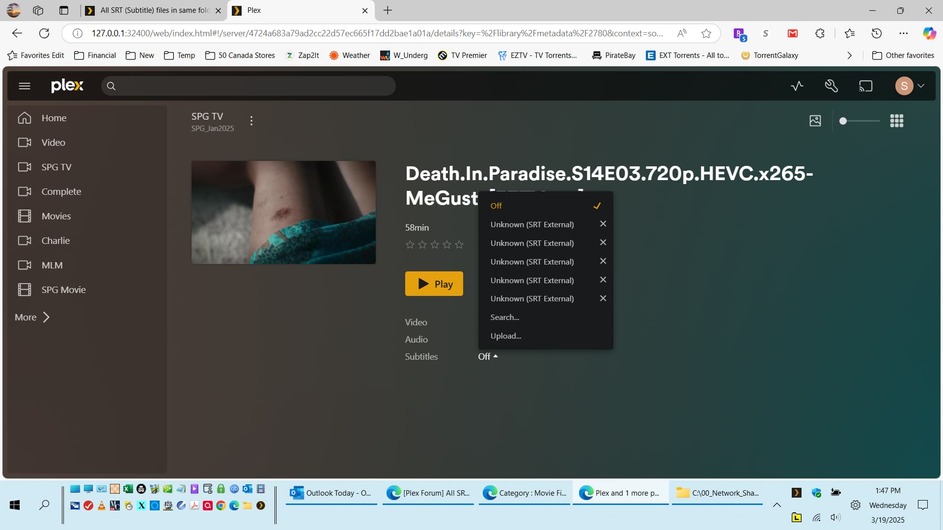
Thank you for responding. I have been using Plex since 2017 and I became a lifetime pass member in 2019. The Library that I am using for these files is set up as “Other Videos”. Attached are screen shots. Screen Shot 10 shows 5 video files with 5 corresponding “srt” files. Screen Shot 9 shows the Plex Player with 5 choices for Subtitles when there should only be 1.

Since this is a TV show I bet setting the library type to “TV Show” would help.
Over the years Plex has gotten more strict on file naming and folder structure. Try following the TV Naming Convention and see if that helps.
Thank you, thank You!
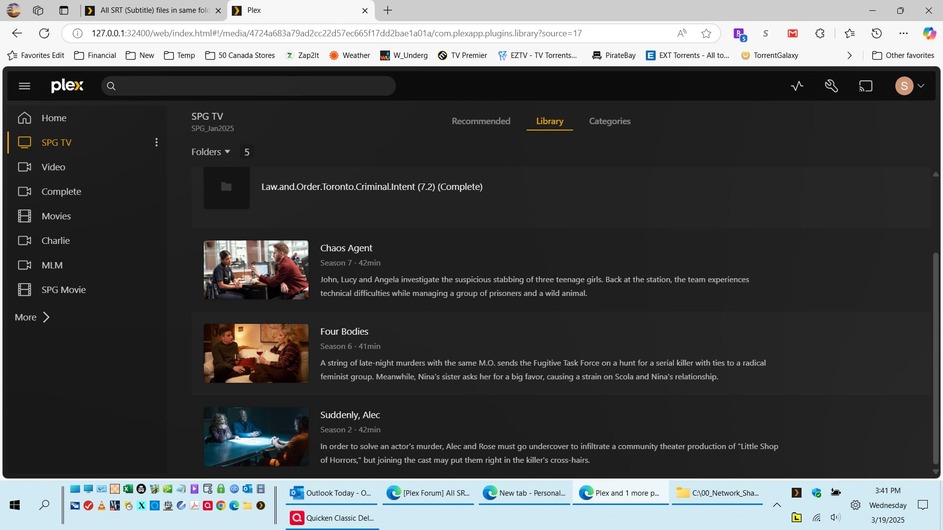
It worked for the SRT files, but when display the library in the player using folder view, the actual file name is not displayed. For example the “Chaos Agent” actual file name is “The.Rookie.S07E10.Chaos.Agent.1080p.mkv” which is what I want to be displayed. Try searching for this and can’t find a solution
Glad things are getting ironed out.
I don’t think Plex will show the file name in the way you want.
This topic was automatically closed 90 days after the last reply. New replies are no longer allowed.
