Server Version#:DSM 7.1.-42962 update 7
Player Version#:4.141.0
Hi I am running my Plex on a DS218+ with 2x3tb drives (1.8tb used) and an wd usb3 1tb (spprox 300gb used) external drive.
This has been running without any problems since 2019 I now wish to add another libary and as soon as its created it get populated with between 40-50 movies randomly from my other libaries. can anybody help with trying to solve please. thanks.
How are your library folders organized?
Are there any overlaps between the paths added to your new and the old libraries (e.g. the new library pointing to a subfolder of the path associated with one of the older libraries)?

Which folder(s) have you added to the library?
All of the current libaries were added back in 2019 when I first set it up. I now want to add another libary and it doent matter if I add it to the internal disks or the USB disk it starts to self populate with random movies from all the other libaries.
Humor me… what directories are listed on the Add Folder tab when editing the new library that’s showing this behavior?

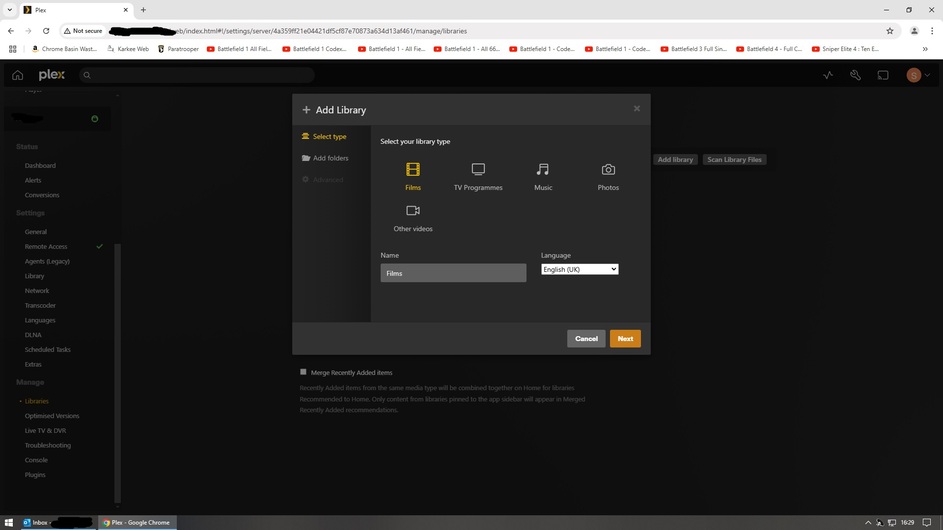


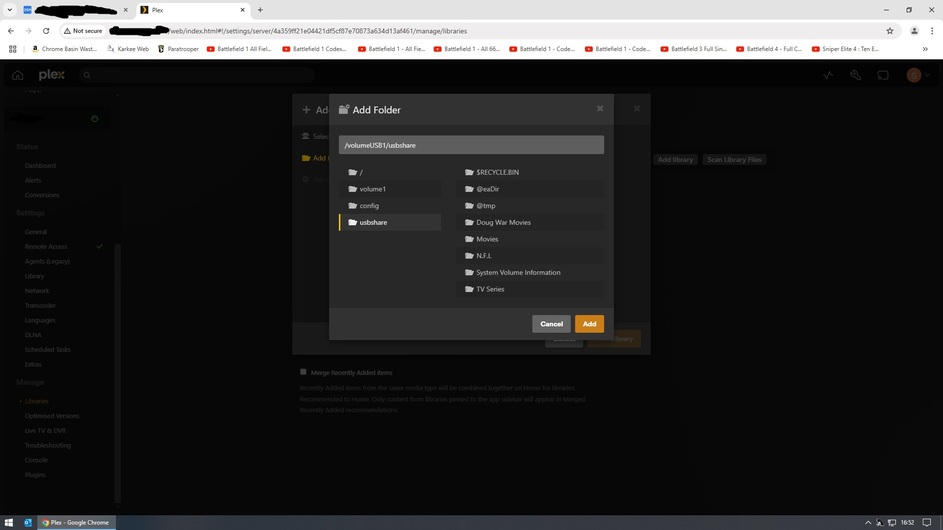
I think what @tom80H is trying to say is “what is the exact folder that you are adding to the new library that is giving you problems”.
Yes 
If you’re adding the entire Plex share, this will catalogue all the files it can find there, including those already associated with another library (e.g. your existing Karen Movies and War Movies libraries.
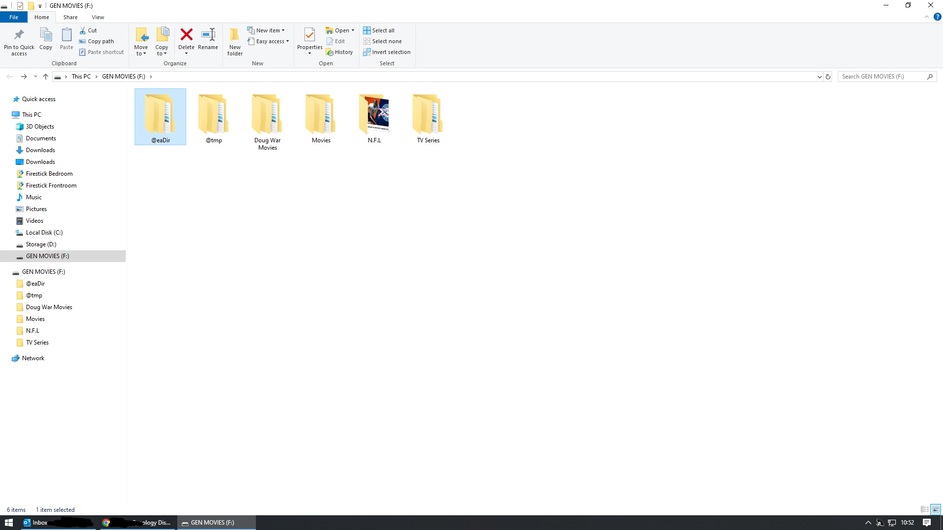
yes, you are adding the WHOLE USB Drive.
put all movies, series etc into one Folder like media
then it would look like “volumeUSB1/usbshare/media”
Same with the Plex one above, your adding everything. Make a media folder move ALL movies and series to that folder. "volume1/Plex/media". And if you only want to add ONE of the folder to a new library pick that folder. “volume1/Plex/media/war movies” etc
This works flawless.
Thanks but why didnt it do that when the libaries were first made. I made a libarey added the movies or tv shows then made another libary ect ect
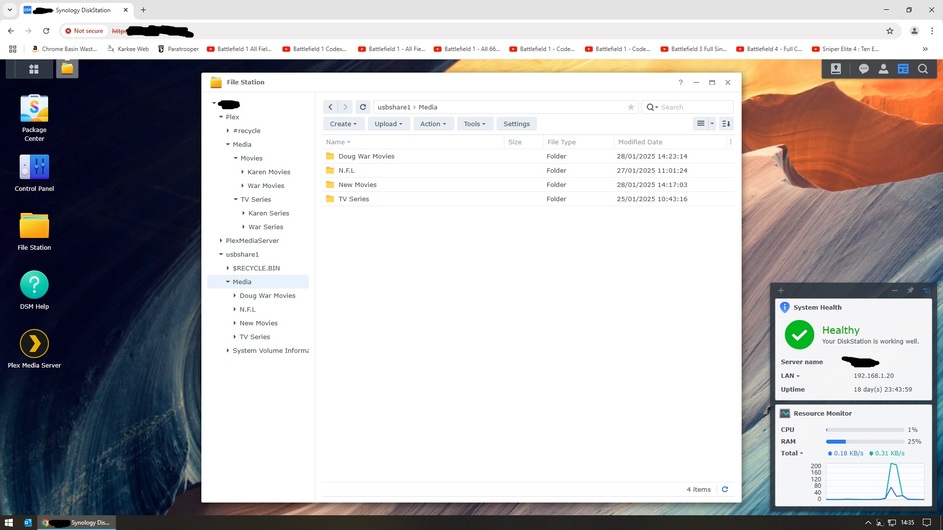
For some reason you’ve kept leaving out some essential information.
You’ve shared a screenshot of how the media is organized on your NAS drives, but you’re not sharing which folders are actually linked to which libraries.
To go with the screenshot you’ve posted in your last message… I assume, your current/existing libraries are configured like this:
| Library | Type | Linked Folder(s) |
|---|---|---|
| Doug War Movies | Movie | usbshare1 > Media > Doug War Movies |
| N.F.L | ??? | usbshare1 > Media > N.F.L |
| TV Series | TV Show | usbshare1 > Media > TV Series |
Now you’re creating a new movie-type library called New Movies. You’ve added usbshare1 > Media > New Movies as folder to that library.
Is that correct?
Or do any of your libraries have multiple folders associated / are pointing to a different top-level folder (e.g. usbshare1 > Media)?
Edit:
I wonder why you even started using the Plex share to store your media. Is that a leftover from a PMS setup while your NAS was still running on DSM 6?
Hi thanks again for reply.
This is correct.
I dont have a multiple folders, also re comment in (edit) your comment there are also correct.
Did you already store the media of the old libraries there when you were on DSM 6?
I’m asking because this share had a dozen files stating you must not store any media there (in its original form). Storing media in that share while it was also used by PMS as server data directory is known to mess things up really bad (hence the many hints not to use it for your media).
Hi Yes as I sais nothing had changed since day one back in 2019 on DSM 6. Do you think I might as well scrub the internal HDD’s and reinstall everything from scratch?
