Problems with PlexAuth & Remote Access

Server Version#: 1.13.4.5271

Hello all,

I’ve been pulling my hair out for about 3 days trying to get my Plex working again after I stopped being able to access it recently.

First off, a couple of things have changed which may have caused the unusual behaviour. First off, I changed internet supplier from Sky to PlusNet. I have a Asus RT-68U and a Netgear DM200 (bridge mode) (the modem was purchased to prevent double-NAT when using PlusNet’s supplied router).
I have also updated my Xpenology NAS to 6.1.

The issue I’m faced with is that I think PlexAuth is not working for some reason. I had massive issues trying to ‘claim’ the server (after removing it from my account’s devices) - it seemed to work to some extent, but then would always show that the server was inaccessible. Eventually I discovered the ‘List of IP addresses and networks that are allowed without auth’ in Settings>Server>Network and entered 192.168.2.0/25, which suddenly meant that devices within my home network were able to see the server again, whether logged in or not. Great - part one of the issue down (although, as I always have an internet connection, don’t see why this is necessary as I should be able to authenticate as I’m logged in on all these devices.

Next issue is that Remote Access isn’t working. I can categorically guarantee that the port forward is working, because when I connect on 3G to ‘ip.of.home.network:32400’, I am taken to the Plex web page, although get ‘Looking for servers…’ constantly.

It seems like this could all be linked to the fact that for some reason my server doesn’t seem to be able to properly authenticate (perhaps because of some of my network settings). I’ve since tried creating a new user, reinstalling plex, installing a PMS on another computer within the network (same issues apply), checking that Jumbo Packets are disabled (they already were), checking firewalls on both the Asus and the Synology firewall (tried adding the ports, and disabling them temporarily too - to no avail), changing remote port in plex settings etc.

I’ve scoured the internet and followed everyone’s various advice (and seen the number of times that trumpy81 has responded to others in similar situations).

Sorry this is such a lengthy post! Just want to get Plex back to working how it was - I travel a lot and it’s nice to have movies on the go!

Thanks in advance,
Dan

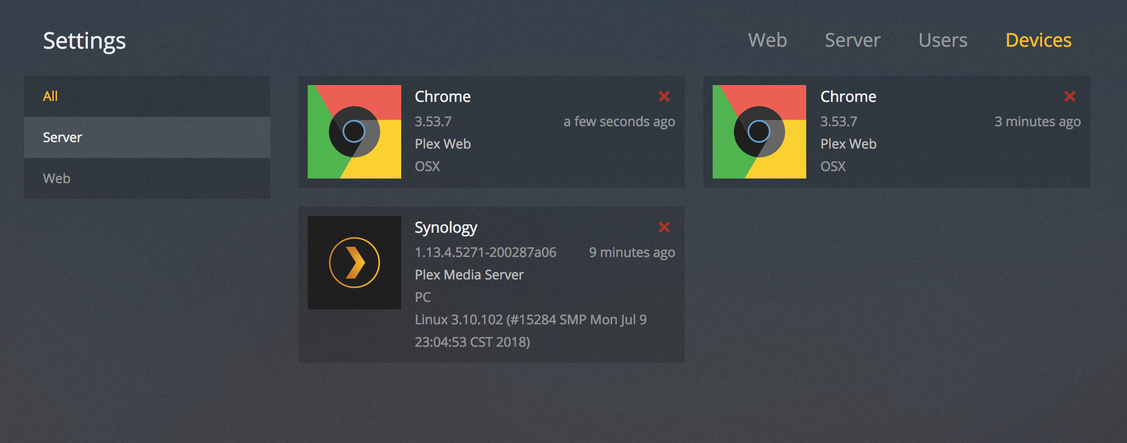
Edit: Have included a screenshot of Network settings page: https://ibb.co/k5L0ne
May I have the Log files please? I need to see more than just a screenshot

Hi Chuck,

Hopefully this works for you. I’m currently away from home, so the only way I could gain access to the server was to VPN in to my home network and then add the VPN subnet to the allowedNetworks in the Preferences file. I’ve tried to recreate the steps of removing the device from my account, restarting the server, and then ‘claiming’, and then retrying the Remote Access settings.

Plex Media Server (2).log (134.0 KB)

Many thanks,
Dan

Getting into your NAS, over a VPN, is problematic by its nature.

  1. PMS will always detect your VPN access as WAN because the IP address of where you’re accessing from is always included in the HTTP header.

  2. The only way to circumvent this, but also the best way is:

  3. Connect, via VPN if you must, and create a SSH-tunnel to the NAS (ssh -l admin -L 8888:127.0.0.1:32400 lan.ip.of.syno )

  4. In a fresh browser tab, open http://127.0.0.1:8888/web

  5. This new tab is connected, securely, and as if LOCAL on the server.

I don’t want to have to VPN into the network to get Plex Remote access, when there is a system in place already to do just that. I only logged on via VPN to obtain the logs! What I don’t understand is that it was working absolutely fine not too long ago, but I recently tried to log on to plex.tv whilst away recently and it had all stopped completely.

I’d just like to try and get it back to how it was before! Did the log file show anything unusual?

Thanks

@Devans

You need the VPN to get to the console so you can enable remote access.

Hi Chuck,

Dan still, just with my original username now. I have tried enabling remote access yesterday whilst connected to my local network using my VPN - it did exactly the same thing it was doing when I was trying to enable it from the local network directly 2 days ago. Unless i’m totally misunderstanding what it is you’re trying to get me to do?

Thanks again for your assistance with this,
Dan

I followed your instructions above about creating the SSH tunnel. The following happens. This is exactly the same as what happens when there aren’t any IP’s in the allowed networks box in the ‘network’ settings. Please find attached video: https://www.dropbox.com/s/5hxudc52rohtasj/plexsues.mov?dl=0

You can see that Plex won’t let me ‘claim’, however in the background, it is actually adding the Syno server to my list of devices, just not allowing me access to it. (

,

When I refresh the page, I get the following error.

I’m just completely stumped at what to do next - I’ve tried pretty much everything and can’t work out why it isn’t working for me.

Open FileStation,

Navigate to Plex/Library/Application Support/Plex Media Server

Right Click Logs and Compress to Logs.zip

Attach that ZIP file here.

Your Synology is behaving as if its DNS is failing or there’s a VPN involved. (Control Panel - Network)

I hope I’m saying this clearly.

If Remote access is not already enabled,
SSH-tunnel is required. The VPN will not suffice. Synology remote access will not suffice either.

  1. Enable SSH in Control Panel - Terminal & SNMP
  2. ssh -l admin -L 8888:127.0.0.1:32400 ip.addr.of.syno
  3. Sign into the Synology admin account and let sit there.
  4. On the local browser, open http://127.0.0.1:8888/web This takes your web traffic, runs it through the ssh connection into PMS ‘console’ on the host as if it had a real graphics head.
  5. Now you can fully administer the host

SOLVED

Came across a similar forum post (Can’t view server while logged in as the same user). Turns out that my MTU changed size with the swap to a new ISP and is now 1492 on my router. The Synology box had it’s MTU set to 1500, so packets weren’t getting out of my network to the Plex servers - the minute I matched the Syno to 1492, EVERYTHING works again! Such a simple fix, but not a particularly obvious one!

Thanks @ChuckPa for all of the assistance!

@dan90joe

I’ve submitted the bug report to Engineering.

The “Jumbo Frames” error message is as misleading as it gets.

I have specifically requested the error message state:
MyPlex: mapping failed due to packet fragmentation. Please check MTU values

Look good?

Would make a lot more sense!

This topic was automatically closed 90 days after the last reply. New replies are no longer allowed.
