Server Version#:1.43.0
Player Version#:web
<If providing server logs please do NOT turn on verbose logging, only debug logging should be enabled>
I’m starting to be at my wits end here with this QNAP Plex server.. I just bought the lifetime pass so I would really love not to give up on this…
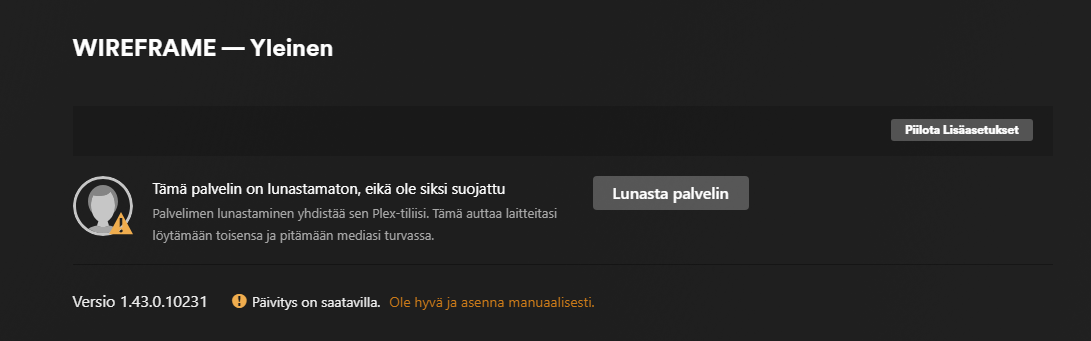
I had this issue earlier, where my libraries vanished from my Plex server, but I just reinstalled Plex server on my QNAP and things continued working from there, albeit with the loss of my categories and such. For the longest time server ran with zero problems, until one day I get back home from work and the libraries seem to be vanished again. My thinking goes → ok I will just reinstall the server app just as I did earlier, but as I’m installing it I get encountered with this notification:
I’ve been reading the forums and other sources throughout the week and read about forcing the claim of the server through this manually injected token:
As I follow these directions through putty, I get this response:
and the screenshot above tells me you are not connecting to the Plex.tv backend.
Somehow you’re getting a regular web page (front end). It’s as if someone mapped plex.tv → www.plex.tv (which are two different entities. plex.tv is the backend operations system. www.plex.tv is the web server
@Wireframe
Well that’s not working for you. It’s connecting to smatis.fr which is a healthcare provider.
Check that you have good public nameservers set for you network interface like Cloudflare (1.1.1.1 and 1.0.0.1). Another good one is Quad9. I avoid Google.
The docs for QTS 5.2.x are here:
I’m not exactly sure whether QTS 5.2 configures the command line util, nslookup, to use the DNS servers you set in your Network Settings, but I think it uses what you have in your /etc/resolv.conf file, which on my system is 127.0.1.1 perhaps because I have a bonded network interface bond0 (2 NICs) rather than a single NIC, eth0. Anyway these commands use the default server and a specific server to let you see the different replies you might get.