Now, when using external Chinese subtitles on iOS devices, the text will turn into blocks (like ‘’) and the player will be very laggy. Closing the subtitles will restore normal operation.
Playing the same video and subtitles on the web page is normal.
Why hasn’t Chinese support been added to mobile apps yet? The previous app supported it, but now the app has removed the Chinese language. To be honest, if the app were in its current form, I wouldn’t have purchased PLEX.
Which format is used for your subtitles?
I have tested this with the mobile app on Android, and it shows (what I assume is) correctly.

If these are external subtitles in SRT format, ensure that they use the “UTF8 with BOM” text encoding.
Hello, I am using subtitles in UTF-8 encoding format. I have only found this issue on IOS devices, including iPhone, iPad, and Apple TV. I have not tested this video on Android system.
But as I said, in the web player, subtitles and videos play normally, while on the IOS end, they cannot play correctly.
Web:
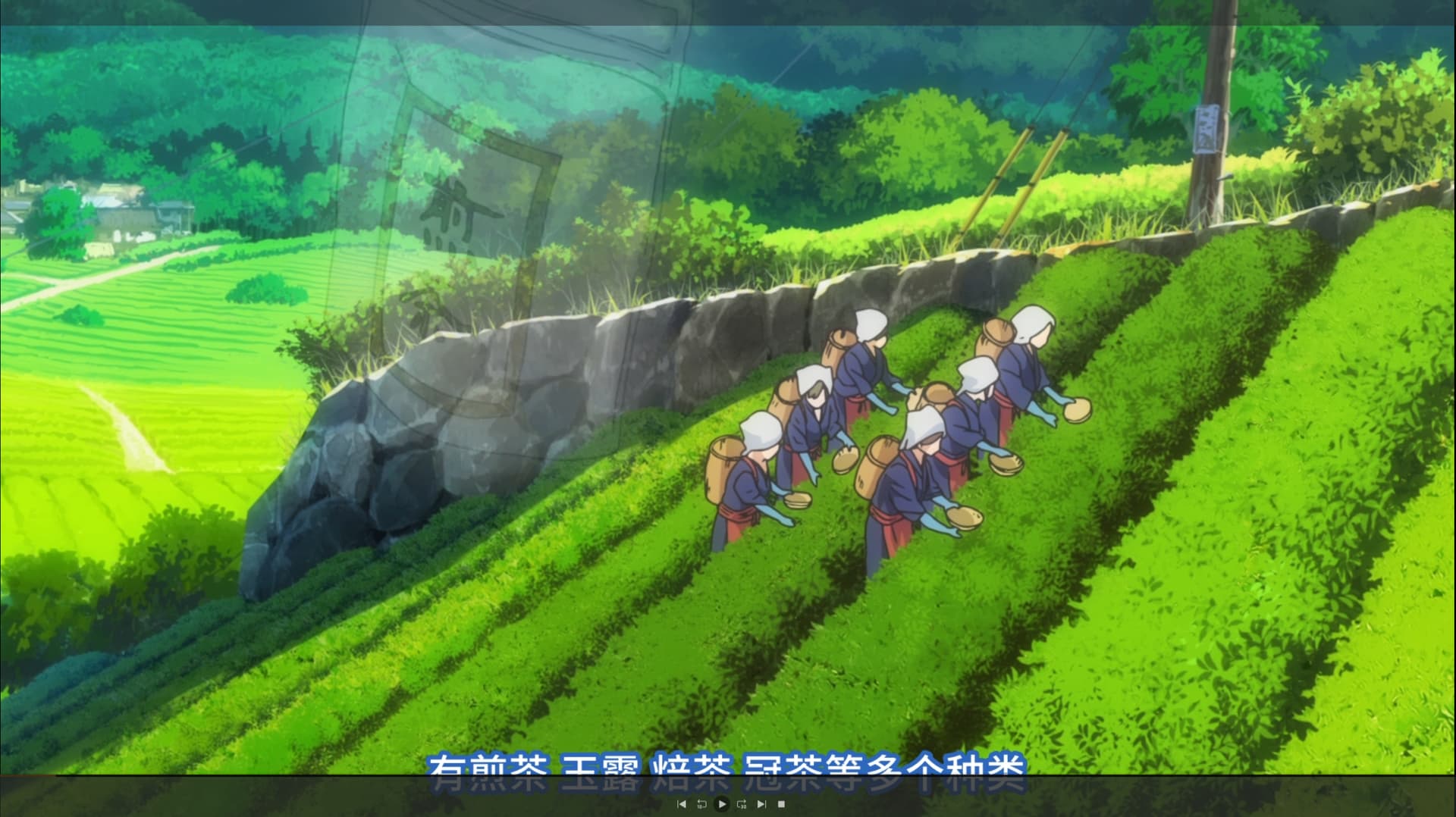
Iphone:

Could you please inspect the Dashboard in Plex Web during playback? https://support.plex.tv/articles/200871837-status-and-dashboard/
(enable the “Details” view mode)
It is important to know whether the subtitles are burned into the video picture, or if they are played directly.
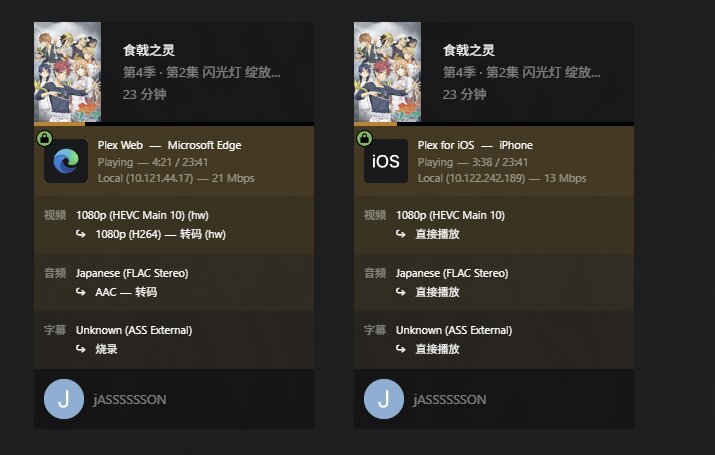
It’s like this, I think I’ve found a solution. I tried to check the font on iOS and downloaded ‘苹方-简’, and the subtitles worked fine.
But strangely, the system language I am using is Simplified Chinese, which means this font is not available by default. It seems that Plex has some issues with the default font values on IOS
1 Like
I assume that this font is probably not usable on Apple TV, right?
The Dashboard says that the subtitle is in ASS format. ASS files can contain pretty sophisticated formatting instructions.
Could you repeat the test with a real SRT subtitle, which doesn’t contain any formatting?
Currently, both ASS and SRT subtitles are working properly on Apple TV.
IPhone and iPad, SRT works normally, but ASS needs to download the ‘苹方-简’ font separately
That sounds to me like the ASS file has an explicit reference to a font in it, which causes the issue.
Often these ASS files are authored and tested with players on PC/MACs, which have access to a large number of font faces. However, if you try to play such a file on an embedded system like an ATV, then you will encounter certain limitations.
Anyway, thank you for your help (but please keep up with the Chinese support of the app)
Got the same issue on iOS 26, and seems it only happens with iOS 26/iPad OS 26. With the same version of PLEX app, iOS 18 device doesn’t have this issue. BTW tvOS26 is fine.
Got fixed by installing 苹方-简 font in setting as well
