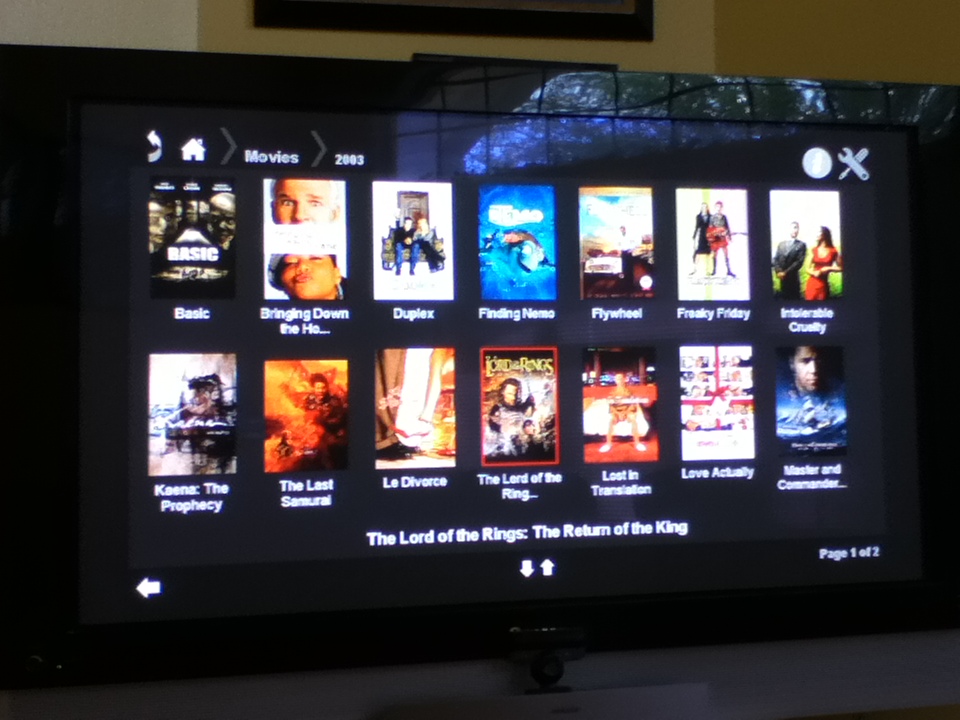
I was hoping that the Plex client would work on my old Popcorn Hour A-110, but it appears to only run on the 200 series or higher. I decided to build on the PlexConnect solution for Apple TV - using a copy of their Python code, I've created a web service that the older Networked Media Tank A-110 (and probably A-100) can use. Instead of XML rendered for Apple TV, this web service delivers HTML that the NMT can navigate and use to play content from a Plex Media Server. I've been running this on Ubuntu for a couple of weeks now and it has most of what I need to access my Plex libraries.
Sorry about that - I fixed the screen shot. Also, version 0.1.2 has been released. I added setup information, but the A-110 still has a problem with the YouTube plug-in URLs (too long).
Peter, I certainly would be interested in how this works with the A-400, but I would expect that the native Syabas Plex App would provide a better experience. I built this purely out of necessity - to be able to use Plex with my A-110. It does not have search capabilities yet and the page of thumbnails can take up to 10 seconds to display (depends on image size). If I had an A-400, I would definately stick with the native app. I use the Samsung Plex App on my Smart blu-ray and it works great.
Hi elcorreodeladri. Wow, it’s been almost four years since I replaced my A-100, so I have not touched this in a long time. Once I purchased a Samsung Smart TV with the Plex client, I didn’t need the PCH any more. (If anyone wants to buy it, it’s still in the original box…).
If you have any questions about those instructions, just post them here. There are undoubtedly newer versions of Python out (instructions reference 2.7), so I would say go with the latest version and see how that runs.
I wanted to try his with my ancient Popbox V8. Got this error upon start:
C:\Python27>python plexnmt\plexnmt.py

11:49:07 PlexNMT: ***
11:49:07 PlexNMT: PlexNMT
11:49:07 PlexNMT: Press CTRL-C to shut down.
11:49:07 PlexNMT: ***
11:49:07 Settings: init class CSettings
11:49:07 Settings: load settings
11:49:07 Settings: getsetting logpath=.
11:49:07 Settings: getsetting logpath=.
11:49:07 Settings: getsetting loglevel=Normal
11:49:07 PlexNMT: started: 11:49:07
11:49:08 PlexNMT: Version: 0.1.0+
11:49:08 PlexNMT: Python: 2.7.14 (v2.7.14:84471935ed, Sep 16 2017, 20:19:30) [MSC v.1500 32 bit (Intel)]
11:49:08 PlexNMT: Host OS: win32
11:49:08 Settings: getsetting enable_plexnmt_autodetect=True00
11:49:08 PlexNMT: IP_self: 192.168.0.65
Traceback (most recent call last):
  File "<string>", line 1, in <module>
  File "C:\Python27\lib\multiprocessing\forking.py", line 380, in main
    prepare(preparation_data)
  File "C:\Python27\lib\multiprocessing\forking.py", line 504, in prepare
    file, path_name, etc = imp.find_module(main_name, dirs)
ImportError: No module named plexnmt
Since nothing happens at this point, I press CTRL+C and these messages are displayed:
Traceback (most recent call last):
  File "plexnmt\plexnmt.py", line 145, in <module>
    run()
  File "plexnmt\plexnmt.py", line 105, in run
    time.sleep(60)
  File "plexnmt\plexnmt.py", line 129, in sighandler_shutdown
    cmdShutdown()
  File "plexnmt\plexnmt.py", line 122, in cmdShutdown
    pipes[slave].send('shutdown')
IOError: [Errno 232] The pipe is being closed
The traceback after Ctrl-C is normal - that’s simply the response to the interrupt and shutdown execution.
When working properly, the server will enter a state in which it is waiting for IP connection from your A-110. It will look like it is doing nothing. You can validate that it is working by pointing your browser to the IP address and port.
If it’s not working, the answer might be in solving the message “ImportError: No module named plexnmt”. There are a number of explanations on stack exchange about configuring Python for Windows - the problem being that the path to the file is not found.
i am hoping you can help me, i am new to the plex environment and have a popcorn hour VTEN that i would like to use as my media browser/ player. i am looking for an update to the popcorn hour app that will work with the latest version of plex server. i like to move forward with the updates and would hate to downgrade my server application just to get the popcorn hour working. if you or anyone out there one the internet knwos how i could resolve this issue with the popcorn hour app please contact me via email. huntergrief69@gmail.com