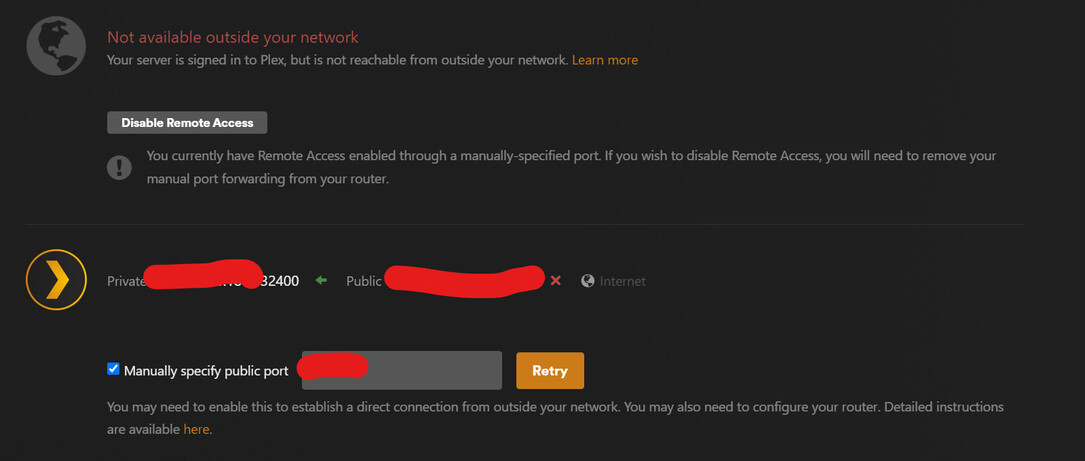
Server Version#: 1.32.5.7349
Player Version#: Multiple Devices
Server running on Windows 11 rig.
Has been running smoothly for a few years until a few weeks/month ago.
Hi!
First time posting (have had zero issues up until now)
Love the app, so thanks for all the work you do.
In recent history my plex server has been going offline and I have been losing remote access.
If I try and access locally, it looks like it connects, but it shows really outdated info/content.
Restarting the plex server app is the only thing that seems to work. I have run through the Remote Access troubleshooting and it all seems to check out.
Hi, i have small issues with remote access too, it look like the public port configuration is kind of a key.
Did you try to set it up differently ?
i currently unchecked the “manually specify public port” box and it seems more stable for now.
Maybe try first to do that and if your remote acess still doesn’t work, look on a static set-up via your router?
The manual port was unchecked. It is basically all vanilla settings. It was working fine for over a year without any issues, but recently has been giving me problems even on my home network.
Like just now, when I opened it on my TV it showed not current data of has been loaded recently and I couldn’t play anything, but when I went on my cellphone it showed correctly and was able to play. (all on local, home network)
My friend who has access was not able to access files either until I restart the plex server app. Once I do that it works fine on the TV and for my friend.
Just to add, I setup a manual port forward last night, but am still experiencing the issue with remote access. It seems to work for a short while and then start failing again.
A little more confusion to add to it, looks like it has gone down again, but the people that were connected are still able to stream what they had started…
If i then went to remote access and hit retry it shows as connected again and I am able to access outside of my LAN…
Went out again after about 5-10 minutes, went back into Remote Access retried and it started working again… PLEASE HELP!
I have the same issue. I have the server on latest Plex release, manual port forwarding, confirm remote connection but is either rediculously slow to load, loading issues, or unable to playback. Not only from my admin account, but others as well. I know it’s not my internet as I have a gig down and 40mbps up, and know the files are not some giant transcoding strain and even if they were, I have a Quatro cars for transcoding. Plays fine on local network, all only remote.
Can watch my dashboard and remote acss will be fine, then disconnect. I go and hit test, no problem.
I am also out of ideas at this point.
Use wired network connections, both for your server as well as the NAS which holds the media files (if you have a NAS)
disable power saving for the network adapter in your server (“Allow Windows to switch off the device…”)
don’t let the server device go into hibernation mode
Use manual port forwarding. If you create one, tick the checkbox and put the external port number you used into the input box behind it. Stop and restart Plex server after you are done with both. Then wait a few minutes. Perform the canyouseeme port test again.
Just so if anyone else comes across this problem, i found that if my internet connection gets maxed out and the speeds start going down and back up because of maxing out, it somehow messes with the connection to the server. (this never used to be a problem)
I have found that if i limit my downloading to 75% of the max speed, I have not faced the issue.
This has been happening to all of us for a long time and plex doesn’t seem to solve it, there are already many messages from various servers with the same problems