After over a year recently with alot of help here i finally had my server not transcoding and remote access was working. Then recently i had some pc issues and had windows re-installed followed up with a bios update, which solved my pc issues but my remote access no longer works…
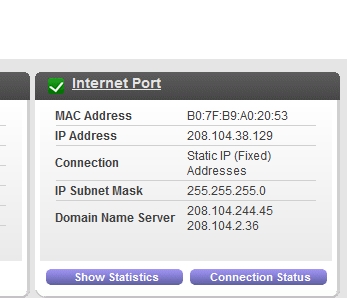
Ive tried playing around with it in various set ups but cant seem to get it to work. My initial problem like many it seems was a double nat set up. I got a static IP from my internet company and with some help with the settings all was well, until recently.
the local IP address of your server machine has not changed (can happen if you let your router assign addresses per DHCP without reserving fixed IPs for certain machines )
Windows has still classified the network connection as “private” and not “public”
the portforwarding in your router settings is still active and is still pointing to the correct local IP of your server machine
use a different port number than 32400 for the public side of your router. Some ISPs or WiFi provider may try to block the well.known Plex port number 32400
My IP hasnt changed…
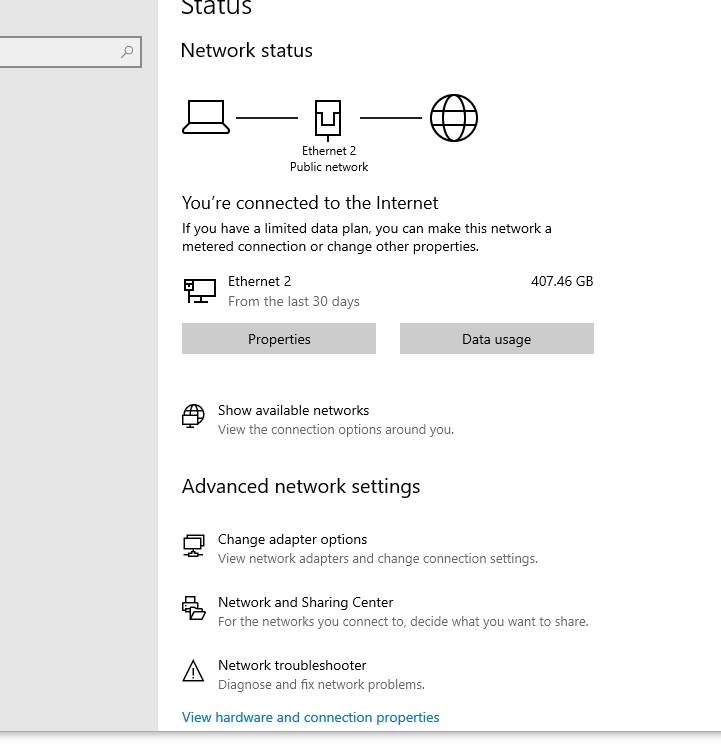
Windows is classifying me as “Public”? is that right (by the pic), I don’t remember what it said before tbh…
The portforwarding seems fine…
If i change the port do i still click on manual? and what should i change it to?
“Public” means that all ports in the Windows firewall are closed and you cannot connect directly to your Plex server. Which also means that the port forwarding won’t work.
Windows automatically switches the connection to “public”, after
you’ve swapped the router
you’ve connected the Windows machine to a different local network
you used a different network adapter than before
your router had a firmware update
you have changed some fundamental setting of your local network, like its IP address range
If you are sure that the network connection is indeed to your own private router, switch it back to “private”. Then stop and restart Plex server.
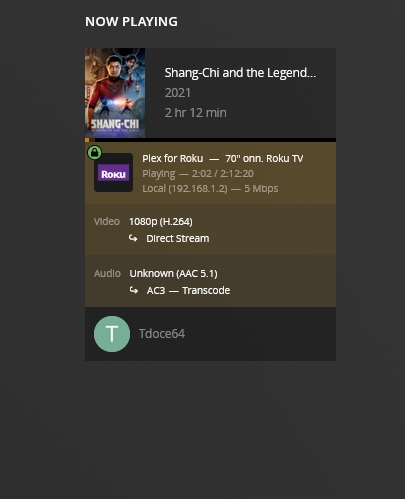
I’ll do that. Just an FYI i went and turned on my living room tv, it couldnt reach my server. I came back shut the server down and restarted it. On my PC it said remote access wasnt working, and yet the TV was showing Direct stream…
Going to crash now and check it out later. Thx for the help. I had this all taken care of finally so my head is spinning again lol
actually i used to come up as transcoded as well. tonight im going to have a family member log on and see what it says. It has been green all day hasnt turned red ive checked it and used it. my fingers are crossed, im waiting for a test case later
You can’t imagine my luck…today with almost no advanced notice my IP changed my static IP. Their customer service wasn’t able to get my router working remotely so i could go in and change the info, instead i have to go to them and swap out the router (which i cant do until Monday), then i have to set up my new static IP, and then i have to see what needs to be done to get my Plex server up again…SMH
So my internet provider changed my static ip for no reason, then I wasn’t able to get internet access. They said the problem was the router so I got another router through them, it doesn Work they think the new router is a dead router.
They came out and set me up with a new router and im up and running but again my plex keeps going to red from green on remote status. I tried to retrace my steps here,its a new router once i log in its all different from the old router. my info still looks the same inside plex (see pic)
yes twice, but i didnt reboot which i now did, and its up and hopefully will stay up. I accessed Plex from my phone and had direct play. Im going to monitor it and wait until i can get someone on the outside to log in and try it so i can see…
it just came off again. last time i thought i had to go into the router and change settings. Im lost looking at the settings on this router, so different. i was hoping i could just plug it in.
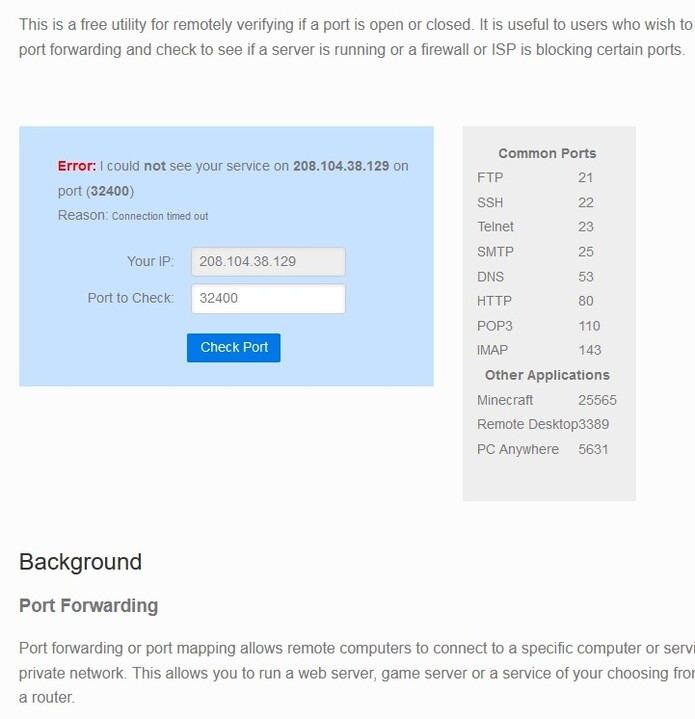
Use a service like canyouseeme.org to check from the outside if a port is reachable.
Not with these settings above. You are instructing Plex to propagate port 32400 for outside access. However, your router is by default using automatic port forwarding, which picks a random port number.
Either clear the checkmark before “Manually specify port”,
or define a manual port forwarding in the settings of the new router (recommended).