Sure, will do…but they would be captured by this anyway, as I said:

Sure, will do…but they would be captured by this anyway, as I said:
Maybe, but is that working for you ?
I wonder if two negatives produce a positive in this case
Per the original post, it was for a long time, but now that PMS suddenly stopped working, I can see the consensus here is to assume that my existing PIA settings that have worked fine for a long time are the problem.
How about I completely remove my VPN, and have no PIA, split tunnelling or anything otherwise, and see if the problem persists? I think that is the only way I am going to convince the jury here that this issue is caused by anything other than my VPN settings.
Obviously I don’t know for sure.  But I’m not getting any big “Plex is broken” vibes from it. Nobody has rolled back and confirmed a previous version worked. Nobody has identified anything Plex is actually doing wrong. Many people also have other things going on with their systems or networks. I don’t think anybody has even shared logs.
If it is a Plex issue, let’s figure it out.
I’d love it if you would test with the VPN fully disabled for a ~ few days - or long enough to see if it makes a difference.
I’d love it if you shared the Remote Access screen when it’s working and when it’s not working, if you tested with canyouseeme.org, and if you shared logs.
If I disable it completely, then we will know for sure if it is something to do with a PIA change, not a PMS change.
You don’t have to prove anything to me! Jury, nothing …
But it’s a variable that you are in control of, VPN is frequently a complicating factor, and it would provide diagnostic information.
So yeah I’m a fan of doing that.
For what it’s worth, I understand your logic. Quit the VPN app and see, i’m going back to my breakfast.
cheers
Nice one and thanks for the help :), same to @Volts
Will ask someone having a sofa day to give it a good try while VPN is off and report back to me.
Can you give me the steps for grabbing the logs? I assume we want server logs here not end user, given its affecting all users right?
Ok I have no idea what is going on. This is with no VPN at all. I’m now being told some libraries are visible to users while some are not.
Also I see a strange icon for my avatar now:
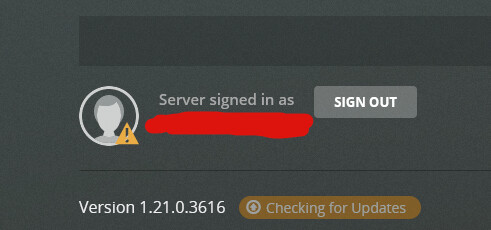
And when using local device NVidia Shield, I get very long loading time, and then my own username isn’t available on the signin screen!
Also. Remote access is still going down:
I am having all th esame issues, this just started happening. I am also getting "no soup for you " as well. and unable to connect to plex.tv
@Jlentz311, are the lights on in your house?
Sorry, there’s an old joke about “my computer won’t work” and it turns out the power is out.
You aren’t able to browse to https://plex.tv/?
Edit: Hahah, I’m getting an error too now.
I’m getting a plex is down for maintenance? System stats page says all operational?
5 mins ago the Status page said Major Outage. I’m also having issues.
Not sure if it’s related to the OP topic.
Edit: Status is now back to Major Outage.
I think this is widespread… I am even having problems logging into the plex website itself. I just got in after three attempts; looks like it’s a matter of chance as to whether or not authentication times out… both when you’re using the plex web server at home, and logging directly into plex.tv. It’s very frustrating not to have access to my local content when PLEX has a problem with their servers. Grrrr!!!
I was able to log in … and it only showed my main user, not any of my other/home/managed users.
Maybe they’re rebooting the authentication systems. 2FA support is only a few days old, maybe it needed some attention.
If everybody’s remote access suddenly works I’m gonna be amused, frustrated, and happy.
OMG agreed.
Yeah this is where I’m at too. Can’t even log in with my own account on my shield, and only girlfriend’s shows up. I try with hers and it says ‘an error has occurred’
Movie night is cancelled! 
Yet somehow someone is enjoying themselves haha
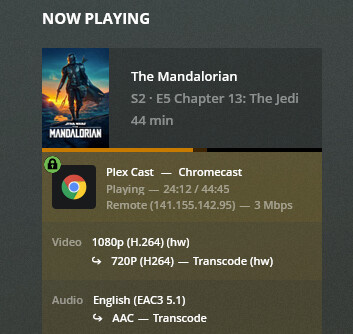
Plex… bring back cached/local authentication so I can have >MY< content when your servers are down!!! I knew this would happen at some point!

