Server Version#:1.18.7.2457 -77cb9455c
Player Version#:4.26.1
I was having trouble with remote access using plex. Previously had plex set up on my synology ds218+ configured with a manual port forward from vodafone router. All worked fine.
Set up a new server using Ubuntu 18.04, and I had also bought a new router as I like the better firewall settings and you can do more with it. Router in question is an Archer VR2800. Great piece of kit.
Long story short, the remote access connection kept going from green to red when trying to enable it on the plex website. I was racking my brain out trying to figure out what was wrong.
Eventually checked an online port checker, and it confirmed that port 32400 was closed. Strange as I allowed the rule in routers settings.
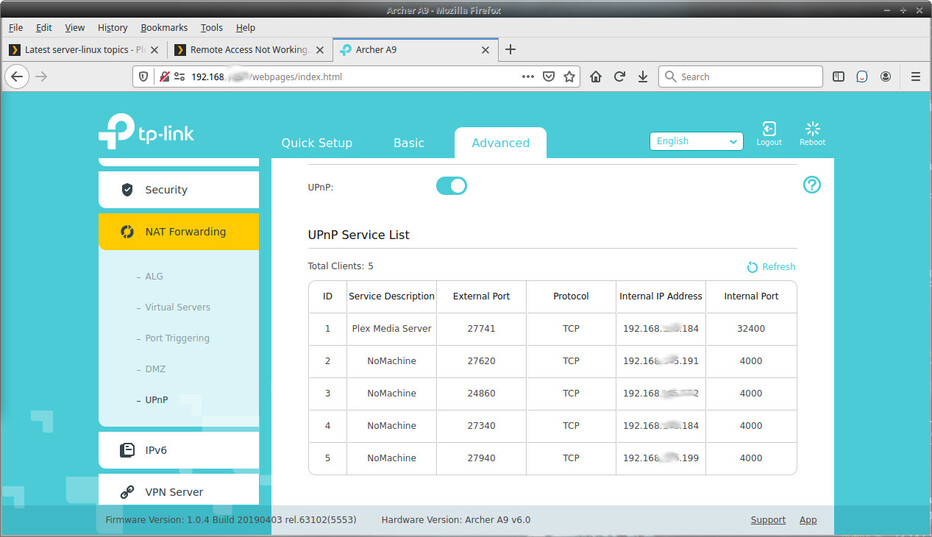
Just realised that TP Link routers have a thing called virtual server settings. And it allows you specify an internal IP address along with internal/external port rules.
So for anyone out there with TP link routers and are having trouble setting up the remote connection, have a look under those settings I mentioned.
Worked for me.