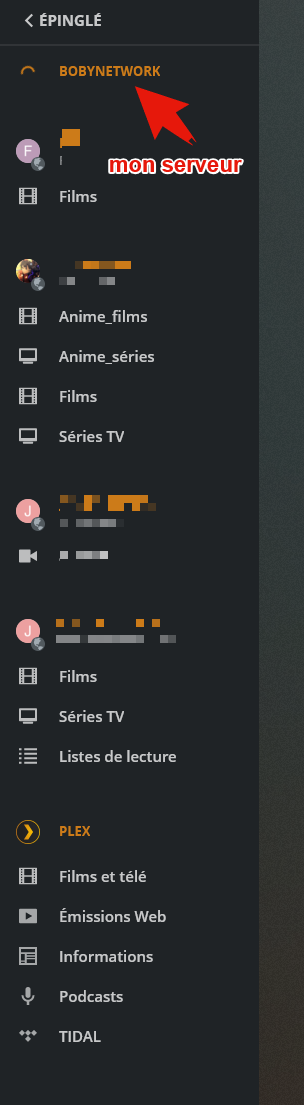
Remote access problem / Connection limited to 2Mb / s

Hello,

I have a Synology DS718 +
An SFR Fiber box (1Gb / s)

I can’t run my server outside. At least, intermittently.

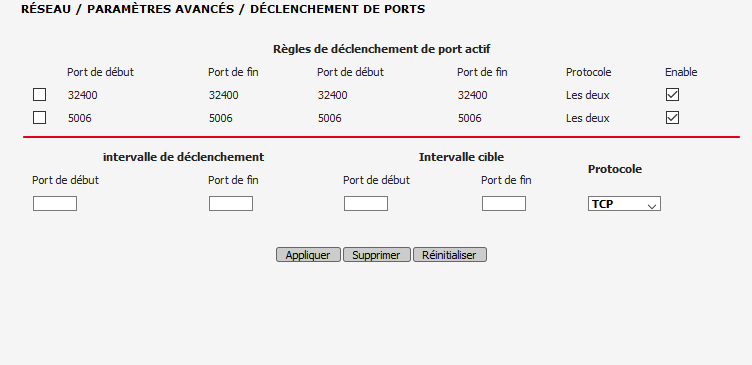
I did the port transfers on SFR.

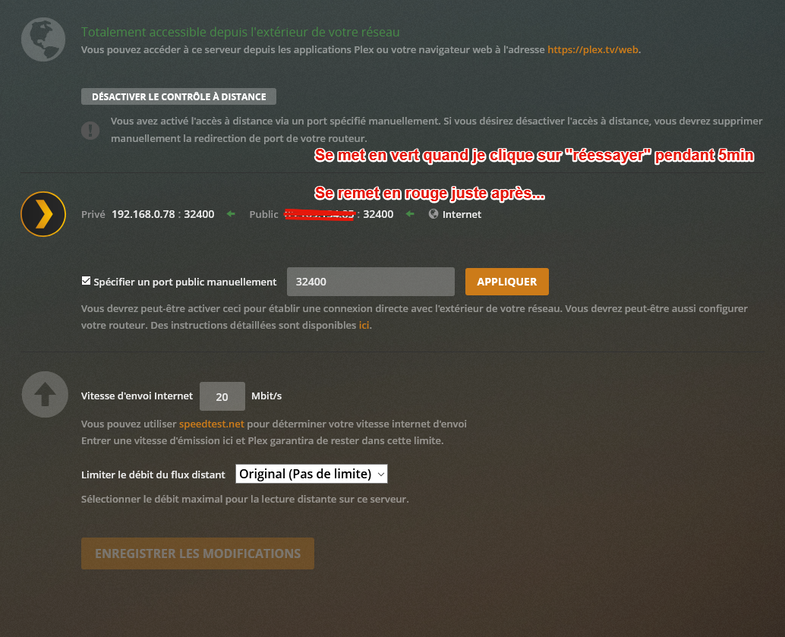
When I click on Retry, it becomes worms, then 5min after resets in red with always the same message “not available outside your local network”

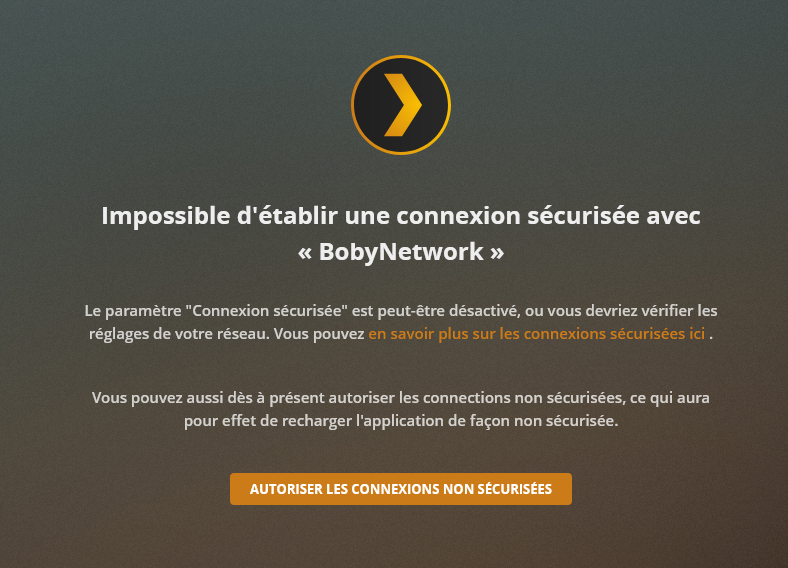
Indeed at home I have no problem, except that I always have to reload “allow unsecured connections → always” but my girlfriend can not play a movie without 20min after it is cut.

I still don’t understand where the problem is coming from, I’ve been looking on all forums for 3 weeks, it’s still a port problem, but with me it doesn’t work.

PMS on my windows seems to work fine, but I would like to keep my PMS on my synology.

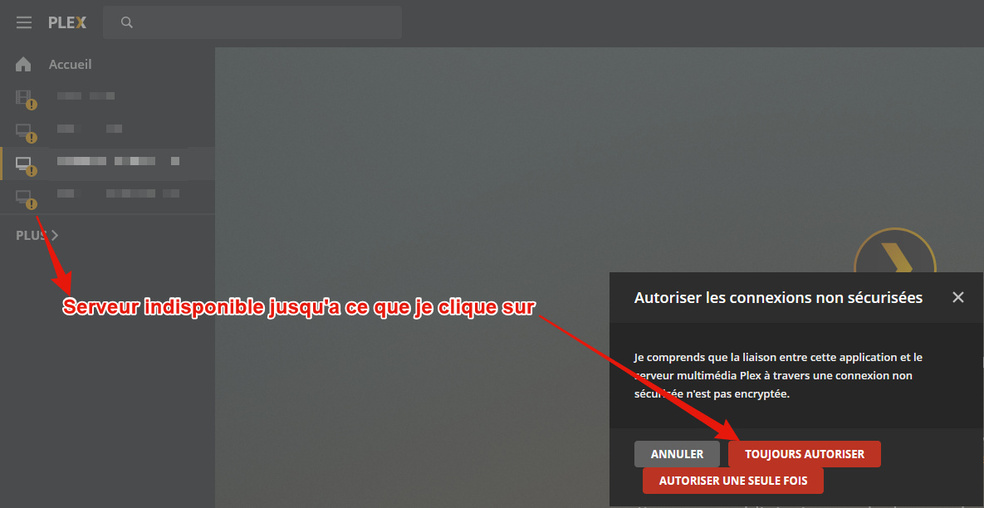
Besides, I would like to take this opportunity to point out a problem that often happens, I have to click on “always allow”, otherwise the server is unavailable …

If someone has ever had a problem with SFR please let me know, because I am completely dry.

I also want to point out that my server is slower than all the other servers of my friends, I am the last one to appear … while I have the best connection …

I already deleted the library folder etc reinstalled completely Plex..

I wish you a pleasant evening, waiting for an answer,
Boby
Your router might have issues with DNS rebinding. Is there some option to allow rebinding of plex.direct?

Thank you for your answer, No I don’t think …

But you say it works fine on windows, meaning you don’t have any of these issues when running on windows?

This is a problem. This means that you can’t even setup a secure connection locally, which will then also fail remotely. This is why I thought about DNS rebinding.

Did you try port forwarding via UPnP, so without specifying it manually in Plex?

I’m not sure at the end of the day that it works properly.

Remote access stays green but sometimes turns red, and turns green automatically.

While my friends, it stays ALL the time in green …
So I don’t mean to say I’m sure.

I have activated UpNp in addition to DNS redirects.

To answer correctly, I already tried to leave in automatic instead of specifying a port manually.

That’s right?
Sorry for my poor english

Pas de problème :wink:

Yes you just remove the check mark in the specified port, in this case Plex tries to use UPNP and open the port “itself”. In general this is the less preferred option in my opinion, but it is worth a try.

The reason I am asking about windows: if everything is fine with the windows PMS, then the problem might not be your router, but either your synology or how the port is forwarded to it.

So if I understand correctly, you advise me to deactivate UPNP and let the ports open manually? Or the contrary?

The reason I am asking about windows: if everything is fine with the windows PMS, then the problem might not be your router, but either your synology or how the port is forwarded to it.

What surprises me about PMS on Windows, sometimes it becomes red anyway, but automatically becomes green again.

On PMS on Synology, it becomes red again, and I have (most of the time) to click on retry so that it becomes green again.

I advise to test both ways and see if there is a difference in behaviour.

With the port 32400 open, go to https://www.canyouseeme.org/ and input your public IP address and port 32400 to see if it is reachable from the outside.

So precisely, what I find incredible is that I have been able to access it from the start via IPpublic: 32400.

That’s why for me, the port is properly open.

my friends are indeed able to see my server online, but they still have this problem of “indirect connection” limited to 2Mb / s.

Often too (on my server) I have to accept insecure connections. All the same time …

And it’s super annoying because I can’t play a movie until I click on the “authorize” button (I put the screenshots)

Also, I had a question. Can I put a port other than 32400? If yes which?

Is it also possible that port 32400 is a problem?

I am really determined to solve this problem, because I really invested very expensive in a synology only for Plex, remote reading … I am ready to give all the details of my configuration, even to program a TeamViewer / Anydesk for fix the problem, and even pay the person for their time.

1280e891b9c70e117f0d8bd7563b485a

You could pick any other public port, but there is so need as 32400 seems to be accessible.

So this brings me back to the DNS rebind protection which might be happening.

Maybe @OttoKerner can assist in troubleshooting this issue.

Okay, I also think that port 32400 is not a problem knowing that I can access it.

Regarding DNS redirection, I have put 8.8.8.8 and 8.8.4.4 like this. Is this correct?
2ce97c8b81d054d73e360433aff85c63

Bonjour j’avais le même soucis avec SFR
J’ai pris un routeur ASUS et mis la box en bridge. Depuis je n’ai plus le problème avec l’accès distant
Si ça peut aider

That sounds like DNS rebind protection then or something similar with the fibre box. Using a “real” router and using the modem in bridge mode is most of the time the better solution, I do the same with my cable modem.

This topic was automatically closed 90 days after the last reply. New replies are no longer allowed.