Server Version#: 1.16.1 / 1.16.3.1402 and 1.15.8
Player Version#:Web, Android latest
Probably beaten to death but put me in the “remote access goes green for a few seconds and disables itself”… the only changes since working were upgrades from 1.15.8 through to 1.16.3 (skipping 1.16.2). I have reverted back and same.
The only other changes were the Windows 7 July 2019 Security and Critical Updates as well as the .NET July 2019 updates. The firewall has been tested completely off, the same issue. Port shows as closed using external port check. No changes to the router have happened.
Does anyone have any ideas?
EDIT: Removed the July 2019 .NET (KB4506997), Security-Only (KB4507449) and the Update (KB4507004) that were installed on July 28th, no change. I am back to the exact same configuration as on July 1st, 2019 when I was out of town and know remote access was working including using Plex 1.15.8. This issue MUST be external to our networks.
Make sure your server machine has still the same local IP address.
Make sure your network connection is still classified in Windows as ‘private’ and not ‘public’.
If you created a manual portforwarding in your router, check if the forwarding rule is still pointing to the right local IP address of your server machine.
Verify the port forwarding with canyouseeme.org
Firewall was tested completely off, no bueno. Server machine still has same IP. Port forwarding rule still in effect. Already tested with canyouseeme, it’s reporting CLOSED (while other ports forwarded to other servers on the network are fine). BTW: I have DSL, Static IP - so that hasn’t changed either.
OttoKerner: I do networking for a living, those along with many other things I did before posting I would call basic troubleshooting.
I can see a Plex server on your account, which reportedly has a working remote connection.
Be advised that the connection status within the Plex settings can be misleadingly reporting ‘not available’.
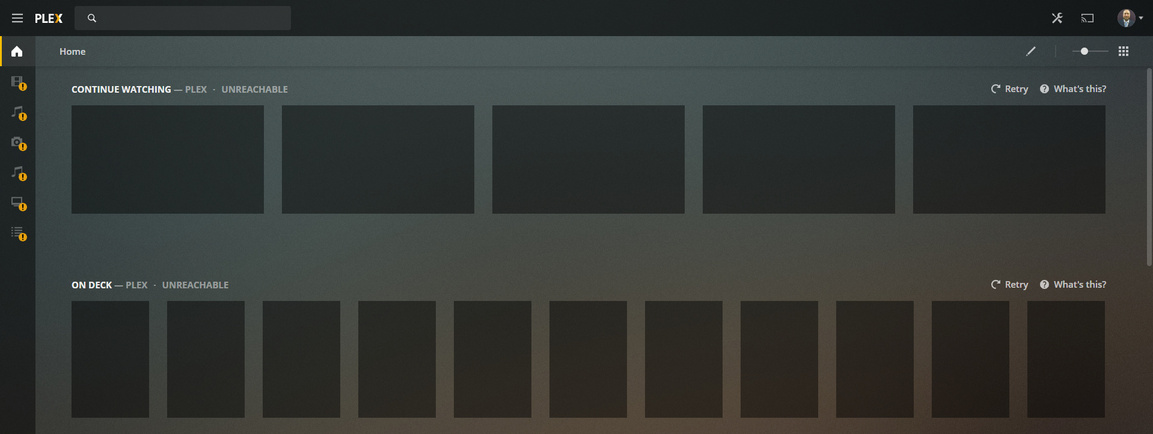
Yes, here is a screen shot, services just restarted. Big screen is remote (also does not connect on my android phone), little screen is the server running plex.
Port forwarding has been confirmed as working. DNS. HTTP, HTTPS inbound working to my web server and inbound 8080 working for SABNZBD (as a test - I do not have that open normally). Also to note, when I VPN in with my phone to my home network, PLEX connects.
With port forwarding I mean the portforwarding for the Plex port.
Not your web server or other services.
Are you relying on Plex creating it automatically, as soon as you start it up?
If you do, change to a manual portforwarding, which you create yourself in your router’s preferences.
Don’t forget to tell Plex the external port number of this port forwarding: https://support.plex.tv/articles/200931138-troubleshooting-remote-access/
Then open a new web browser window on your server machine and go to canyouseeme.org, type in the external port number and let them ping it from the outside.
Correct. I am simply indicating OTHER ports on the same machine and OTHER ports on other machines are forwarding fine to this and other boxes.
I am NOT relying on Plex, I am setting it manually in the router and on Plex (see below). As a note, the red warning was green saying it was available for about 5 seconds, then goes red - seems like I am not the only one in this boat based on the message boards.
(EDIT: IMAGE REMOVED)
Every single other service on that screen (I have now since removed SABNZBD as I don’t want that exposed outside the network) is forwarding, including OpenVPN which allows me to connect to Plex.
(EDIT: IMAGE REMOVED)
To be clear: This setup WAS working, and just stopped. I’ve been using plex since prior to v0.9.1606 and this is the first time this has stopped working since I set it up.
I explained this to you above. It is not reliable. It will always show green first and then switch to red if the remote testing from plex.tv can’t be performed immediately and successfully. Once the remote connection has been established, it will eventually become green, but it can take a few hours in extreme cases.
Please rely on a ping from the outside to test the port forwarding on port 32400. Please perform this test now.
I know the red/green is not reliable, but the screenshot showing both my work, and remote-desktop-to-the-plex-server shows it is not working also. I am attaching a screenshot from my android phone where it is not working.
Correction: Both my office PC and my android phone just connected within a minute of me taking the not connected screenshot.
(EDIT: IMAGE REMOVED)
BTW: I cannot perform a ping test from the office, we block ICMP both in and outbound. Canyouseeme is showing DOWN on 32400 at the moment, while Plex is still up.
Is it possible that you are using your ISP’s DNS server?
They are known to mess up when it comes to the .direct TLD.
(which is used by Plex internally)
If you can, try switching to Google’s DNS service and test how this is performing for a few weeks.
I am not using my ISP’s DNS, I am specifically using Cloudflare 1.1.1.1 and 1.0.0.1 hosted via PiHole which is actually a separate DNS server than the one on my Windows server (192.168.7.2) which actually hosts my domain hellfire.ca
If it matters to Plex… I blackhole 8.8.8.8 and 8.8.4.4 for the entire network.
You might have something on the .direct, let me check the logs and see what’s been requested… EDIT: I am not seeing any .direct lookups, am seeing queries to plex.tv though (in PiHole).
That should be OK. However, I heard from other users that they appear to have occasional trouble with CF’s DNS when it comes to Plex. You might want to try other services.