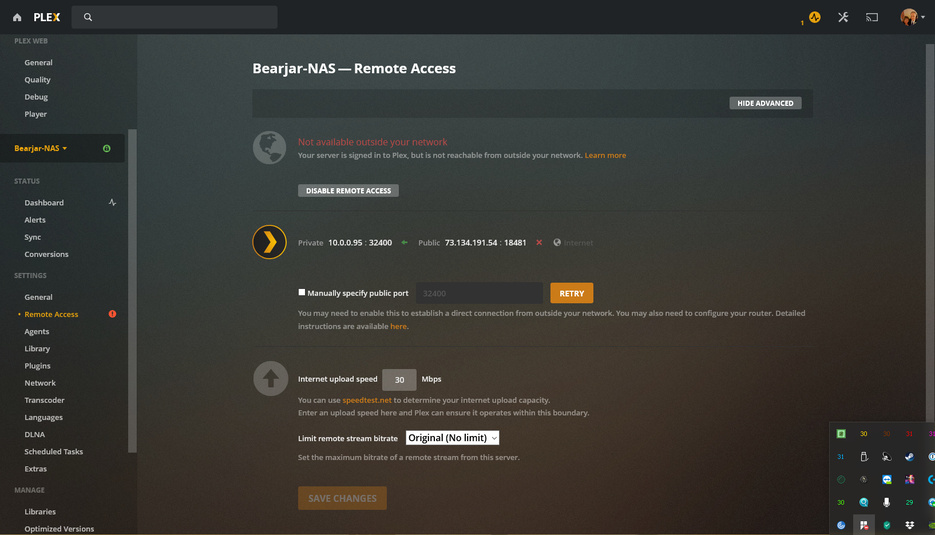
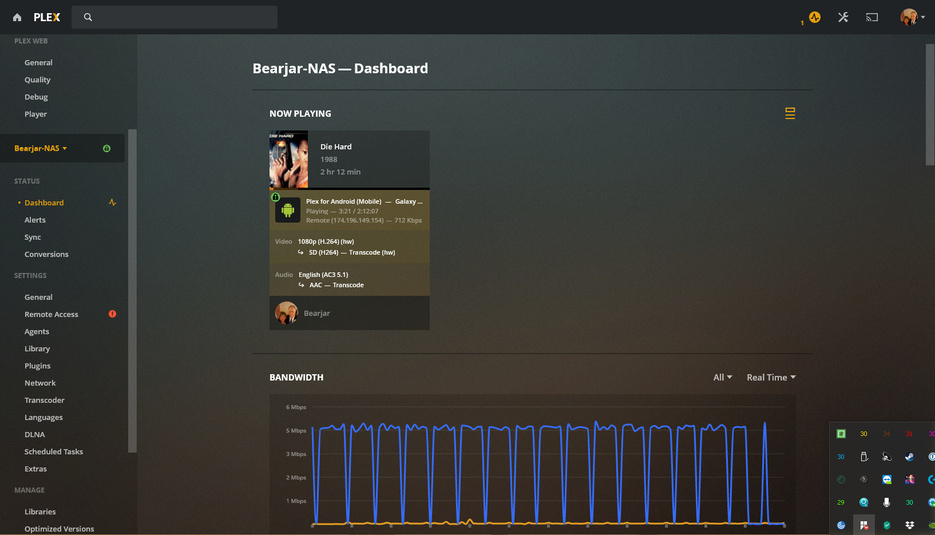
Looks like a bug in Plex that shows the Remote Access not working when it actually is. As you can see from my SS it is working but says remote access is not.
I checked my phone twice using the phone settings and a WiFi Scanner app verifying my phone was definitely not on any local or home networks, was on the phone comms.
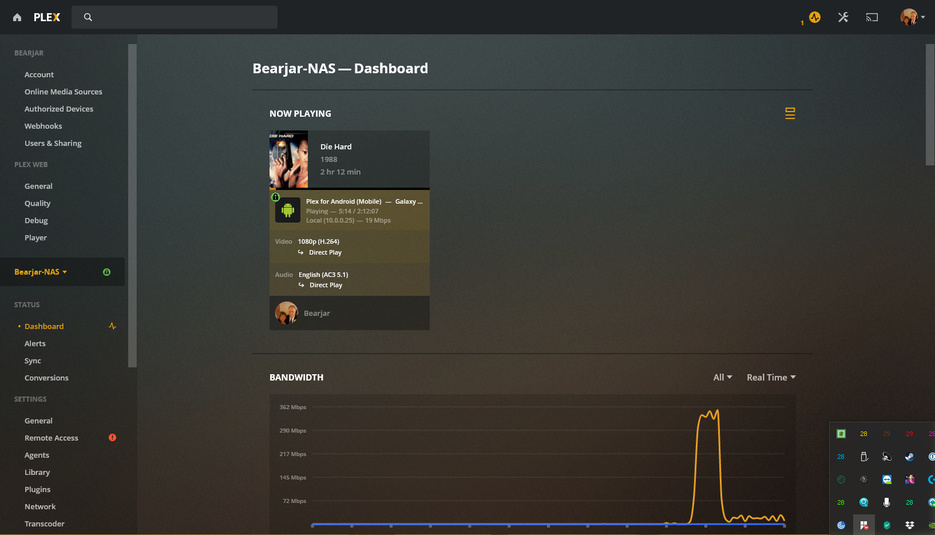
Here it is working on local, it definitely was working on remote access when Plex said remote was unavailable
UPDATED: Had my daughter test it at her house and she had no problem playing a movie from my server from a shared library, the whole time remote access showed unavailable in my Plex
Mine also does that, I think that it’s just testing the connection. Try to click on a different tab (like General) for example and wait 5 seconds. Then go the the remote access tab again.
Please report back if this worked for you or not
I see this all the time when I go in there but I use it all day so it does work. As 333 said, I think it just comes up as not connected until it does it’s little check and then it shows it really working.
I did that numerous times during the testing I posted. It never changed. Always showed as not available.
It is becuase it never cleared that I posted this with all the data. It was a good 30 minutes and several tab switches before I had my daughter test it and it stayed red the whole time.
It has cleared now but this is several hours later, It lasted for at least and hour and no amount of tab clicks and screen changes reset it eartlier
Yes this test doesn’t work very well. Indirect connections, connections over IPv6 and through custom URL’s can all work, while Plex will maintain there’s no remote access.
It’s been flagged before, and I don’t think fixing this is a big priority. The issue isn’t so much with the actual remote access functionality, just with its internal test if it works.
Gotcha, thanks. I want to give you credit for a solution but unfortunately this issue is not solved so at least I can say thank you and credit you in my post.
It is minor I agree but it could at least be mentioned in a FAQ somewhere that it is not always updating accurately.
99 times out of a hundred it is a network issue not a Plex issue.
Need to find out why the port is not being allowed through to the QNAP.
ERROR - Error issuing curl_easy_perform(handle): 7
Jan 16, 2020 07:23:05.699 [0x7fbf58e31700] WARN - HTTP error requesting GET https://73-134-191-54.55807dc1ab2347e59a6a5d1b7e084718.plex.direct:18481/identity (0, No error) (Failed to connect to 73-134-191-54.55807dc1ab2347e59a6a5d1b7e084718.plex.direct port 18481: Connection refused)
Allow private domain plex.direct in your DNS resolver/provider.
The error comes from not PMS not being able to use its internal client DNS tables which contain the LAN IP of every client/server on your LAN it finds.