Server Version#: Version 1.18.0.1944
Player Version#: Version 4.8.4 ? (not sure)
I am getting calls frequently from my plex users saying that my server is unavailable. I open plex, click “settings” and there will be a green check mark next to “remote access”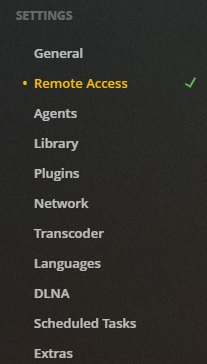 . But that’s not the case because if I click on remote access I see this
  . So I click the “disable remote access” to disconnect, then click it again to reconnect and it goes green
 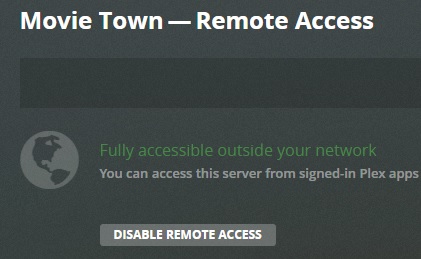 . This fixes it temporarily.
This happens every day. Any advise on how to fix? TIA
Create a port forwarding manually in the settings of your router.
Because the automatically created portforwarding is removed after a while (i.e. one day) by your router…
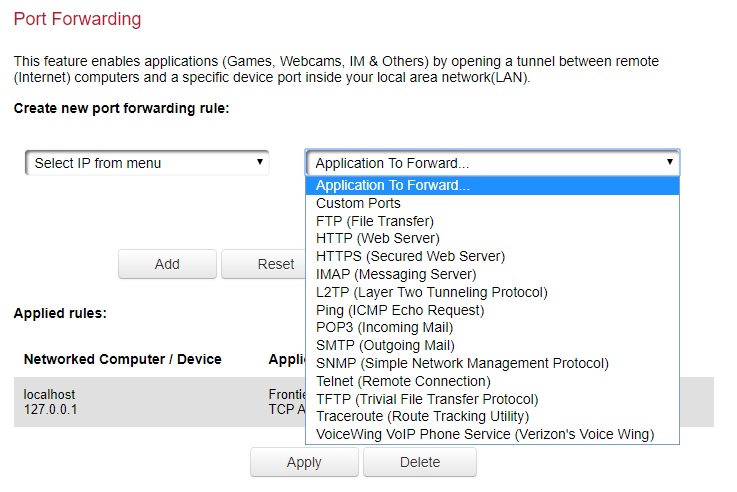
I tried but not sure what protocal to use TCP? UDP? or BOTH?. Which application to forward?
I also tried the “guide” you reference but that wasn’t much help as it stated I need to create a “static” IP on the Plex computer but then states “Specific instructions are beyond the scope of what we can provide as they will vary depending on your particular router and situation” So I tried https://portforward.com/networking/static-ip-windows-10.htm but got stuck on step #9 Then enter a new IP address in the box labeled IP address . This address needs to be similar to the router’s IP address. Just make sure the last number is different. For example if your router’s IP address is 192.168.1.1 then maybe you choose 192.168.1.10 This new IP address should end between the number 1 and 254. It should not be the same as your router’s IP address.
I have a FIOS-G1100 router. Any suggestions would be awesome. Thanks for the help.
Pick ‘Custom Ports’
only TCP
I can’t tell you what IP to use. That depends on which IP range your router is using for your local network. You must then pick one from this range.
You may find it under ‘DHCP range’ or similarly worded menu items.