Server Version#:4.145.1
Player Version#:
Hi all, it’s been fine for quite some time, until I moved plex to a new PC. I backedup the configuration folders and everything appeared as expected, with the exception of connecting remotely to phone apps etc.
I signed out of all the remote apps, the local PC and reinstalled the latest version from windows. Again all went as expected. except again when trying to acheive remote access.
So now with only the local PC signed in to PMS, and “full access” is reported by PMS, when I check it at [https://app.plex.tv/desktop] the access is reported as “INDIRECT” and when I close that webpage the green text reporting “full access” on my local PC changes to “Remote Access Disabled”. With remote access re-enabled on my local PC, and iphone only connected to mobile data, if I open the web app on my iphone, a message says that “Sign in is unavailable”.
Is the new windows server set to private network? Did you fix the port forwarding?
that was a very prompt reply, thanks for that. I’ll attach a screenshot of the router page and the plex page but yes, I think that I have that all setup right. I tried activating the remote access with a manual port, but it result in the same situation.
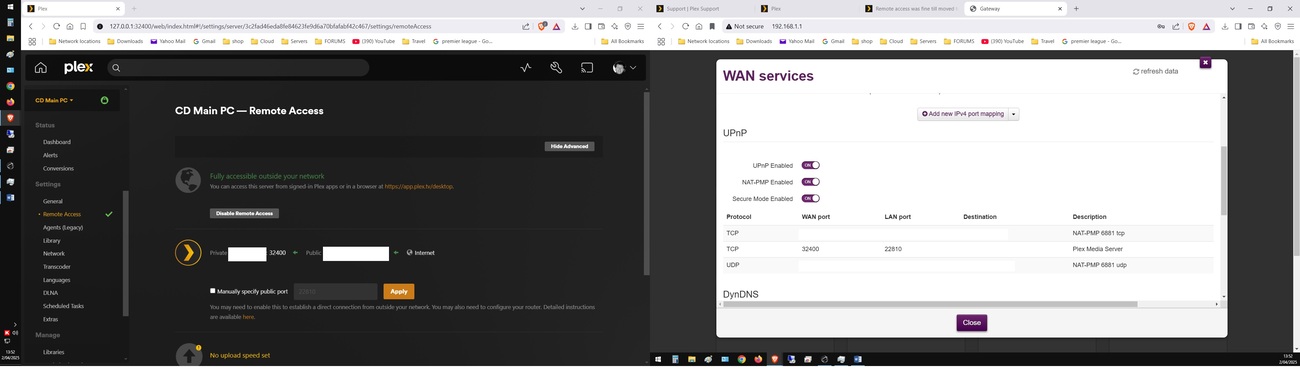
I have removed some of the IP information !
edit>
Yes the windows PC is on a Private network.
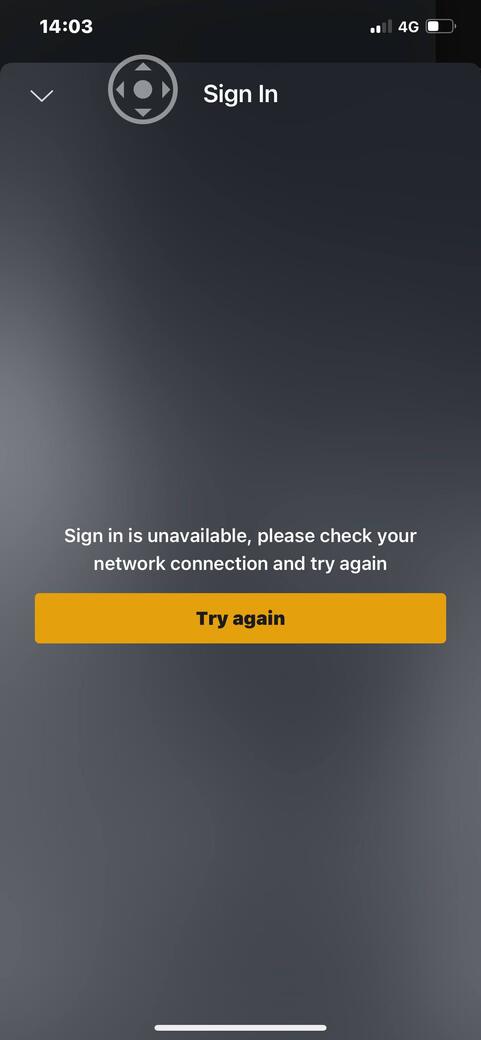

edit again - automatic logon will not stay checked!
Just noticed something weird. When I open the local address for Plex [127.0.0.1:32400/web/index.html#!] it automatically takes me to the web page sign in [https://app.plex.tv/auth/#!?clientID=..blah blah]
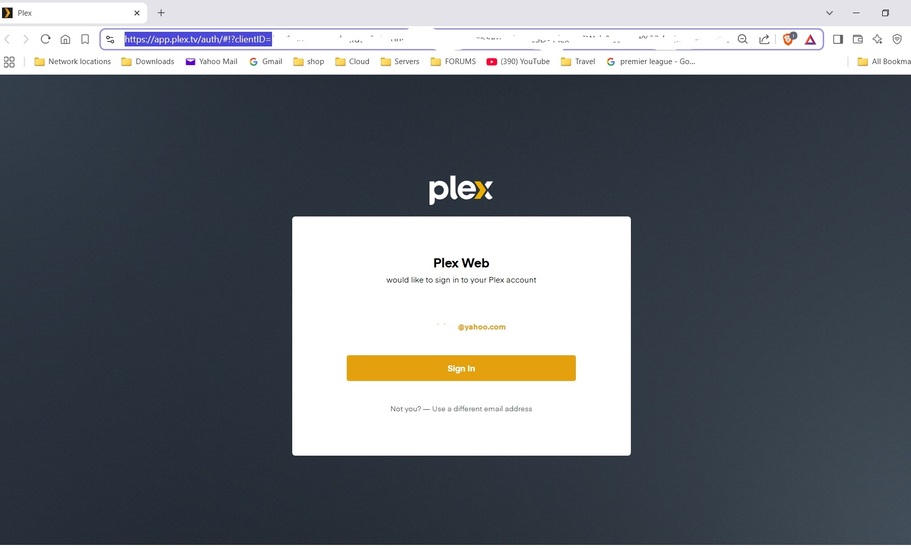
Am sure that I was able to browse the local address and the web page seperately. Now I have to go to the //app.plex.tv/ page first to access my local plex. !?
OK>> I uninstalled everything again. Setup TFA. I can open [http://127.0.0.1:32400/web/index.html#!] without need to logon. I can also open [https://app.plex.tv/desktop/#!/media/] without need to logon. Both pages show ‘remote access’ as “fully accessible”. BUT the https://app.plex.tv/desktop page shows remote access is “Indirect”. The NAT-PNP has entered the port forwarding rule.
See the three newly attached jpg’s.
After restarting windows the automatica logon is reset to unchecked, so the web page goes to the https://app.plex.tv/desktop page again where I have to logon yet again. This means that if the PC is restarted while I am away, plex will not be available to me.!
Any ideas???
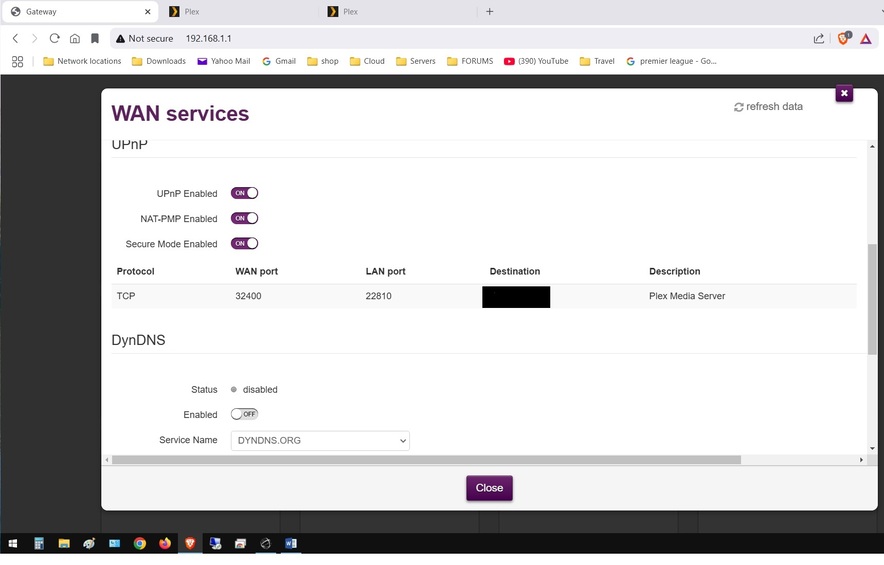
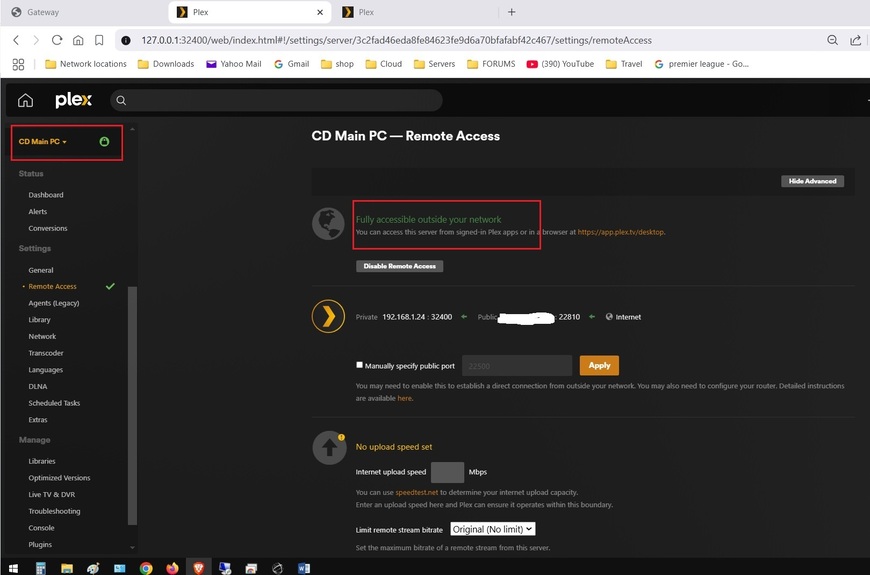
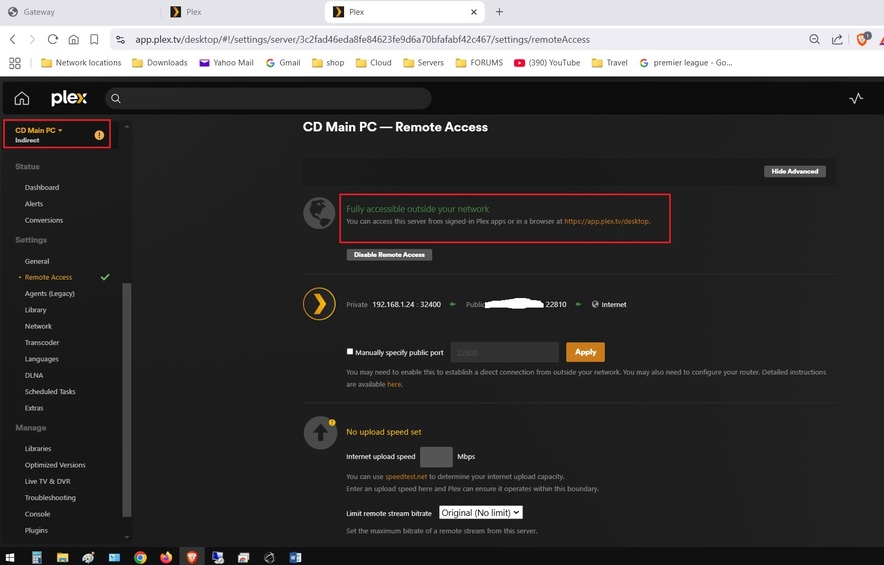
Okay > answering my own questions, well the major one is sorted.
Even though the NAT-PMP was entering a rule as expected automatically, it seems that it was not working.
I used the “manually specify a port” in Plex’s remote access page and entered the default port 32400 in that box and clicked the APPLY. So by creating a forwarding rule manually for the exact same port [32400] in the router (meaning that there are now TWO rules for plex’s default port 32400 in the routers forwarding table.
et Viola the remote access is no longer “Indirect”..!?
I restarted the router and PC, and the router automatically removed the port rule that was no longer being used.
So that has sorted out that problem. Only the access/logging on to go. I will start a new thread for that.
cheers all, hope this may help someone else in the future. BTW the router is quite an old one >
Product Vendor - Technicolor
Product Name - MediaAccess TG789MYRvac v2 HP
Software Version - 16.3
Firmware Version - 16.3.7190-2761003-20170907085601
That initial forward seemed backwards (according to your previous screenshots).
You should be able to freely pick a public port (WAN port), but the internal port (LAN port) must be 32400!
In the Plex remote access settings you’ll then have to specific WAN port you set in the router.
Oki Dokie, so seems that the rule that was being added by the router’s NAT-PMP was backwards. Looking at image 6-1, I had entered the port# 22810 into the “manually specify public port” box in the remote access page in plex, but that port became the LAN port# when the router automatically created the rule, see in image 5-1. Yikes!!
thanks for the reply. CD
This topic was automatically closed 90 days after the last reply. New replies are no longer allowed.
