Server Version#: 1.40.1.8227
Player Version#: N/A
~
Hey Support Team,
I have spent a good amount of time diving into this issue technically & I believe my issue is unique.
I host Plex locally at home on a windows desktop with a static local IP
I have confirmed windows firewall has the port traffic open (32400)
I have confirmed network firewall has port forwarding directed to my local IP
I have confirmed that the port is open for my public IP
When accessing remotely:
Android App works (On Work WiFi & Cellular)
Plex for windows app works (Work Network)
https://app.plex.tv/ does not work (anywhere)
(Specifically: unable to connect to PLEX securely)
~
This feels like a wildcard certificate issue related to plex.tv, but for the life of me, I do believe I have my server configured correctly.
I have read all the documentation and can’t seem to isolate the specific issue to resolve this.
I have manually updated my DNS from 1.1.1.1 to 9.9.9.9 on both my network firewall & PMS machine, so it shouldn’t be DNS.
@Cetza You seem to have had cert try to update 5 times today. I’m going to reset it since it looks like you got rate limited. You may have to restart your server. if you can access via the Plex for WIndows app can you check what secure connections is set to for you server
@ckellogg your cert was not rate limited so you have some other issue even if similar symptoms. Can you describe your network? Do you have custom URLs set in the server network settings?
Thanks for the quick response BigWheel.
~
I restarted my Plex Media Server application - still no dice.
Let me know if there is something else I can do to resolve this on my end.
I am open to paying for my own cert, if it would mean better reliability of remote access using app.plex.tv
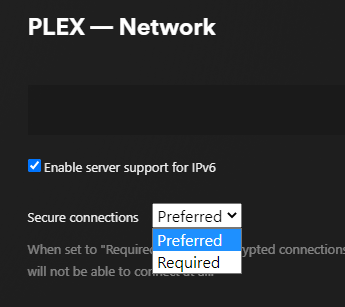
Likely will need to see your server logs@Cetza I see current cert but it shows your secure connections is disabled that is why i was curious what the secure connection setting is at when you look at it in the Plex for Windows desktop app you mentioned you can still use.
it is probably showing as disabled because it is not accepting the cert for some reason. if you can message me your server logs then I can ask a dev when they are around if they see anything off with that.
Since you tried different DNS servers the only other thing I can think of offhand is to see if your router itself maybe prevents DNS rebinding.
Every 15 minutes until it locks out again, it asks for a new certificate.
It quickly reaches the point of being locked out again.
Things to check:
Plex can write its new certificate in the Plex Media Server/Caches folder
(cert-v2.p12) — This is often the root cause
Your modem/router allows plex.direct
– by explicit exception to allow it
– by disabling DNS rebinding protection (not advised but ok for diagnosis here)