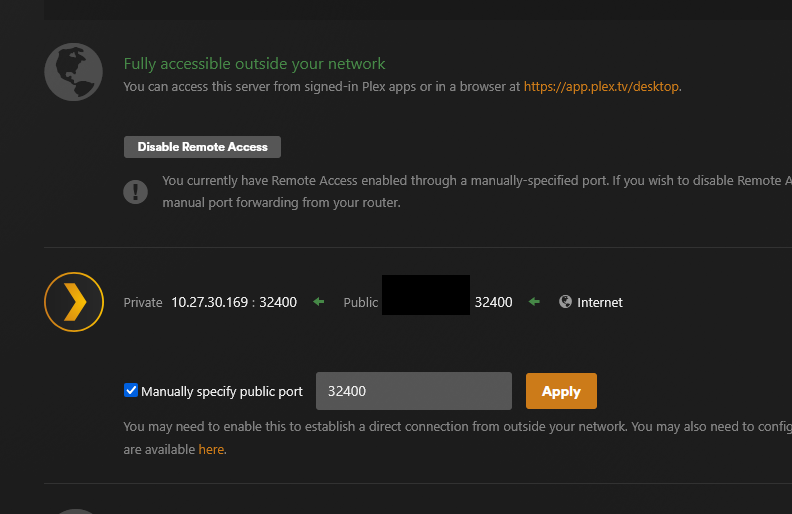
Server Version#:1.42.2.10156
Player Version#:5.93.2 Plex for LG
LG TV Version#4.63
I’m really hoping you guys can help. I have been at this for a while and tried everything I have read between here and reddit and can not get it to work. Plex states my server is online and connected with a manual port forwarding. I can access this on my mobile device with turning my WIFI off and not a single issue. My mother is trying to connect at her house (hundreds of miles away) and it doesn’t show my server as connected. She does have a new LG tv running the app and I can mimic this by utilizing my LG tv running through a VPN. I have turned connects to “prefer” secure connects on my server and “always” allow insecure connects to the tv.
I have changed the DNS on my UDMP to push to cloudflare and mimic’ed this on the tv too. I know I can get to it via my phone (on mobile and VPN) by typing in my WAN IP and Port # and it brings me to the plex page.
Checked the accounts and unfortunately they are setup correctly.
The LG tv I am using at my house running my account and it still doesnt come up with connected to my server, its utilizing a VPN to get out of my house so it cant cross talk. I tried my Xbox on a VPN and same thing. No connection to server. They both work perfectly fine on local its only trying to go remote than nothing other than mobile will see my server and I dont know why.
Im just at a loss over here banging my head against the wall, so ill take any help and suggestions! Since it wont even see my system unless i turn on relay then its capped at 2mbps and thats useless.
I don’t think that trying to use a VPN to test the viability of establishing a remote connection is the best route to go. A standard VPN isn’t necessarily going to have the proper port forwarding setup.
Unless your router does not have uPnP auto configuration, I would turn off Manual Port Forwarding and let your router negotiate the port forwarding with the plex.tv servers.
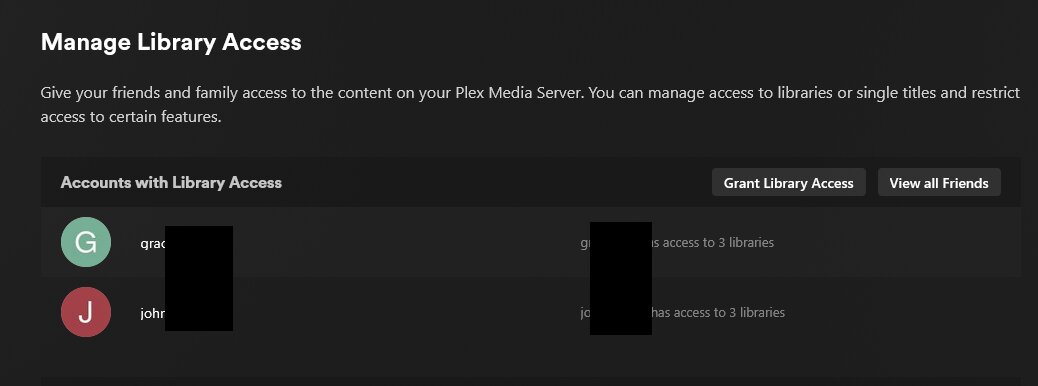
Here is my managed library access which shows my family has access. I have looked through the Remote Access Troubleshooting guides and have done all of that with no results.
My server isnt using a VPN that is just on its own VLAN. My router does not have uPnP since it is a UDMP, I have to manually setup the port forwarding otherwise nothing will get out. My setup is like this:
Server → Router (port forward active on 32400) → Modem → Internet
To ensure I am going across the internet while i test my devices to get more than 1 hop outside my house its setup like this:
TV or XBox → Router (VPN dedicated VLAN through PIA) → Modem → VPN exit node → Internet
Also, it still doesnt make sense that my phone, my sisters phone, my mothers phone all work regardless of where they are or what network they are on but other devices dont.
The only thing that makes sense to me is that the phones are able to make secure connections but the TVs cannot.
If the TVs have the option - enable insecure connections
or 2) If the networks the TVs are on are assigned fixed ip addresses, in the Plex Web client go to Settings → Network → List of IP addresses and networks that are allowed without authorization. Try entering the IP address for that network. You might want to add your own network IP/netmask to the list so that if the internet goes down you will still have access to the PMS with your devices.
Thank you Dragan! Apparently I had set those options from an earlier post but there was another choice right below on the TV that was when to allow insecure connections and had to move that to Always from only local!