I created a backup yesterday from Plex Server, Troubleshooting, Download Database. Fortune (for once) was in my favor as I then mistakenly deleted my Server link (meant to remove the old one) - yes, I’m an idiot.
I had to reinstall Plex to get a working platform back. However, I cannot figure out how to “upload” or “restore” the downloaded database into the “new” server. I really hope it’s possible (or why do they even have the option to download it to begin with???) as it will take days to re-categorize, group, and assign series/sequels (movies, not TV shows as those are automatic), if I have to do it manually again
Lots of info on creating backups on Youtube, nothing on restore. Nothing in the community forum I can find, either, other that “doesn’t work.”
The current DB is available for download for trouble shooting purposes mostly for advanced users that know how to use sqlite. That is a manual copy of the current DB.
Well, that’s annoyingly embarrassing Odd I couldn’t find that link referenced with “Backup” or “Download” instructions.
Thank you for the quick response - not to mention the link. The new server is still working though processing the newly defined libraries. The last time I did this it took almost a day, I think, since it’s also scanning for intro’s. I’ll delve into this once that’s done. I’d rather not screw it up accidentally - again
Reading through the link, and looking at the server files, it references 6 files. The “Downloaded” DB only has one, and it’s not a DB file (that I can tell).
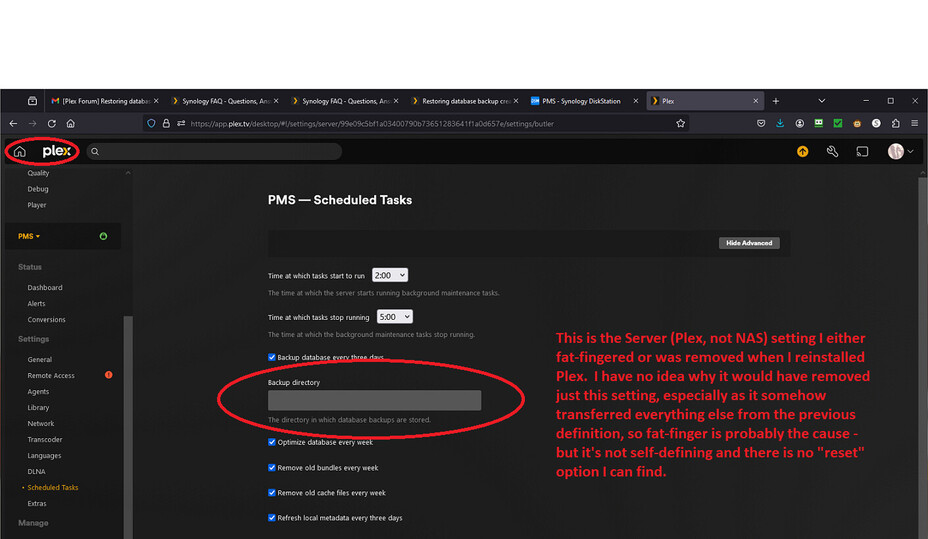
Where is the Plex automatic database backup folder? I cannot find that anywhere, and for some reason the backup directory in my new Server is empty.
I’m really starting to get upset. I know I’ve inexperienced with the minutia of Plex, but backup is an essential part of any software/digital platform. It should NOT be this difficult to get specifics on a built-in feature, even if it is mainly for “advanced users.” Simply saying “backup” and “restore” is NOT enough. Details, details, details.
But, this is ridonkulous (it was FAQ 30, not 41 - the FAQ’s stop at 34). I had seen Chuck’s posts before, but as I hadn’t needed to restore a backup until now, I hadn’t realized how bad (and useless) this feature is.
Not only is it stupid, and against industry standards, to save a backup in the same location as the original (if the DB folder is lost or corrupted, the backup goes with it), there are no warnings if the backup fails as (I saw in another post) the DB is only corrupted enough to fail the backup but not crash Plex. Evidently, when I reinstalled Plex (because I’d deleted the server link in the Plex authorized device list), it wiped that folder in the process - deleting any backups which might have been there. If my previous DB was only “slightly” corrupted and the backups are missing because they failed, I was never informed so I’d have known to correct it. This is unlikely, though, as my server has been up and running for 2 years; even if the backup was way too old, there should have been at least 1 backup remaining.
Geese.
So, I did download the DB (luckily) just prior to screwing up the old server and reinstalling. That download doesn’t appear to have the 8 or 9 DB files as showin in the Database folder - it’s just one file. How do I upload the downloaded database so I can use that (hopefully) as the backup? I haven’t been able to find anything on that, but I am self-admittedly horrible with searches (my keyword selections never seem to be correct :().
Wait, BigWheel. You mean the downloaded DB is useless unless you’re involved in the software/development. Cr* - why isn’t that stipulated (this cannot be used to restore the DB)? I’ve been using that for years as a backup so I could store them off the server!

 Odd I couldn’t find that link referenced with “Backup” or “Download” instructions.