I have thew same problem. On all other apps (Hulu, Disney+, Netflix, Youtube, Amazon Prime Video) subtitles are closer to the bottom. On Plex, subtitles are positioned too high.
This applies to 4K, 1080p, 720p resolutions, and on all Roku devices we have: Roku TV (TLC 65Q825), Roku Ultra (4800, 4660) and Roku Premiere+ (4630)
This seems to be Plex issue, rather than Roku.
Maybe there is something simple as extra bottom padding/margin on subtitles?
Plex version: 7.18.10.9155
Roku Versions: 12.5.5 build 4174-27 or later (depends on the device).
Yea this is definitely a Plex issue since Jellyfin doesn’t have this problem. I don’t think they care enough to fix it since they haven’t even acknowledged the issue.
@AbbasMamdani @giveme55, Roku does not expose the placement API for subtitle, so we can’t decide where it should be placed. I have reached out to Roku, and they have not said anything beside the last time I updated this thread.
I totally understand how you feel about this, and trust me, I wouldn’t have let it get this far if we had access to changing the placement. I will follow-up with Roku again.
P.S: I’d also like to note that there are apps such as the ones that giveme55 mentioned, that has access to Roku’s NDK; meaning they can do a lot more.
Sorry for the inconvenience!
That may as well be, but how do you explain difference in positioning between Plex and Jellyfin?
I doubt that Jellyfin has access to NDK.
That is a good question, but I unfortunately don’t have the list of companies that have access to Roku’s NDK.
If there was a way to adjust this in Scenegraph, Roku support would’ve mentioned it to me via the ticket I opened, updated their doc to let us know, or posted it on the community’s forum.
That said, I understand how frustrating this is, and I am still in contact with Roku to get to a solution. I’ll update this thread when I hear back from them.
Thanks.
@giveme55 @AbbasMamdani, hope you both are doing well today.
Here is a response I got back from Roku:
Plex Team,
Sorry for the late reply regarding this. There was a slight change in the captions due to Roku OS ignoring a caption with zero character (caption data has \n at the end). This was addressed in 12.5. In older releases, we were ignoring lines without character which was not a correct implementation. Users sometimes put empty lines between caption lines intentionally.
Like I had mentioned, this is an OS level issue and not something we have control over, and it seems users can fix this by fixing the reason they mentioned.
Sorry again for the inconvenience, and thanks for understanding.
Hey @voka71 thanks for continually looking into this issue I really appreciate it. I looked at some of the SRT files I have and done of them have empty lines between caption lines so I don’t think that’s is the issue. This is incredibly frustrating no other apps on Roku seem to exhibit this issue including other media server apps like Jellyfin. The positioning isn’t much of any issue when there are black bars present in the tv show or movie but when there are no bars present its incredibly distracting because the subtitles are showing up in the middle of the screen. I’ve again attached comparison pictures from both Plex and Jellyfin both using the same video and SRT file to show big the difference is. This issue is so distracting that I haven’t been able to use Plex on my Roku for about 8 months which is shame because I’m a lifetime plex pass member.

@AbbasMamdani, I received another response (as follow-up to my last message) from them, and they said this:
Plex team,
That would be my assumption as well, but I’m not certain if there is a character limit on the line which might be something to take into consideration.
Not sure how else to go about this, since this is their CS team. Can you try updating your OS (if you have not already), to see if the issue is still a thing?
Thanks.
Hi @voka71 sorry for the late reply both my Roku (OS 13 Build 24062) and Plex app (Version 7.20 Build 8) are updated to the latest version.
Hi there, as a workaround I use webvtt (coverted with https://www.nikse.dk/)
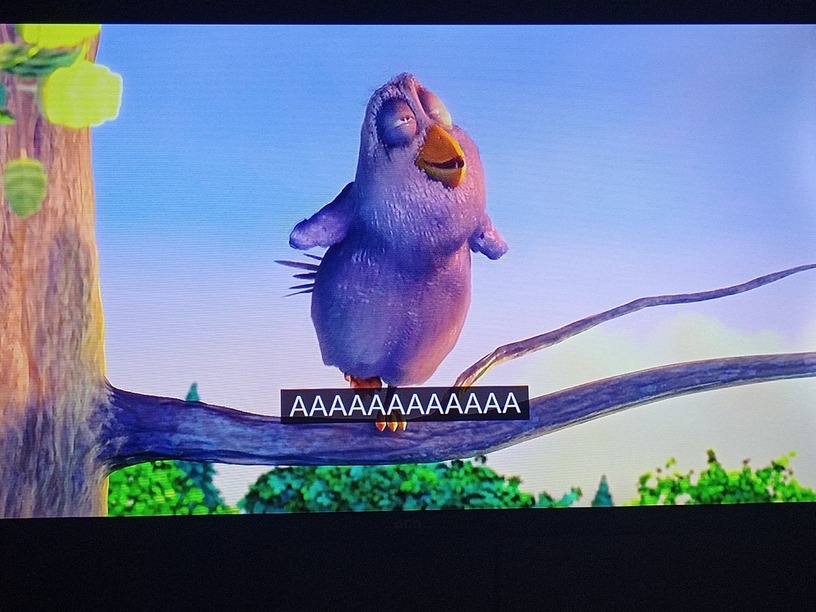
SRT subtitles a little higher

Webvtt subtitles a little lower and it can show two diferent lines at the same time
Hi @voka71 its been a year since I brought up this issue is there still no solution? I have not been able to use plex for the past year because of this. The workaround @ferezvi came up with isn’t viable because it would require way too much work to convert everything. The lack of concrete solutions has been disappointing.
Hello @AbbasMamdani, hope you are well. Roku never said anything back regarding this, other than the zero character / empty line issue that they worked on.
We do not have access to modify how Roku renders subtitle on their video node. Did you check your device system accessibility settings?
Also, like ferezvi said, webVTT allows you to modify the subtitle position, and although it is much work, it might be able to help get your subtitles rendering properly.
Sorry for the inconvenience again!
Like I said before Plex is the only app that exhibits this issue. None of my other apps including Jellyfin have this issue. There must be something wrong on your end.
