After waiting for 3 years (more?) for a fix for Android TV watch from start, we finally got it and I happily bought a lifetime Plex Pass. Watch from start working well from what I see. We recently got a 2022 Samsung Frame TV and things are not so good.
My wife watches the local ABC news at 6:00 and then ABC National News at 6:30. She also watches Wheel of Fortune and Jeopardy on Fox at 7:00 and 7:30. Two sets of back-to-back recordings on same networks. We want to use watch from start to skip the commercials. It works for the 6:00 ABC and 7:00 Fox shows. What happens if you watch the next show, hit the skip button it goes back to the previous show and plays that. Watching Jeopardy, skip 30 and you are watching Wheel of Fortune. Same with News shows. Display shown as “unknown airing”. If you watch after recording is finished it is fine. I dont have this issue on Android TV or IOS
As a workaround for the two news programs, I record NBC local News and ABC national news. That works. Problem is when they are same channel.
Please tell me I dont need to wait years for a fix
From what I’m reading, you have two sets of back to back recordings (from 6:00 - 7:30). You click watch from start which should start you from wherever the start of recording is (not sure where the skip commercials come into play here).
When watching the next show you hit the skip button. Which skip button are you talking about here? Skip forward/back 30/10 seconds or do you mean the next/previous buttons?
Next you mention that selecting skip 30 it will go back to the previous airing rather than skipping forward 30 seconds.
Is the above correct or am I misinterpreting your issue?
Yes that is correct. This is timeshifting, not auto Comskip. I dont use that. I will use the Wheel of Fortune (7:00) and Jeopardy (7:30) to describe. Both on Fox ch 19.
Watch from start with Wheel of Fortune works fine, Timeshifting through commercials with 30 sec skips works as it should. Start watching Jeopardy airing @ 7:45 or so. Jeopardy starts fine. Fist commercial break hit the right D Pad button on remote to skip forward 30 sec and you are watching Wheel of Fortune. Program title is “unknown airing”
The Local and national ABC News @ 6:00 and 6:30 does the same thing. If I record NBC local instead of ABC, there is no problem. Only a problem is when two shows are same channel.
I tested this with Android TV and IOS and no issue there,
I tried tricking it by having fist program end one min late and second one to start 1 min early to create a 2 min overlap. I tried to have the second program start 1 min late to cause a 1 min gap. Neither fixed it
Just FYI. I added a CCGTV to this TV. The Android Plex client does not have the issue described here that Tizen does so I have a fix. There were several things I didnt like about Tizen so this was a good upgrade.
You should still fix this bug as it is an issue others could run into
@LeiFaWing the CCGTV fixed the Plex issue but causes some other issues not related to Plex. It would be better for us to have the apps that are native to TV. I dont want to have my wife learn how to switch between the UIs
Can we get this fixed? It is 100% reproducible. I cannot make it not happen. To do so just
Record two consecutive 30 min programs on same TV channel.
Let 1st one finish
~ 15 in to 2nd program, go to live TV and “watch from start”
After it plays a bit skip ahead 30 sec
Sorry, I missed this message somehow. I’ll take a look at this again. You mentioned that this is on the 2022 Samsung TV. I believe this should be a Tizen 6 device, but can you double check for me? You can find the info in the about section in the settings on the Plex app.
I tried the steps you laid out here, but I’m having problems reproducing the issue. If the first airing has already finished recording then it should not exist in the buffer anymore, so I’m not sure how skipping forwards will get you back to the first airing.
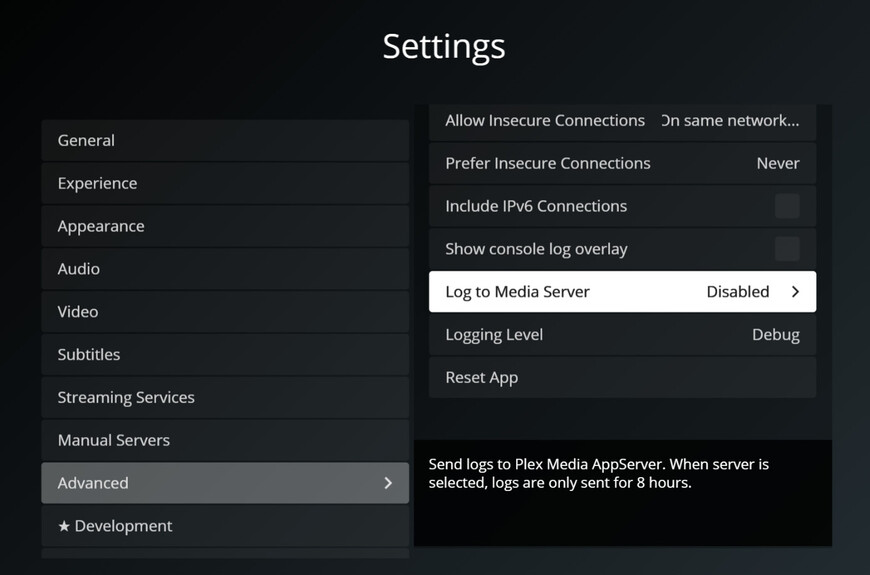
Do you mind posting your PMS logs for when this happens? You will also need to enable logging in the settings of the Samsung app.
Wanted to let you know with the fixes, we started using Plex on the Samsung TV. We shifted to watching fully recorded Vs watch from start which works very well. Nice that you added the skip commercial button too, There are things that we will want to use watch from start that we wont be able to until that part gets fixed.
Thanks for the work on this. It is far better than when I first posted here. You probably dont get much thanks compared to complaints so here is one for you
Hi, this has been an issue on my Apple TV for years now. It’s been happening at least since I bought the Plex lifetime pass to replace all of my cable boxes and DVR in my house. It’s been very frustrating to say the least. On Tuesday nights, I record the FBI’s on CBS. They are back-to-back recordings, and I usually start watching 30 minutes into the first recording and use the fast forward function to skip the commercials and catch up. Just tonight, I went to fast forward into the third recording, and it happened again. I got a random spot in one of the previous recordings, but this time, I couldn’t fast forward or rewind CBS at all. Basically I’m completely stuck in one of the previous recordings. Force quitting and relaunching the app had no effect, neither did tuning to a different channel and going back to CBS. I don’t even know at what point the feed went back to. I’m more than willing to provide any logs necessary, I’m just very frustrated that this has been broken for at least over three years and has been a huge issue (at least for me).
Depends how important this is to you. I hate Tizen. Its a terrible OS IMO and IME. For that TV I have an nvidia Shield connected and never use the Samsung OS. Zero problems with Plex (or anything else). I also have a Sony and use the native Android TV based OS. Zero issues there either. I tried an ATV years ago and Plex was absolutely unusable on it at that time. Havent tried one since.
@sjmplex I agree about Tizen, absolutely hate it. I refuse to buy Samsung TVs for that reason. I’ve been using the ATV for some years now. My household relies heavily on the Apple ecosystem. I will say Plex on ATV has gotten better over the years, but it does have this lingering issue with Live TV. I’m not sure if this is an ATV client issue or a PMS issue though. One reason I’d think this is more so a PMS issue is because this does happen on my iPad and iPhone too. I do run PMS on a Windows 10 box, one exception to the Apple environment in my house.