Server Version#: currently 1.32.5.7349
Player Version#: n/a
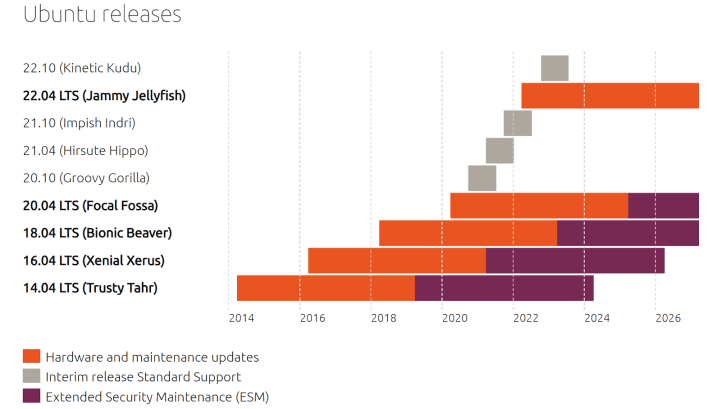
Server Hardware: Linux on Intel NUC, Ubuntu 18.04.6 LTS
Plex Media Server has worked great for probably a decade. On all new updates from 1.31 and beyond, the scanner constantly runs and PMS uses between 30% and 55% CPU constantly at idle. Scanner keeps going, stopping, and running again. It’s also triggering a “remote access is down” notification and then 15 seconds later a “remote access is back up” notification. Always.
I can downgrade to 1.30.1.6562 and it all goes back to normal. Everything works wonderfully. Anything beyond that, and my problem comes back.
On working versions, PMS CPU usage is at 0.5% idle.
Is it an issue with my OS being a little older? Ubuntu 18?
Let me know what information I can provide… logs, screenshots, more details. Whatever is needed.
<If providing server logs please do NOT turn on verbose logging, only debug logging should be enabled>
Brought the OS up to Ubuntu 22.04.3 LTS and I’m still seeing the issue. High CPU usage at idle and frequent scanning. Restarted the server and the computer, same result.
In the PMS dashboard, it reports using 25-40% CPU, but looking at something like netdata or glances, it shows much higher. 75-110% usage. On 1.30 it was basically zero on idle and no scans unless needed.
Ideas? I’ll have to downgrade again otherwise. At least it forced me to upgrade Ubuntu lol.
More info: Noticed the green lock icon next to my server is flashing… primarily stays off, but the green lock flashes on and off. Same with remote access icon. Flashing occasionally.
Please make sure they capture the cpu activity you’re seeing.
If the “Green Lock” by your server is turning green…
It’s secure (encrypted) for a moment…
2… Then it loses connection and resets
The remote access is flipping out due to DHCP server/IP changes or forwarding.
If your IP address is being reset (even to the same address) it’ll make the green lock go nuts because the connection breaks for a few milliseconds … enough to close the socket (TCP/IP rules)
Sending via private message, unless there’s no issue posting here. Wasn’t sure how much private info is included in the logs.
I don’t recall seeing the green lock or remote access status misbehaving on the prior version (1.30.1.6562 ), it’s only on upgrade. Server has a static IP address assigned.
I do actually… I found my permissions weren’t always being correctly assigned as material was moved into my server’s folders so made a script to fix permissions every few minutes. It wasn’t causing any issues on 1.30.1.6562 .
Of note regarding the “green lock”. It flashes and is mainly OFF when I’m connected to the server via IP:PORT, but when connecting via plex.tv, it is always on and a secured connection.