After updating my plex media server to version 4.108.0, the search(-bar) does not work anymore.
No results are shown, and “it loads forever”
Thats all that is shown.
And when pressing enter, the “big search page” is displayed, but still with the loading icon:
Unrelated to that: The Web UI feels slower than in the version before.
2 Likes
Please go into the Plex/web settings (upper left part of Settings)
Enable DEBUG logging
Save
Recreate
Then view the logs , capture to a text file, and attach here.
I will forward
@ChuckPa
I’ve got the exact same issue.
Tested in Firefox and MS Edge. Both the same on windows 11.
Plex windows program does not appear to have the issue however.
Trying to upload files here gives me a “Sorry, an error has occurred.”
I have the complete ZIP file of server logs after enabling debug mode. Let me know if you need a specific file from the ZIP or just the entire thing.
For example.
I apologize… The forum won’t allow .txt files.
Put TXT files in a ZIP file then attach the ZIP
To be certain we’re discussing the right Plex/web logs…
The ones you get from here
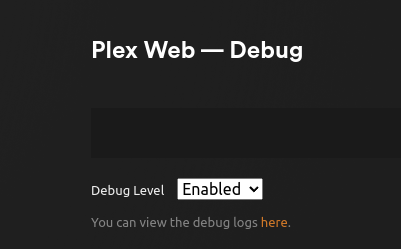
For some reason it’s not letting me upload them here.
For example.
Is there a way to send these privately since this could contain information I’d prefer not to have public such as my public ip address etc.
I can send a google drive link for example.
system
Closed
7
This topic was automatically closed 90 days after the last reply. New replies are no longer allowed.