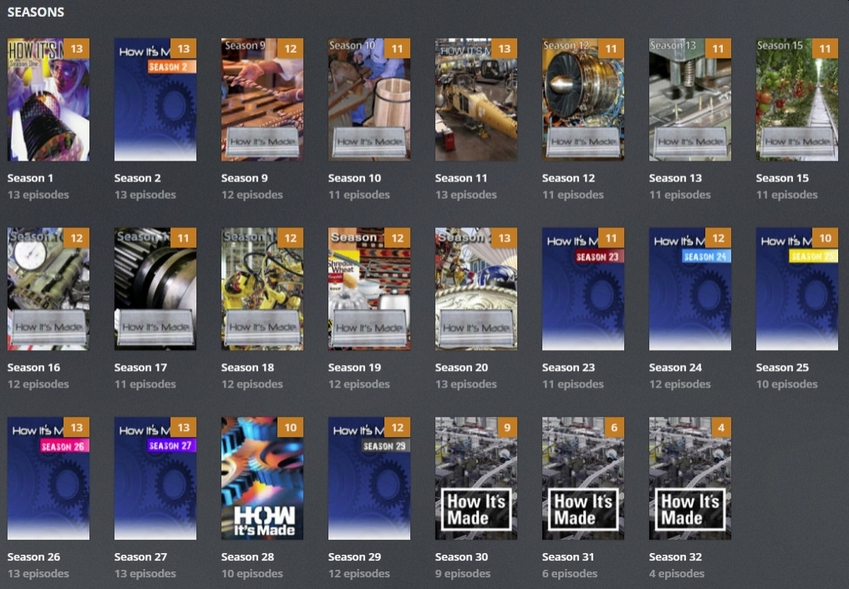
I added these seasons today but Plex has chosen Covers in different styles.
I know I can manually change them but is there a way I can ‘clean them’ automatically?
I added these seasons today but Plex has chosen Covers in different styles.
I know I can manually change them but is there a way I can ‘clean them’ automatically?
What do you consider wrong with those posters?
The only thing jumping into my eye is that it seems some of the seasons have no poster at all, showing the show’s poster instead (seasons 31-33). The reason seems to be that there’s no posters for those seasons in TheTVDb.com. That in consequence means, Plex has no means to clean it
It’s just one of those things you do when you add media… select Season artwork that suits ya - or, in this case - you make it real quick:
A few minutes in Paint (shown) - or if the OCD demands, as long as it takes with Gimp.
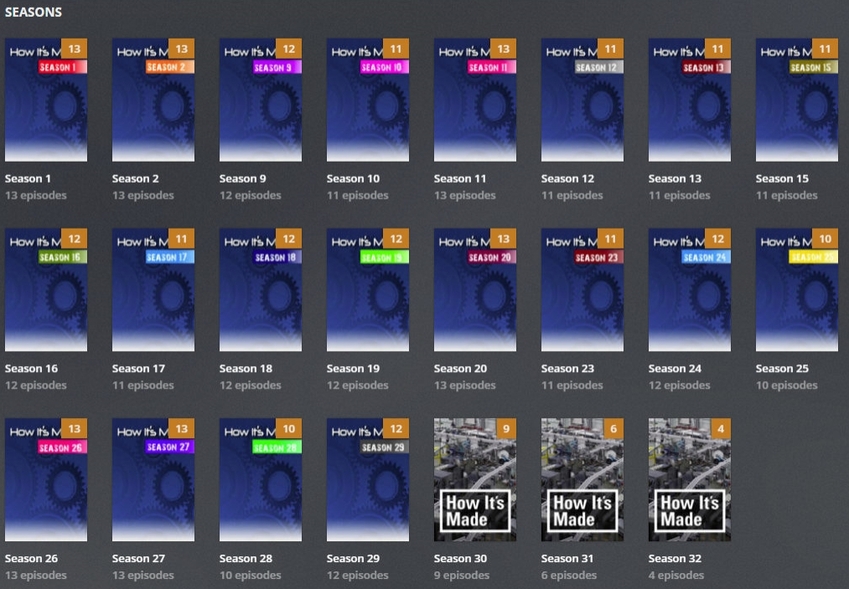
This is an example of how it can look, if only the Posters could be ‘grouped’ by theme when they’re auto-downloaded by Plex.
These were cleaned up by going to Edit > Posters.
Unfortunately, there are no posters for the later seasons.
Plex has no algorithm to find posters based on their style matching that of previously selected posters
It would be nice if, wherever Plex grabs Posters from, they could be “grouped”.
Then, in Edit > Posters, you could choose Group 1 and they’d all match. Or Group 2 and they’re all be different from Group 1 but still match each other.
If that makes sense?
I get your point. However there’s no such groups/grouping information available in the sources Plex is using. It’s just a point blank list of image links…
This topic was automatically closed 90 days after the last reply. New replies are no longer allowed.