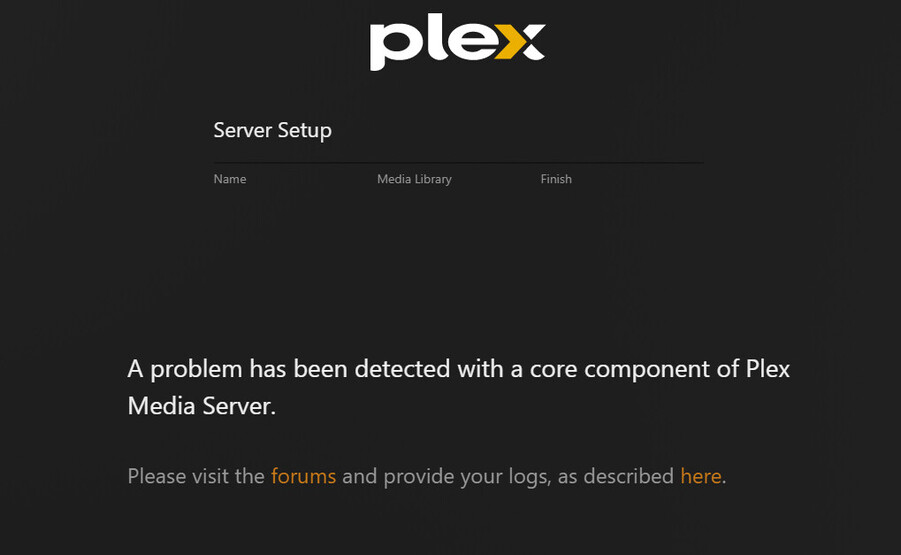
Server Version#: 1.31.2.6739-a87e876bd
Recently upgraded my NVME drive. Went back in to install Plex Media server and this is what I see. I log in to the web app and it doesn’t allow me to add libraries. It tells me to download Plex Media Server (which I have).
tom80H
March 5, 2023, 11:47pm
2
Your server logs might show what’s going wrong.
Plex Media Server Logs_2023-03-05_23-48-24.zip (3.5 MB)
also this is the address bar link i get:
https://app.plex.tv/desktop/#!/setup/22aaf27a66830223a9e822cc82c570136f28ee57 https://app.plex.tv/desktop/#!/ it sometimes works.
I click the “Got It!” button and see this:
Then I get the original picture I posted.
So here is a link to another post with the exact same issue.
I’ve uninstalled and reinstalled and I keep getting the error. I can bypass by clicking on “Name” etc. but when I close out the browser tab or the app, next time I open them the process starts all over. Now I’m getting this message on a different machine (my PC, instead of the laptop where this issue started). Please help!
EDIT: it’s also starting to happen to my PC as well. I found a way to bypass the problem at least. Go to the URL field on your browser and delete everything after “/index.htm…
Same issue for me. I had to install an older version (1.30.2.6563) to setup my new server.
Lucky you had an older version…I don’t lol…
na, installed 1.29.2.6364 and it worked great. after the install, I let it update and now everything is working as it should.