her is whay it not working it is not file call (.)plexignore it is just plexignore no dot plexignore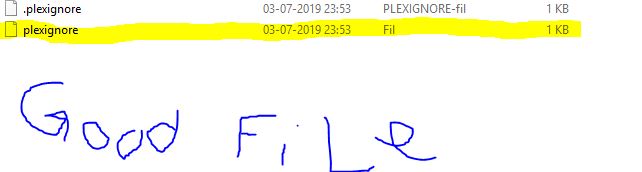 plex locks for the name plexignore hope it helps
Come on Plex do you actually fix user reported issues or only issues found internally. This one is particularly embarrassing - I use this for photos as most seem to do to filter out RAW images. We have just been away and I have taken over 700 pictures in RAW and jpg formats. Plex is showing duplicates of all which does not look good when showing the images to a third party.
This has to be a simple fix. There are some bugs/quirks I can live with and do but this is important.
I have 3 television directories. They consist of mostly MKV, some AVI, and the rest are TS.
Please observe each of my .plexignore files.
You can see, in the screenshots, the impact of each. Watch the count.
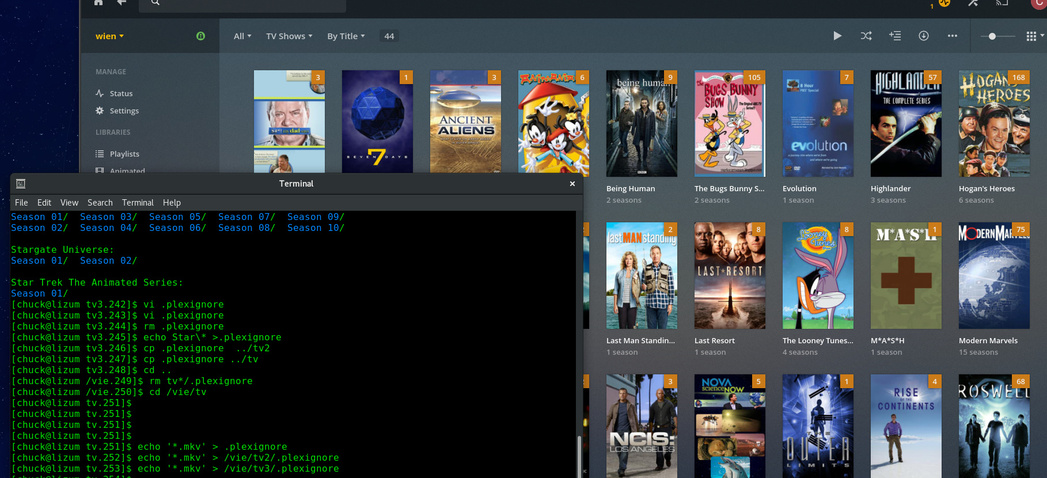

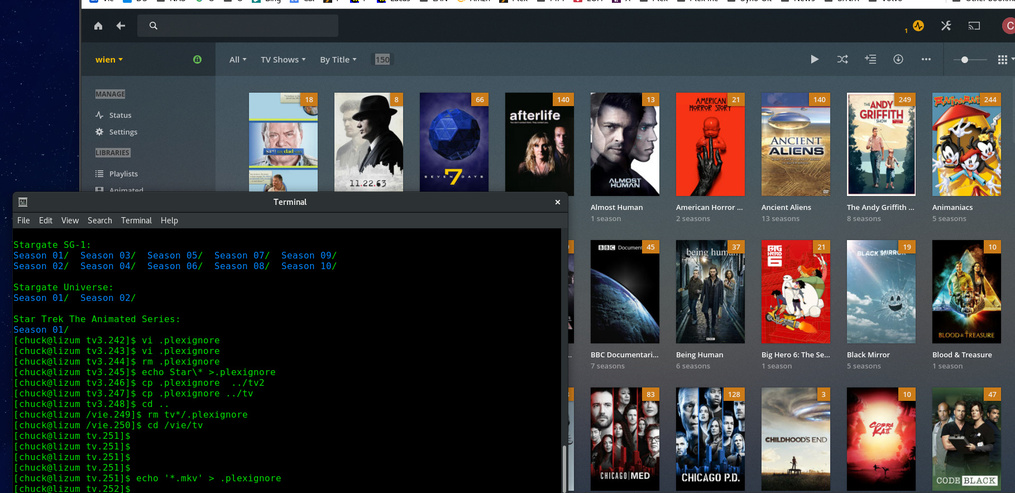
The resultant files:
[chuck@lizum tv.258]$ cat -v /vie/tv*/.plexignore    (directories:   tv,  tv2, tv3 respectively)
*.mkv
*.avi
*.mkv
*.avi
*.mkv
*.avi
[chuck@lizum tv.259]$
ChuckPA, the complaint is that plexignore stopped working with photos. I’m not sure why you’re showing that it works with your television directories. You said yourself on May 7 in this same exact thread:
“Movies and Episodes work. Photos don’t yet.”
Sorrry. I will be taking time off and look in again when I return.
Before departing, there is no word yet from Engineering.
Apologies for the display of stupidity due to exhaustion
1 Like
Hallelujah, it’s fixed. Tested and confirmed working:
Version 1.16.4.1469
ITEMS FIXED:
(Scanner) PlexIgnore file exclusion would not work in Photo libraries (#9818)
Yes, finally working again. Thanks @ChuckPa for the assistance.
This topic was automatically closed 90 days after the last reply. New replies are no longer allowed.
