I think it has to do with the multiple ports on your NAS. Are you using more than 1?
I have 5 ports plugged in - to my knowledge that is suppose to allow for faster speeds? I can unplug 4 and see if that helps.
Unplugging 4 of the 5 ports doesn’t seem to cause any change 
Which 4 did you unplug. Each port has it’s own IP address. You need to check which one is still being used, then make sure your port forward is using that same IP and then check in your PMS settings that it also matches there.
I ended up unplugging the 4 main ones and left the faster connection plugged in.
I created the IP reserve, labeling the NAS: 192.168.1.10 which is what PLex Media Server is showing.

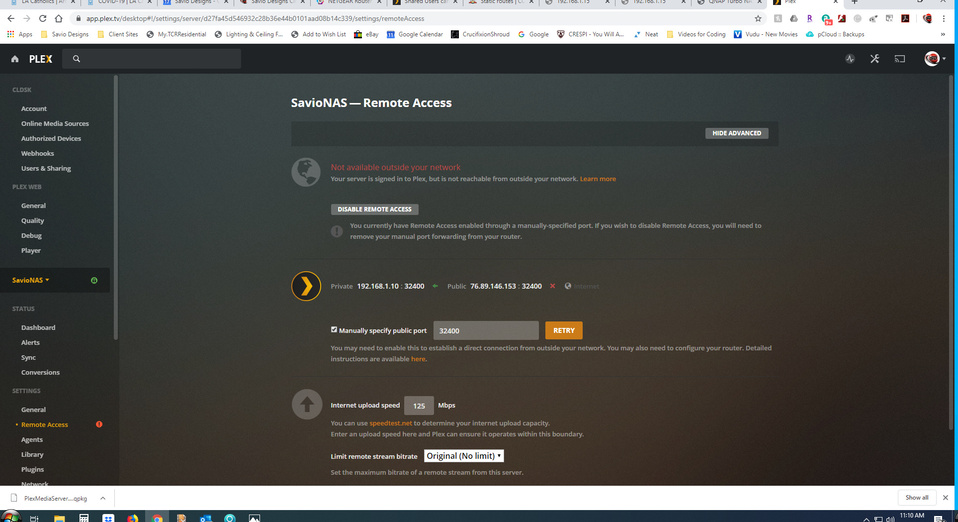
However, that didn’t seem to help. Furthermore, despite setting up the IP Reservation (and applying the changes), the NAS still seems to find itself at IP: 192.168.1.24
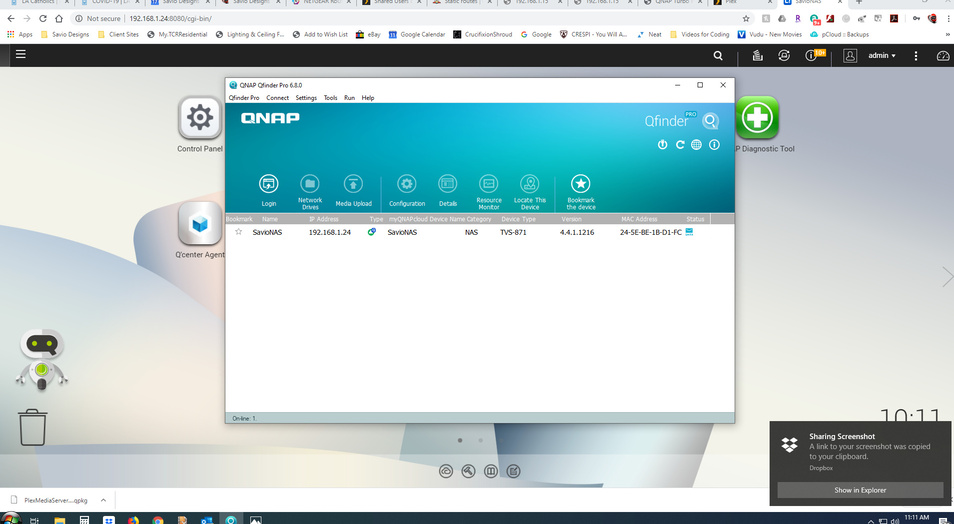
Is there a way in PMS to change the IP to 192.168.1.24? would that do it?
I am rebooting the NAS now to see if that helps.
PMS will detect the IP automatically, but again, you need to connect to the local Plex Web. Don’t use app.plex.tv when configuring network related stuff. It’s fine for managing your library.
- set your port forward to .24
- set the static ip to .24, make sure the mac address matches
- load plex web using 192.168.1.24:32400. There is should show the IP as .24.
- retry the remote access
Hopefully it should turn green. Now you can use app.plex.tv and it should show .24.
I have a QNAP TVS-1282 with 4x 1GbE and a 10 GbE NIC.
I’m here to share and help in anyway I can.
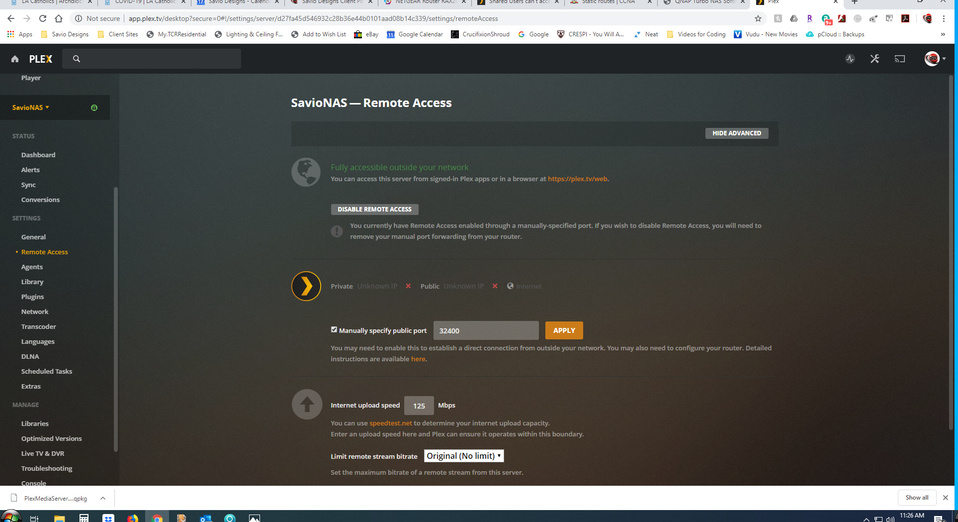
If I may jump in here a moment and help make certain your QNAP configuration is good and stable (predictable) the way you want it?
-
I see in your configuration screenshot that Ethernet adapter 2 is the
(auto)default gateway. Is this still the case? If not, where is it? Which port would you like to use as the physical default? Plex will use that system default address every time -
You have a 10 GbE NIC port. Are you using it? If you have a switch for it, would you like to?
Here is my configuration for the sole purpose of example.
Ports 1-4 of 1 GbE are unused.
Port 5 is the 10 GbE, which I’ve also made the system default.


Thanks so much! I confirmed with my mom that she still can’t access the content.
Regarding the qnap set up. Right now the 10gb port is the one I am using. My switch doesn’t go that fast, but I figure better to use the fastest port.
Let me look back into that configuration to see that it is set to that one.
Thanks again everyone for your help! I really appreciate it!
If you would like help finding an inexpensive switch which will handle 10 GbE, I can make a recommendation .  I’m fixed income here so understand the problem very well

Thx so much my internet speed at the house is only 400mbs so I don’t think a switch would allow me to utilize that speed? I thought on the Qnap using the multiple ports I could combine them into one port? I thought I had a set up in the past of 1+2+3+4+5 not sure if that is idea or would even make a difference?


What happened? You were accessing your NAS before on .24, now it’s back to .10. If this is becasue you restarted the NAS, then check the port forwarding to make sure it is .10. Everything needs to match.
You’re almost there. I see IP moved. We can change that to be 192.168.1.24 after we do this to keep your Remote Access working.
See how it says “(auto)” by your adapter but says “(Fixed)” by mine?
If you’re going to use the 10 Gig port, Lock it in .
This is important to Plex. (to pick a port with an IP and keep the NAS at that IP address)
You’ll end up with the same configuration as I have. The QNAP will always be at 192.168.1.24 for you on the 10 GbE port. When you get a 10 GbE switch, you’ll just put it in place and have more overall capacity.
-
Control Panel - Network & Virtual Switch - Network - Interfaces
-
Upper right - You want to click “System Default Gateway” button (to set it)
-
Clicking it will open this panel - Select Adapter 5 like I do.
-
Apply
-
When you click your way back out to the main networking page it will now look like this – Showing (Fixed) . This means the 10 GbE adapter with that IP is your default from now on. what you do with the other ports doesn’t matter at all.

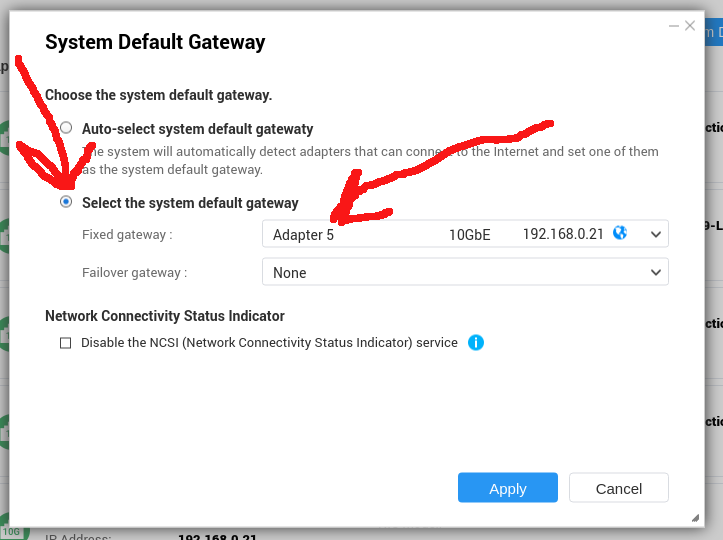

Thanks everyone thus far! I did set the Adapter 5 as fixed.

For the IP - when I set the address reservation in the router I used 192.168.1.10 as that is what Plex is showing under its Private Port: Private 192.168.1.10 : 32400 When I restarted the rounter it changed it to 192.168.1.10 from 192.168.1.24.
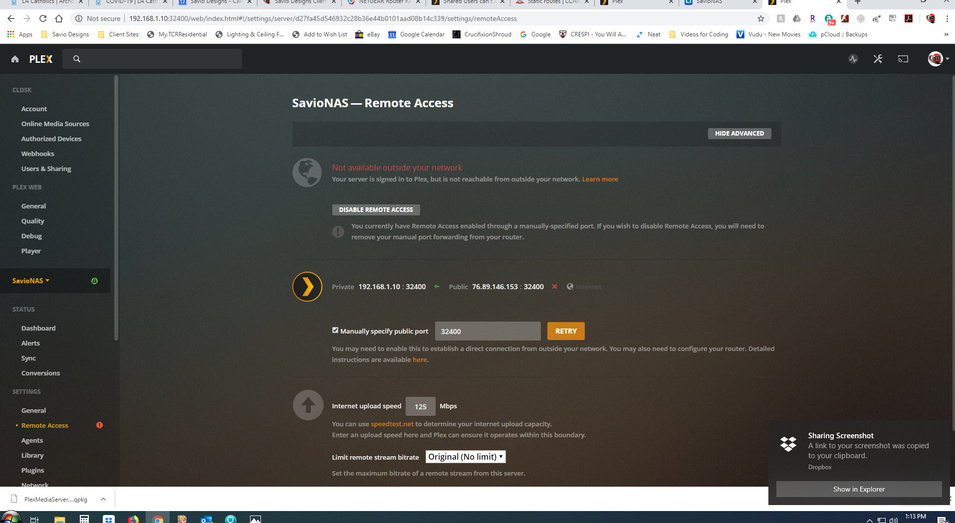
Should I change the address reservation back to 192.168.1.24 and restart the router?
Check your PM please and reply?
PM is the green dot in the upper right corner here in the forum.
