Server Version#:1.25.6.5577
Player Version#:1.41.0.2876
I discovered an odd bug and am wondering if it’s repeatable by other Plex Windows app users, or if I have some sort of corruption going on in my plex setup.
I created a smart playlist and was playing it. The song in the queue matched the song in the lower left which matched the cover art which matched what was coming out of the speakers.
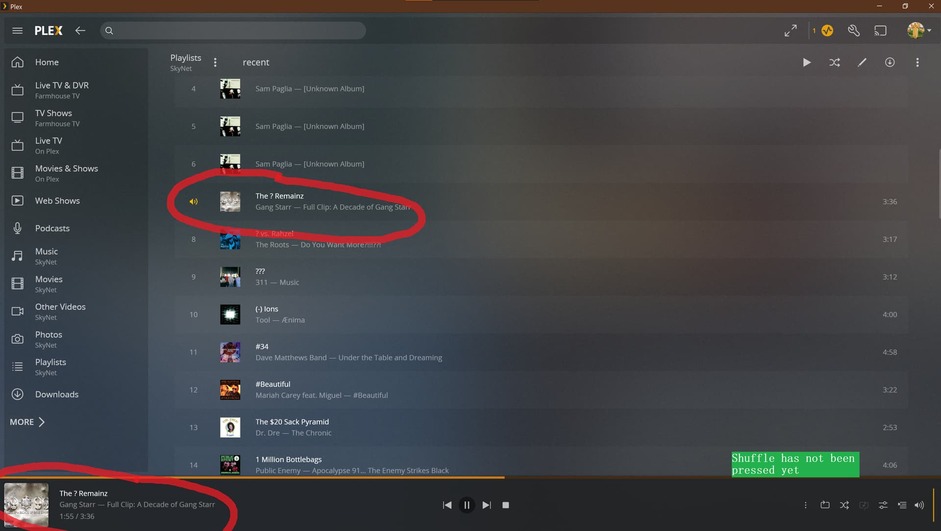
I decided to randomize the song queue and clicked on the shuffle icon.
As soon as I clicked shuffle the cover art and meta text next to it changed to a different song, However the actual audio coming out of the speakers did not. Playback continued uninterrupted.

Turning off shuffle caused the cover art to revert to being correct again. I found that odd because I don’t think turning off Shuffle play is supposed to advance the track in any way, it just stops the playback order from being random and goes back to being sequential.
Can anyone recreate this bug?
