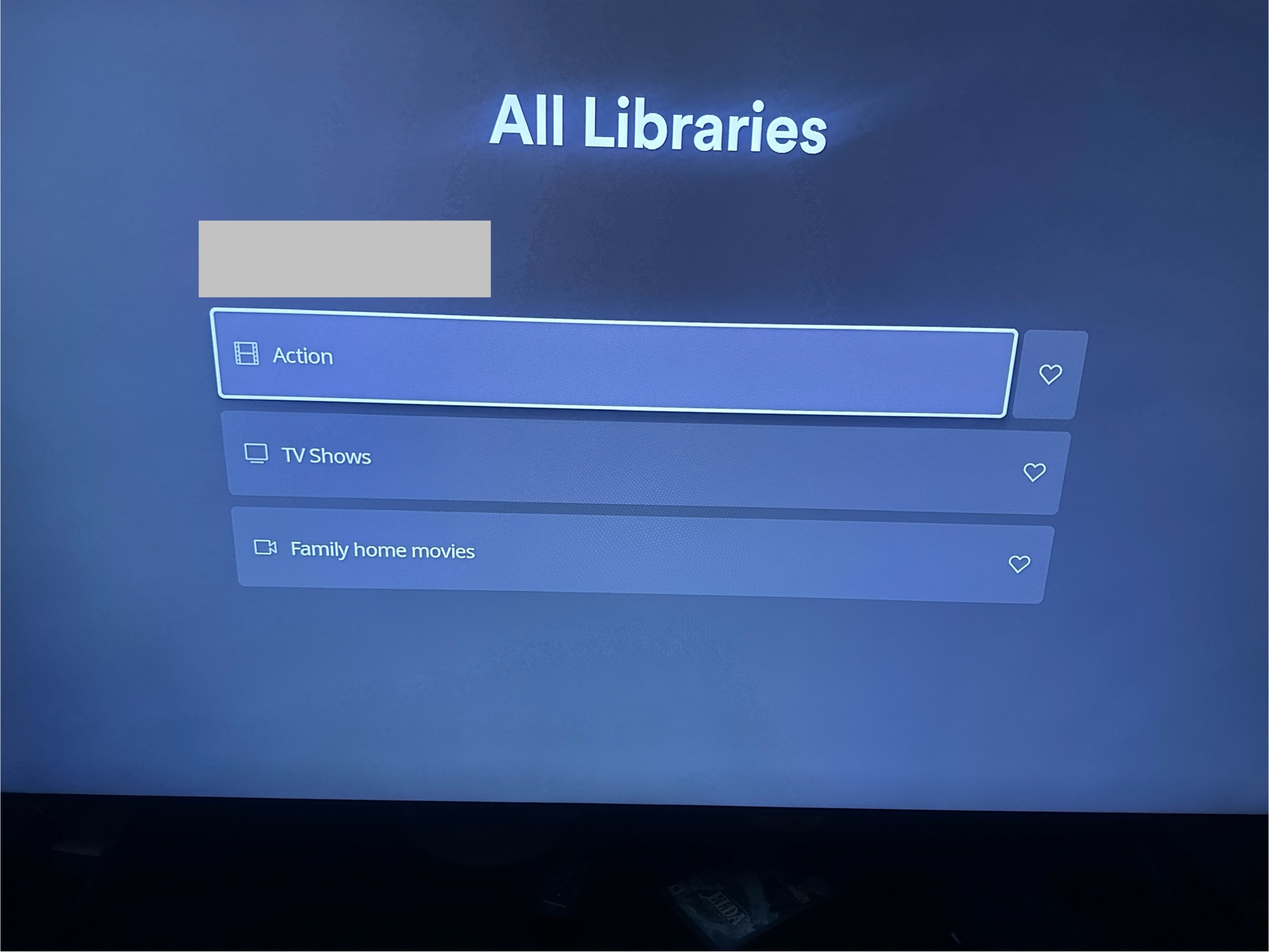
My libraries were showing in the menu, but weren’t showing as online. I was tinkering this morning with library configurations and found that Plex seems to be looking for a top-level Movies library, even when one isn’t there.
I was able to reconnect my libraries by unfavoriting them via the dot menu in the library ribbon, then adding them back. Maybe this will help other Roku users.
Well that’s…something. At least I can see my media now, in a very roundabout way. Still shows “no content” on the "Home” page
To clarify for anyone finding this later: Under Libraries in the top menu, it should list all of your libraries, with the “Favorited” ones first/leftmost.
For me, selecting libraries from that menu still gives me “no content”.
But if you go all the way right to the three dots menu, you have the option to add and remove libraries from favorites using the heart button. Apparently what OP has found is that if you use that menu to select the library itself, rather than the heart button, it opens the library correctly, even if it doesn’t work from the top menu/home.
You aren’t necessarily “re-adding” or “re-favoriting” the libraries, unless you want to. This is just a way that works (for me and OP) to get to the content.
We’ll see whether Plex fixes this craziness at some point.
On an unrelated note, anyone have a good tutorial for enabling hardware acceleration for Jellyfin in Docker in WSL?