In both the Reddit post and here you just describe the problem as “remote access issues.” Can you provide more detail as to exactly what issues you’re experiencing? It will be difficult to troubleshoot this if the exact issues are unknown.
In one of your posts on Reddit you state that you’re having a problem streaming to devices on the same network. Do those clients actually “see” your server, and you’re just unable to stream? Or does it show the server as unavailable? If unavailable, that could mean that there’s a DNS issue. Local clients find servers via DNS lookups; depending on the DNS server being used, those lookups could fail due to DNS rebinding protection.
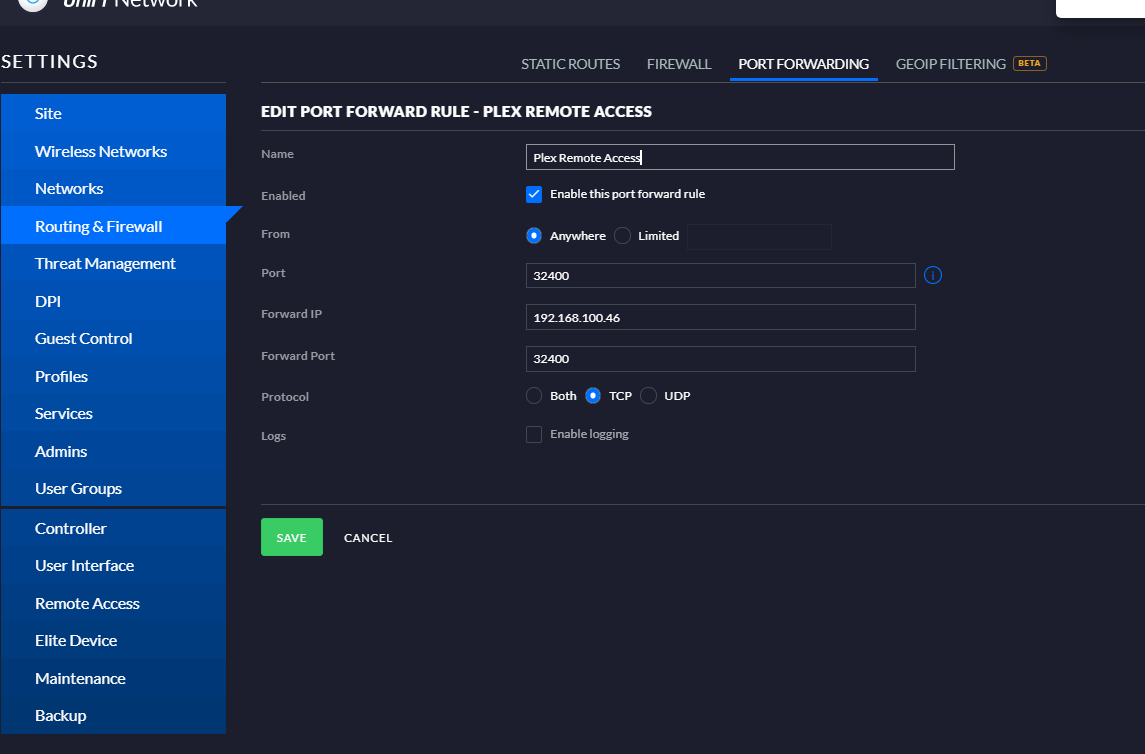
I use a USG 3P on my own network with Plex remote access enabled so I may be able to confirm at least if your port forwarding rule is configured correctly. Here’s mine:
In your case, “Port” would be configured for 15500, if your Plex configuration hasn’t changed.
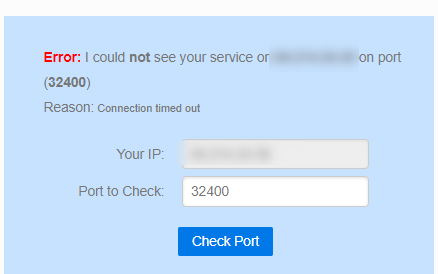
You can also browse to canyouseeme.org and enter your external port. Clicking “Check Port” should show success if everything is configured correctly.
My setup is that i have a fiber huawei fiber modem. Port 4 is set to bridge mode and then its connected to then WAN port on my USG. The LAN port on USG is connected to a poe switch from ubiquiti 60w and then i have AP-LR and AP-Lite connected to it.
Not really sure why the port is not open even thought I opened the port in usg. I made sure DPI is not enabled on the USG.
Your Reddit screenshot shows that you have port 15500 manually configured in your Plex server’s remote access settings. If that’s still the case, you’ll need to change that to 32400. Or change your forwarding rule’s “Forward Port” to 15500; either way, they need to match.
Also, I think you said in your Reddit post that you had UPnP enabled as well. If so, check (in Unifi) Insights → Port Forward Stats (using the classic interface) to see if there’s a UPnP-created forward rule to 32400 (in addition to your manual rule).
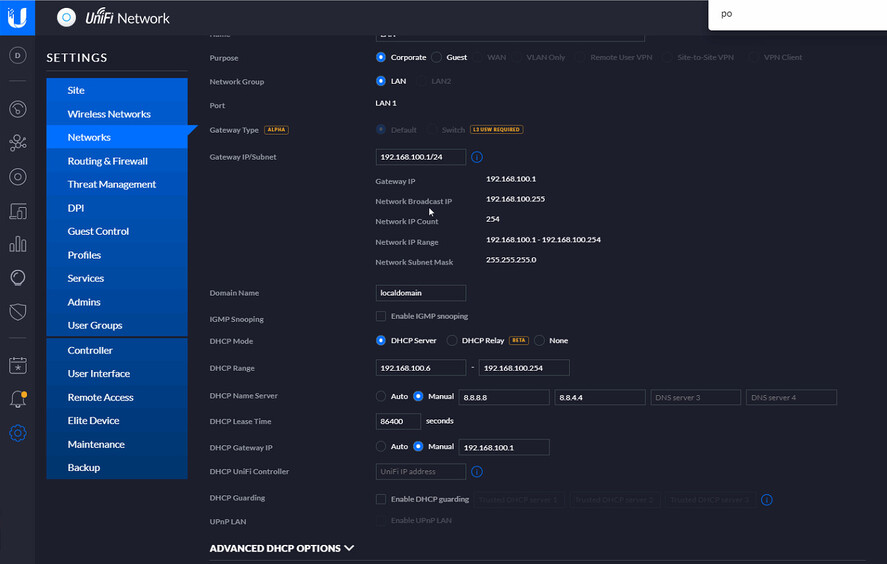
Regarding indirect access for local clients, that could be caused by DNS rebinding protection. Try editing your LAN network configuration on your USG and manually configuring the “DHCP Name Server” settings. Use Google (8.8.8.8) or CloudFlare (1.1.1.1) for testing. After allowing the USG to provision, force your DHCP leases on your server and clients to renew; the easiest way to do this may just be to reboot those devices.
The above steps will cause the USG to give out those addresses as the DNS servers to your clients. You could also just try manually specifying the DNS servers on your clients directly, if they allow it. Either way, the clients should now use those servers for DNS queries.
If you’re currently using a 3rd party DNS server (like Pi-hole), they can usually be configured to disable DNS rebinding protection or just create an exception for *.plex.direct.
Here is the strange thing: I’m able to stream from the browser but not from the plex app. The browser plex is limited and can only stream 2mb quality I have a fiber connection 500/500mbits